PSR-E223/YPT-220 Owner’s Manual 27
Basic Operation and Displays
Reference
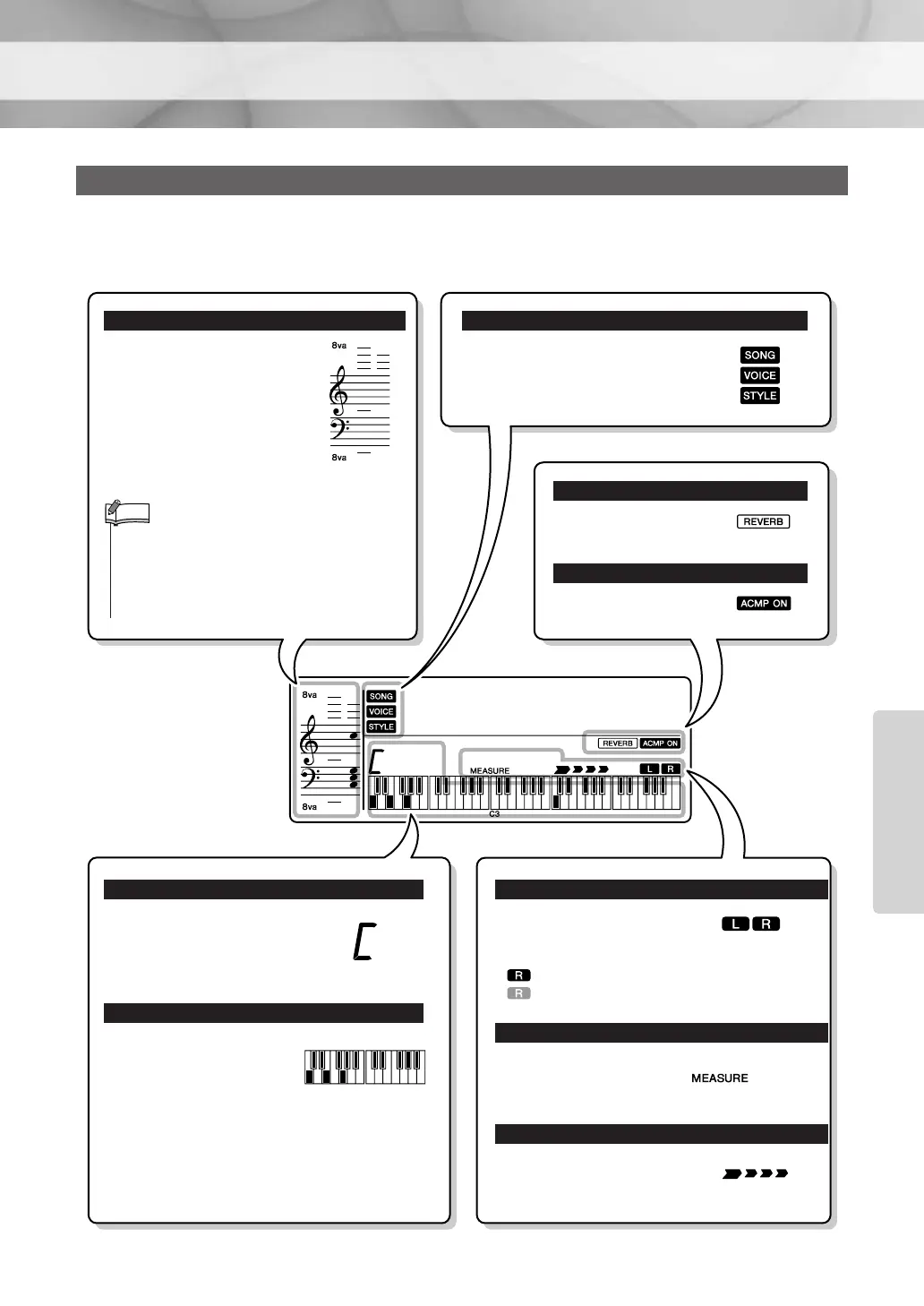
The Main display shows all of the current basic settings for Song, Style and Voice. It also includes a range
of indicators that show the on/off status for various functions.
Display
GrandPno
001
003
Displays the melody and
chord notes of a Song when
the Song lesson function is in
use, or the notes of chords you
specify when the Dictionary
function is in use. At other
times the notes you play on
the keyboard are displayed.
Notation
•Any notes occurring below or above the staff are
indicated by “8va” in the notation.
•For a few specific chords, not all notes may be
shown in the notation section of the display. This is
due to space limitations in the display.
NOTE
Indicate the operating condition of
the instrument.
SONG/VOICE/STYLE
Appears when Reverb
is on (page 32).
Appears when the auto
accompaniment is on.
REVERB
ACMP ON
Indicates the name of the
chord currently being played
back, or the name of the chord
being played on the keyboard.
Indicates notes currently
being played.
Indicates the melody and
chord notes of a Song when
the Song lesson function is in
use. Also indicates the notes
of a chord—either when play-
ing a chord or when using the
Dictionary function.
Chord Display
Keyboard Display
Information related to the
Song tracks is shown here.
(See page 37.)
Lit: Track contains data
Unlit: Track is muted or contains no data
Indicates the current mea-
sure during playback of a
Song.
Indicates the beat of the cur-
rent Style or Song with flash-
ing arrows.
Song track display
Measure
Beat Display
003















 To Next Page