Song Lesson
PSR-E223/YPT-220 Owner’s Manual 29
Reference
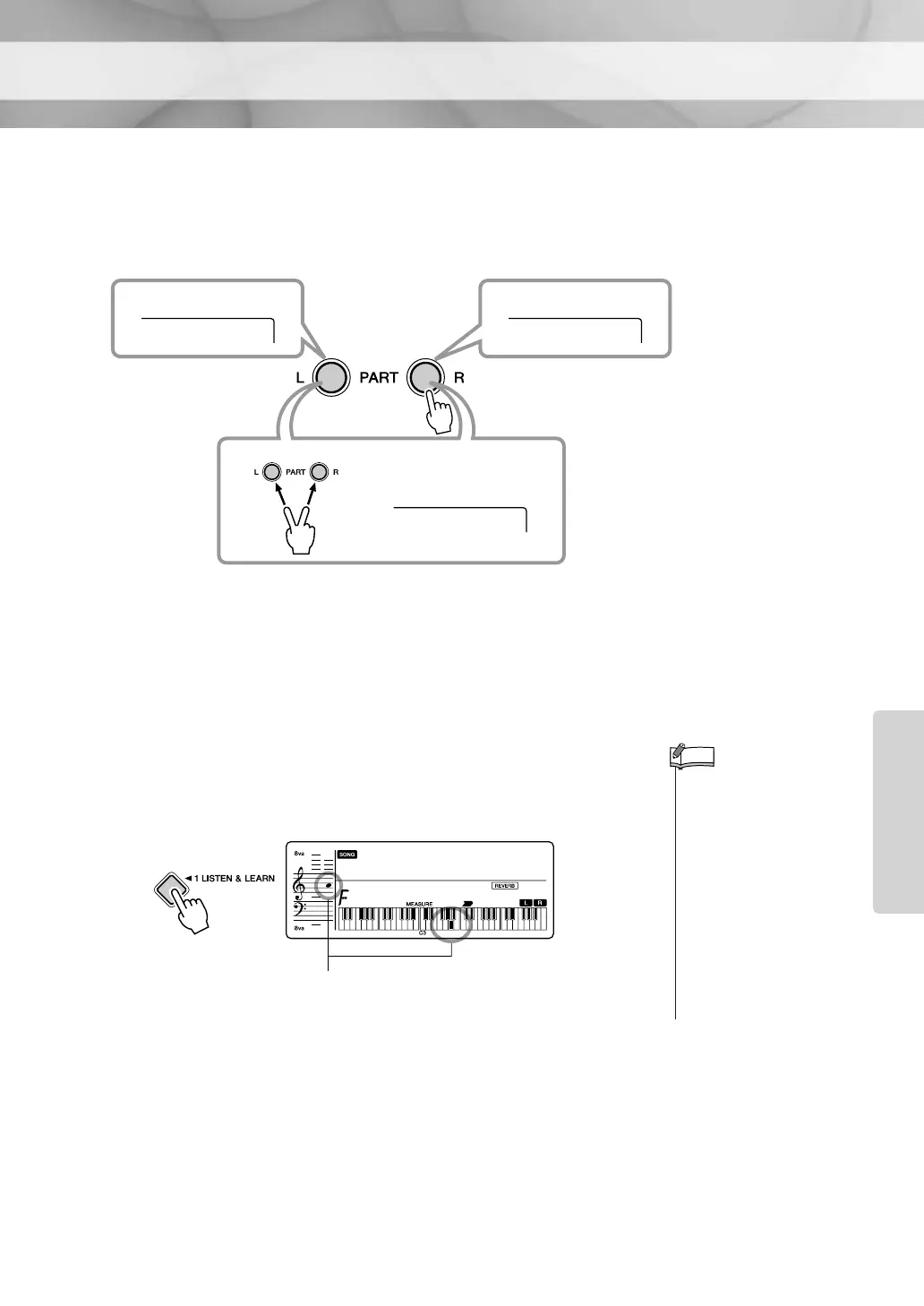
2 Select the part you want to practice.
Press the [R] button for a right-hand lesson, [L] button for a left-hand
lesson, or press both the [R] and [L] buttons simultaneously for a both-
hands lesson. The selected part is displayed.
Song number 001 is intended for use as right-hand lessons, and cannot
be used for left-hand or both-hands lessons. A “No LPart” message is
shown in the display if you select the left part in the Song number 001.
3 Start Lesson 1.
Press the [LISTEN & LEARN] button to start Lesson 1.
The melody of the part you selected in Step
2 will sound. Listen to it
carefully and learn it well.
4 Stop the Lesson mode.
You can stop the Lesson mode at any time by pressing the [START/
STOP] button.
Left Right
BothHand
Both-hands lesson
Right-hand lessonLeft-hand lesson
•Even after Lesson 1 has
started and the Song is
playing, you can still select
the part.
• When the melody Voice of
the Song is changed, the
key position shown in the
display may be shifted (in
octave units), depending on
the Voice selected.
•You can select Lessons 1–3
by pressing the [LISTEN &
LEARN], [TIMING] and
[WAITING] buttons, respec-
tively.
NOTE
LISTEN
r1
011
The notation and key positions of the model
melody are shown in the display.















 To Next Page