108 RM1x SEQUENCE REMIXER
PATTERN MODE
14. Split
14. Split
❏ Split
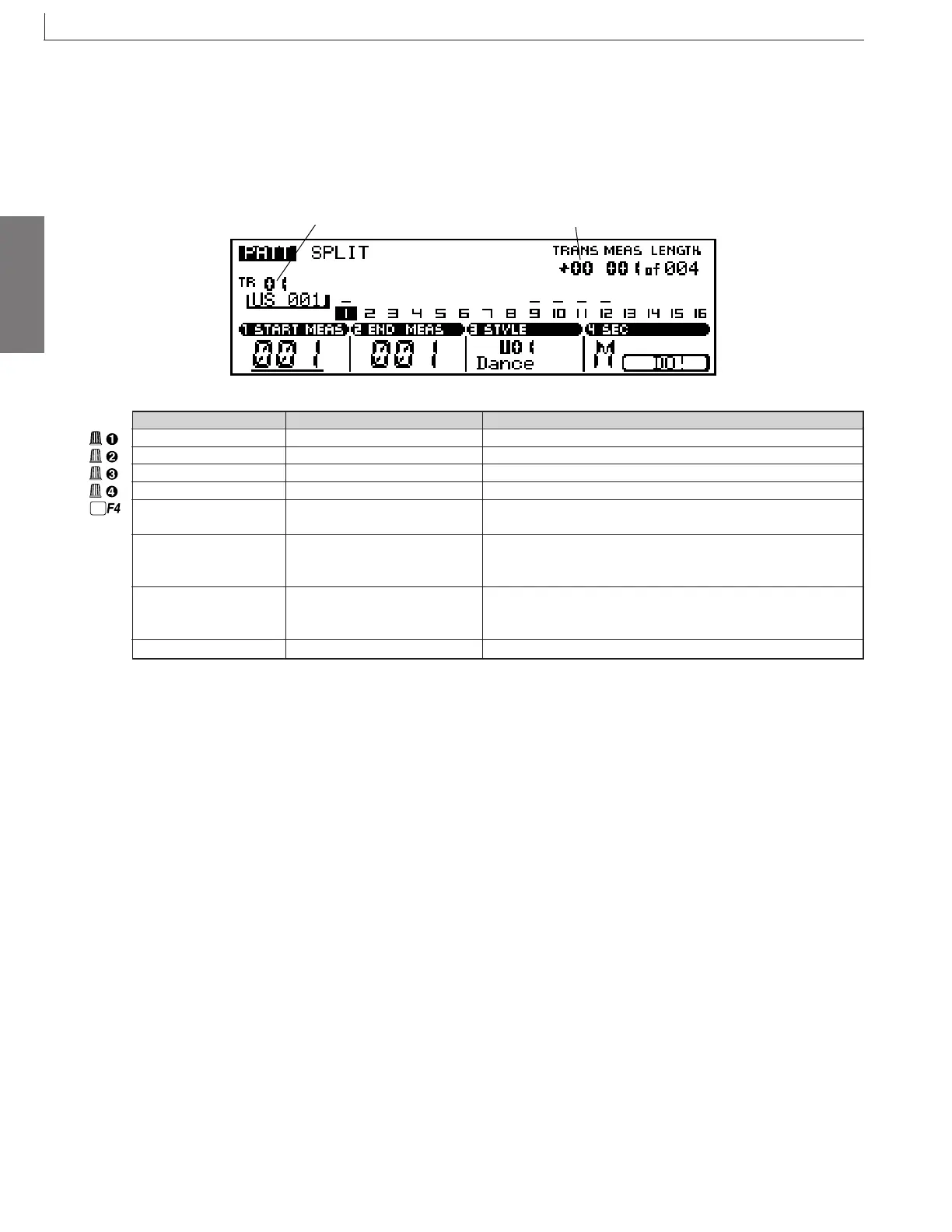
This function allows a specified range of measures to be copied from the current section (pattern) to a specified section in a
specified user style.
Track number
Transpose
Parameter Values Function
Start measure 001 ... 256 Specifies the first measure in the range to be copied.
End measure 001 ... 256 Specifies the last measure in the range to be copied.
Style number U01 ... U50 Specifies the destination style number.
Section A ... P Specifies the destination section.
DO! - Press the F4 function button to actually cut and copy the specified
pattern data to the specified style and section.
Track number 01 ... 16 Shows the current selected track number. Track number selection
can be accomplished via this parameter, or by the keyboard method
described on page 27.
Transpose -36 ... +36 Shows the current transpose value. Transposition can be accom-
plished via this parameter, or by the keyboard method described on
page 27.
Measure 001 ... 256 Sets playback start location; or shows current playback location.
After specifying the start and end measures of the range of
pattern data you want to copy from the current style and sec-
tion, and after specifying the destination style and section,
press the F4 function key (DO!). “Executing” will appear on
the display briefly while the data is being copied.
The SPLIT function makes the process of splitting a section
into multiple sections of the same length fast and easy. After
the first SPLIT operation the START MEAS and END MEAS
parameters will automatically be set in preparation to copy
the next range of measures: START MEAS will be set to the
previous END MEAS + 1, and END MEAS will be set to
specify a measure range of the same length as the preceding
range copied.
* For information about how to change values, refer to the Basic Operation (page26).



 To Next Page