64 RM1x SEQUENCE REMIXER
PATTERN MODE
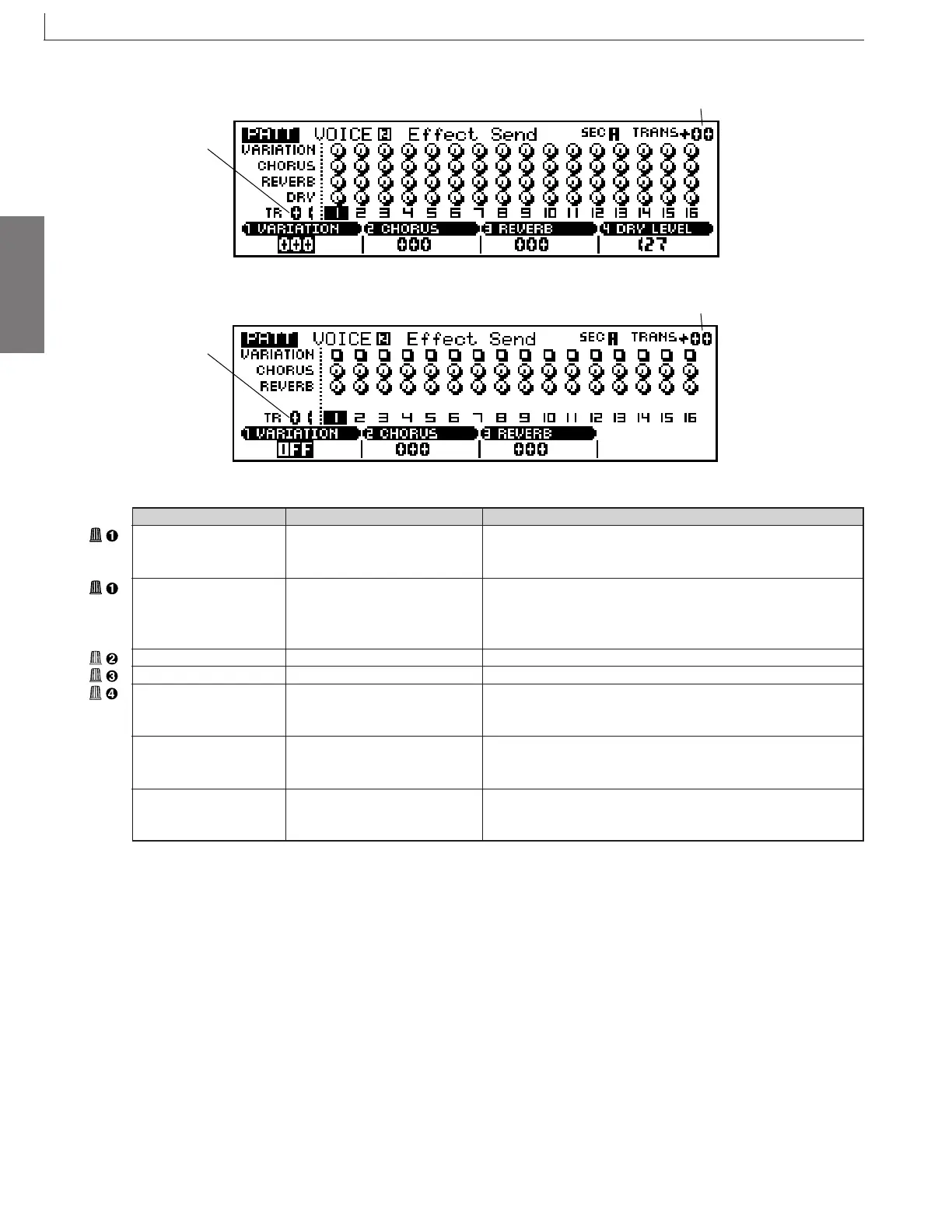
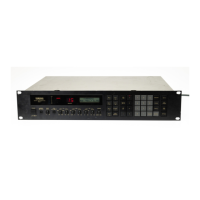
Effect Send
When variation connection = System
Transpose
Track number
When variation connection = Insertion
Transpose
Track number
Parameter Values Function
Variation send level 000 ... 127 Sets signal level to variation-effect block.
(When variation
connection =System)
ON, OFF Selects use/nonuse of variation effect.
Note that you can set the switch ON for one track only. (When you
set the value to ON, any other ON setting automatically changes to
OFF.
Chorus send level 000 ... 127 Sets signal level to chorus-effect block.
Reverb send level 000 ... 127 Sets signal level to reverb-effect block.
000 ... 127
Specify for each track the amount that is sent to the Dry line of the effect.
Setting appears only if variation type is set to System.
Track number 01 ... 16 Shows the current selected track number. Track number selection
can be accomplished via this parameter, or by the keyboard method
described on page 27.
Transpose -36 ... 0 ... +36 Shows the current transpose value. Transposition can be accom-
plished via this parameter, or by the keyboard method described on
page 27.
7. Voice
Variation switch
(When variation
connection =Insertion)
Dry level
(When variation
connection =System)
* For information about how to change values, refer to the Basic Operation (page26).



 To Next Page