18 RM1x SEQUENCE REMIXER
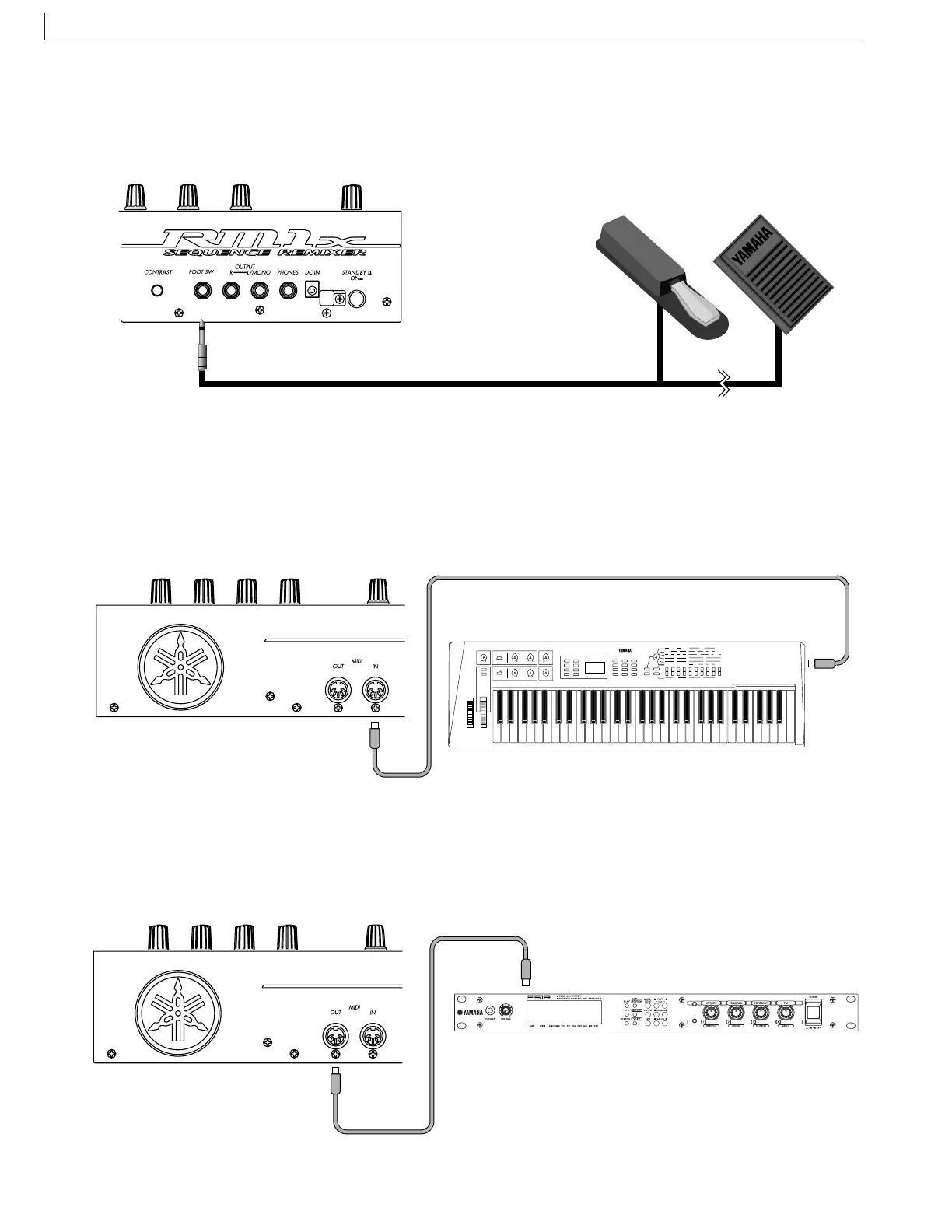
❏ Connecting a footswitch
When using a separately sold FC4 or FC5 foot switch, insert the foot switch plug into the FOOT SW jack located on the rear
panel.
FC4 or FC5
❏ Connecting external MIDI devices
Connecting a MIDI keyboard
Realtime recording input will be easier if you use a MIDI keyboard.
Use a MIDI cable to connect the MIDI OUT of the external MIDI keyboard to the MIDI IN connector on the rear panel.
MIDI
OUT
Connecting a tone generator module
RM1x song and pattern playback data can be used to play an external tone generator module.
Use a MIDI cable to connect the MIDI OUT connector on the rear panel to the MIDI IN connector of the external MIDI
device.
MIDI IN
SETUP



 To Next Page