22 RM1x SEQUENCE REMIXER
4. Using the included disk
Here's how to use the included disk.
SETUP
❏ Contents of the disk
The included disk contains 3 demo songs.
The demo songs allow you to enjoy demo playback, and to
playback songs while adjusting the assignable knobs (PLAY
FX and VOICE) to experience the possibilities of the RM1x.
❏ Listening to the demo play-
back
Here's how to load a demo song file from disk and enjoy the
demo playback.
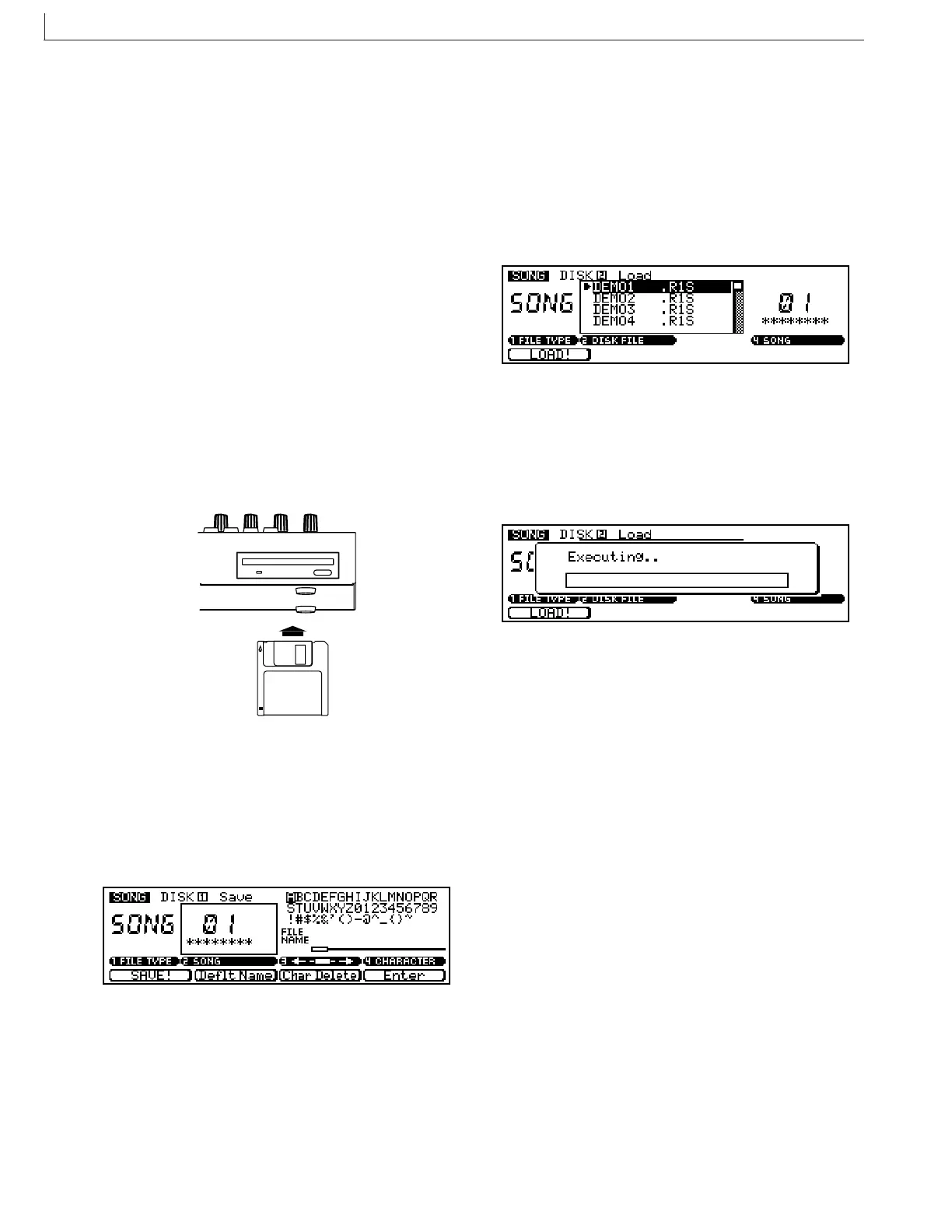
1 With the label facing upward, insert the disk into the
floppy disk slot.
Insert the disk all the way until it clicks into place.
2 Press the [SONG] button.
You will enter Song mode.
3 Press the [DISK] button.
You will enter Disk submode.
4 Press the [DISK] button again.
You will enter Load page, and the top line of the display
will indicate “SONG DISK 2 Load”.
5 Use the CURSOR button to move the cursor to the
file you wish to play.
6 Press the F1 button (LOAD!) to start the load opera-
tion.
The display will indicate “Executing...".
7 Press the [SONG] button.
The top line of the display will indicate the loaded song
name.
8 Press the PLAY p button to start playback.
9 Press the STOP s button to stop playback.
n By changing the DISK FILE in step 5 you can playback other
songs.



 To Next Page