RM1x SEQUENCE REMIXER 81
PATTERN MODE
To Select a Job
1 Press the SUBMODE
[JOB]
button. You will be pre-
sented with a job “menu.”
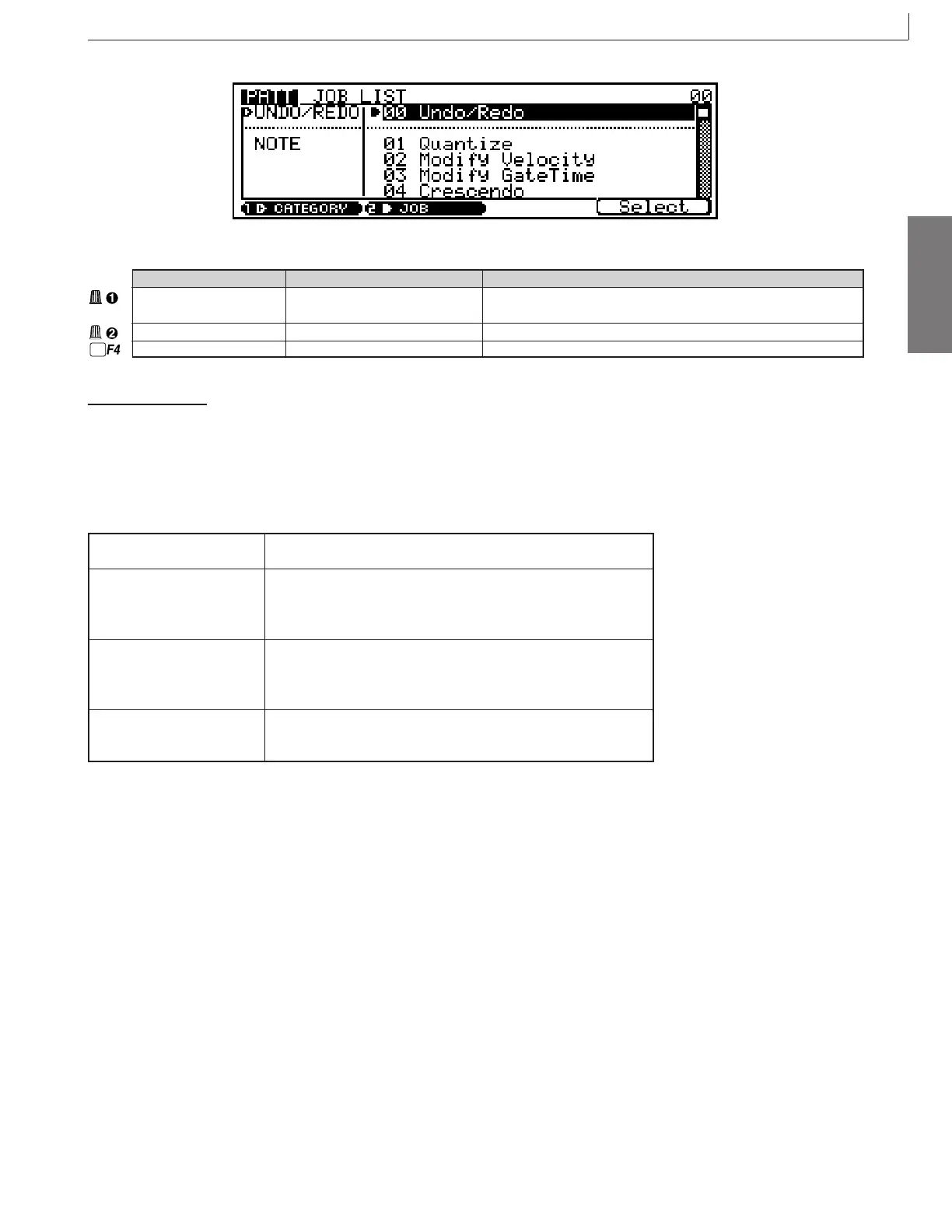
2 Select a job. There are several ways to do this, as
listed below:
CURSOR buttons Use the CURSOR buttons to scroll to the desired job, then press the
Select function button (F4, below “Select” on the display).
Display Knobs Use the knob below “JOB” on the display to scroll through the job list,
then press the Select function button (F4, below “Select” on the dis-
play). You can also use the CATEGORY knob to switch between job
categories (listed to the left of the jobs).
[NO - 1]
/
[YES + 1]
buttons
Press the
[NO - 1]
or
[YES + 1]
button once briefly to single-step through
the menu in the corresponding direction, or hold the button for continu-
ous scrolling. When the desired job has been highlighted, press the
S
elect
function button (F4, below “S
elect
” on the display).
Numeric Selection Use the numeric entry method described on page 26 to enter the
number of the desired job. The job number will flash in the upper right
corner of the display. Then press the
[EXIT]
button.
Parameter Values Function
Category UNDO/REDO, NOTE, EVENT, Selects the category.
PHRASE, TRACK, PATTERN
Job 00 ... 36 Selects the job.
Select Jumps to the job currently selected in the job list.
3 Press the F4 function button (Select) to go to the
selected job.
4 Set the job parameters as required. The job param-
eters are described in the job descriptions which fol-
low.
5 Press the F4 function button (DO!) to execute the
job.
n • Do not switch off the power while a job is executing (while
the “Executing...” message is on the screen), as this may
cause destruction of your recorded data.
12. Job



 To Next Page