21
COMPACT DISC PLAYER OPERATIONS
English
SINGLE REPEAT
The current track is played repeatedly.
FULL REPEAT
The current disc is played repeatedly.
• In random-sequence play mode, all randomly
sequenced tracks are played repeatedly in the same
order.
To cancel repeat play mode
Press REP successively until “REPEAT F” disappears
from the display.
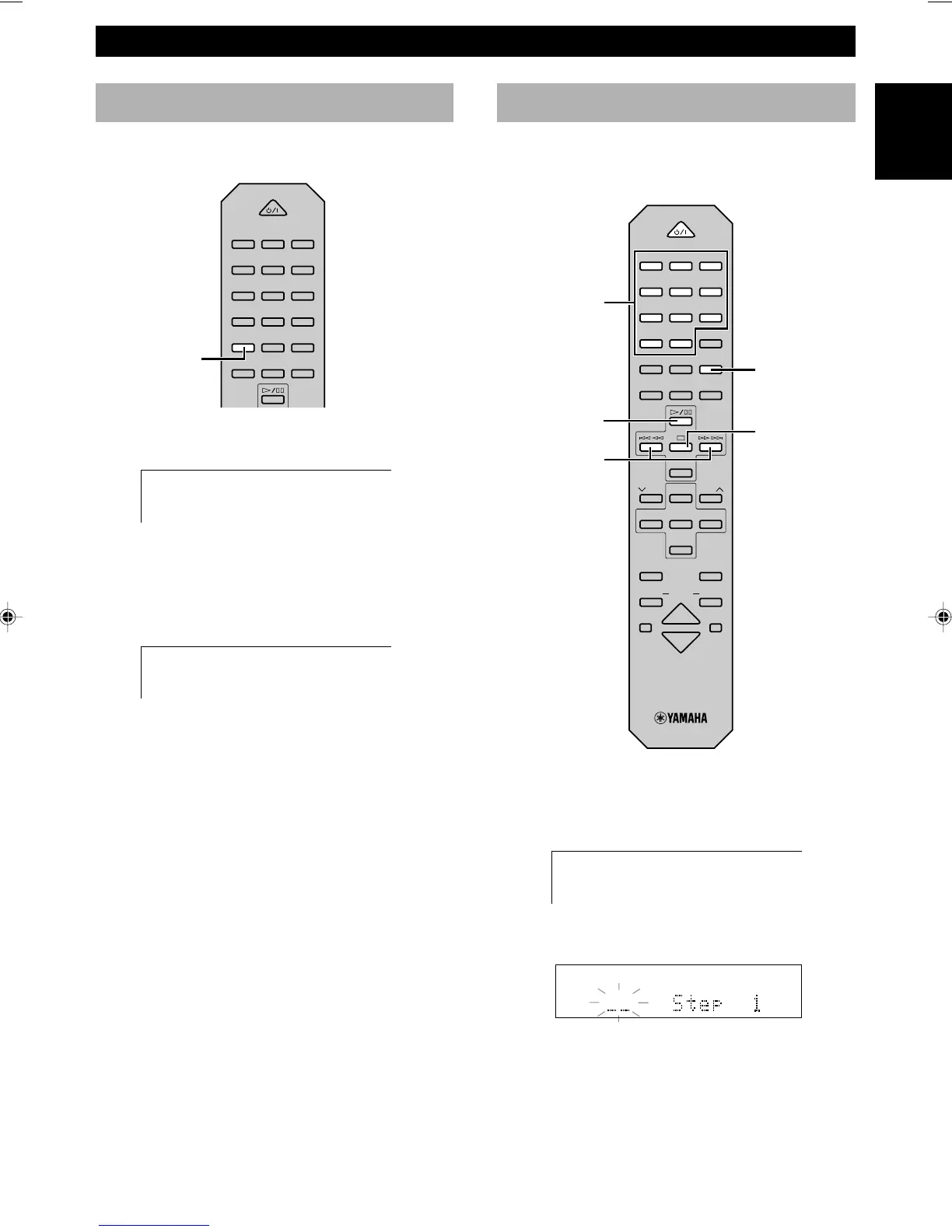
1 Press & to stop the unit.
2 Press PROG.
•“PROGRAM” appears in the display.
3 Use the numeric buttons to select a track number
until the desired track number appears on the display.
4 Repeat step 3 to program more tracks. You can select
the same track again.
5 Press ^ to start program play.
Program play
By creating a program, you can enjoy listening to your
favourite tracks in any desired order. As many as 30
tracks can be programmed in sequence.
PROG
Repeat play
You can play any desired track or disc repeatedly.
Press REP to select the repeat mode.
REP
Numeric
buttons
$ !/⁄ ›
^
&
POWER
1 2 3
123
4 5 6
456
7 8 9
78
0 +10 +100
FREQ
/
RDS MODE
–
PTY SEEK
–
START
REP
RANDOM
PROG
ABC
TEXT
/
TIME
R. TIME
DE
POWER
1 2 3
123
4 5 6
456
7 8 9
78
0 +10 +100
FREQ
/
RDS MODE
–
PTY SEEK
–
START
REP
RANDOM
PROG
ABC
TEXT
/
TIME
R. TIME
DE
TAPE
DIRECTION
PRESET
TUNER
PRESET
MD CD TAPE
AUX
MD
REC
/
PAUSE
TAPE
REC
/
PAUSE
MODE
SLEEP
DISPLAY
DUBBING
VOLUME
START
PROGRAM
REPEAT S
REPEAT F
PROGRAM



 To Next Page