30 En
BASIC SETUP
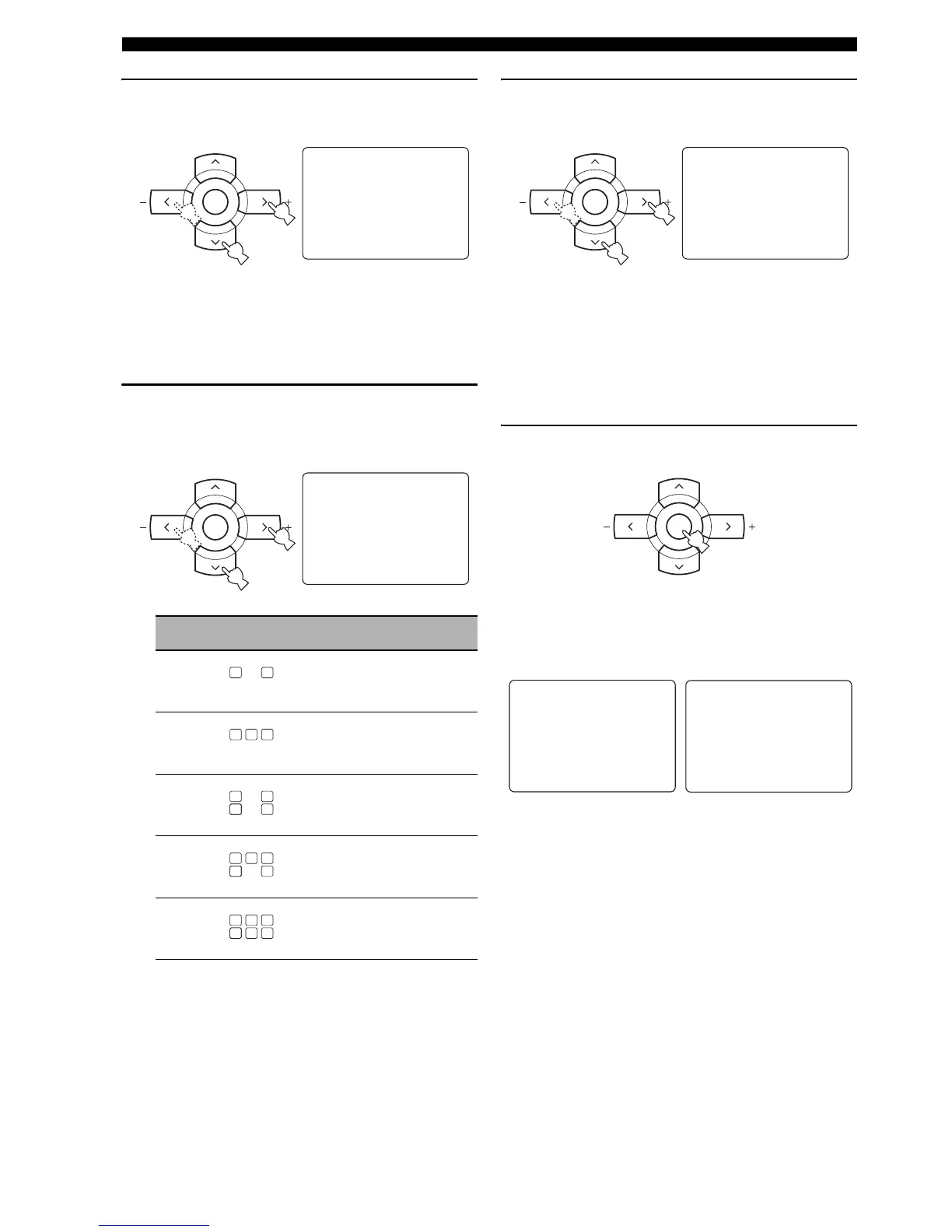
6 Press d to select “SUBWOOFER” and then
j / i to select the desired setting.
Choices: YES, NONE
• Select “YES” if you have a subwoofer in your
system.
• Select “NONE” if you do not have a subwoofer in
your system.
7 Press d to select “SPEAKERS” and then j / i
to select the number of speakers connected
to this unit.
8 Press d to select “SETUP” and then j / i to
select the desired setting.
Choices: OK, CANCEL
• Select “OK” to apply the settings you made.
• Select “CANCEL” to cancel the setup procedure
without making any changes.
y
You can also press SET MENU to cancel the setup
procedure.
9 Press ENTER to confirm your selection.
If you selected “OK” in step 8, each speaker outputs a
test tone twice in turn. “CHECK:Test Tone” appears
in the OSD for a few seconds and then “CHECK
OK?” appears in the OSD.
y
Check the speaker connections (see page 13) and adjust the
“SPEAKERS” settings back in step 7, if necessary.
Choice Display Speakers
2spk
Front L/R
3spk
Front L/R, Center
4spk
Front L/R, Surround L/R
5spk
Front L/R, Center, Surround L/R
6spk
Front L/R, Center, Surround L/R,
Surround back
A/B/C/D/E
ENTER
PRESET/CH
;BASIC SETUP
ROOM: S >M L
.SUBWOOFER;;;;YES
SPEAKERS;;;;6spk
SETUP:>OK CANCEL
[]/[]:Up/Down
[<]/[>]:Select
p
p
A/B/C/D/E
ENTER
PRESET/CH
;BASIC SETUP
ROOM: S >M L
SUBWOOFER;;;;YES
.SPEAKERS;;;;6spk
SETUP:>OK CANCEL
[]/[]:Up/Down
[<]/[>]:Select
p
p
LL C R
SL SB SR
LL C R
SL SB SR
LL CR
SL SB SR
LL C R
SL SB SR
LL C R
SL SB


 To Next Page