51 En
FM/AM TUNING
BASIC
OPERATION
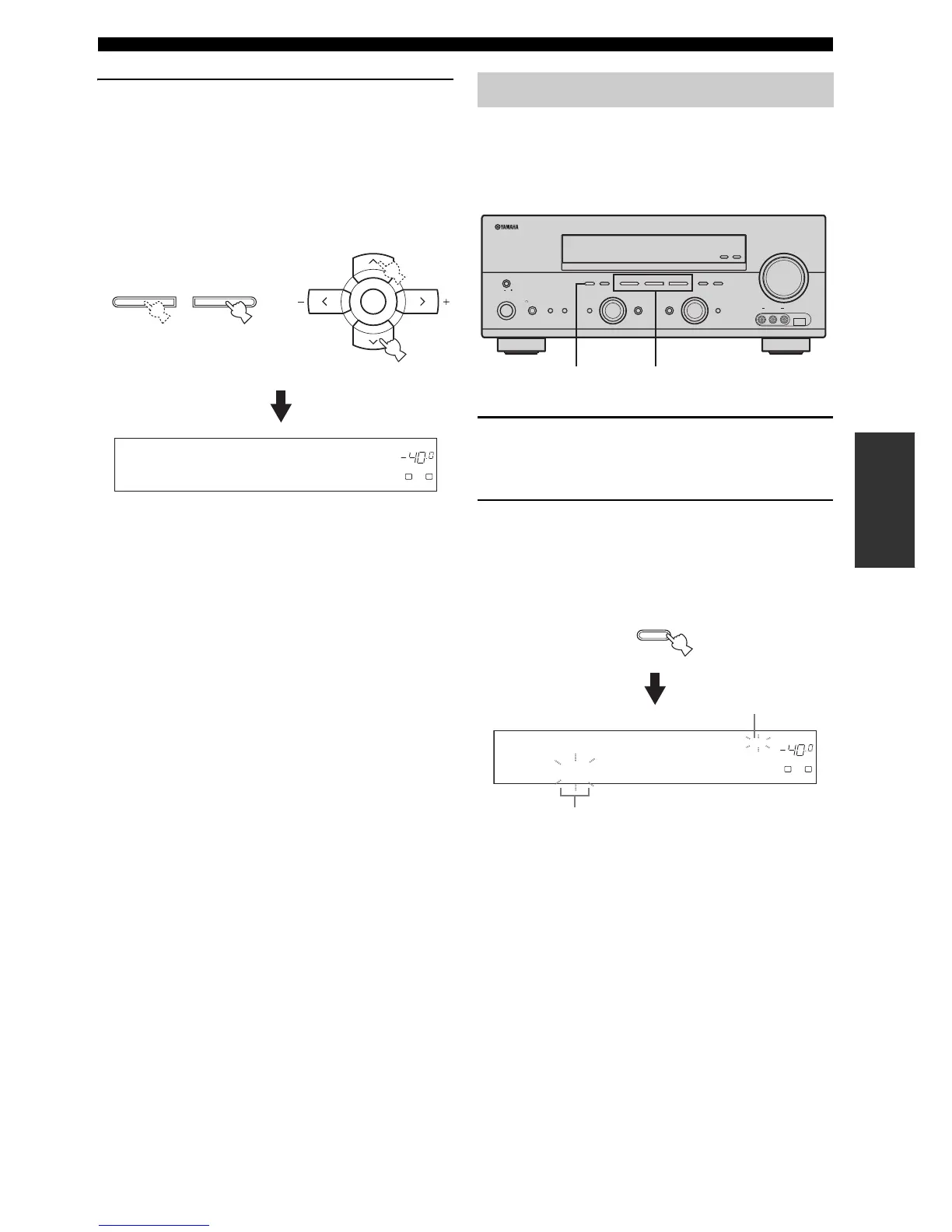
2 Press PRESET/TUNING l / h on the front
panel (or PRESET/CH u / d on the remote
control) to select the desired preset station
number (1 to 8).
The preset station group and number appear in the
front panel display along with the station band and
frequency.
You can exchange the assignments of two preset stations
with each other. The example below describes the
procedure to exchange preset station “E1” with “A5”.
1 Select preset station “E1” using A/B/C/D/E
and PRESET/TUNING l / h.
See “Selecting preset stations” on page 50.
2 Press and hold EDIT for more than 3
seconds.
“E1” and the MEMORY indicator flash in the front
panel display.
l PRESET/TUNING h
LEVEL
DVR DVD CD
V-AUX DTV/CBL
MD/CD-R
p
TUNER
NET
USB
TUNED
VOLUME
A
SP
dB
LR
E1:FM 87.50MHz
A/B/C/D/E
ENTER
PRESET/CH
or
Front panel
Remote control
Exchanging preset stations
ZONE 2
ON/OFF
ZONE
CONTROL
EFFECT
PROGRAM
INPUT MODETONE CONTROLSTRAIGHT
SPEAKERSPHONES
MAIN ZONE
MASTER
SILENT CINEMA
BA
MULTI CH
INPUT
VOLUM E
INPUT
ON OFF
ON/OFF
VIDEO L AUDIO R
USBVIDEO AUX
DISPLAY
NEXT
DABSEARCH MODE
MEMORY
MAN'L/AUTO FM
FM/AM
PRESET/TUNING
EDIT
A/B/C/D/E
l PRESET/TUNING h
TUNING MODE
AUTO/MAN'L
LEVEL
2,4 1,3
SEARCH MODE
PRESET/TUNING
EDIT
DVR DVD CD
V-AUX DTV/CBL
MD/CD-R
p
TUNER
NET
USB
TUNED
VOLUME
MEMORY
A
SP
dB
LR
E1:FM 87.50MHz
Flashes
Flashes


 To Next Page