BASIC SETUP
29 En
PREPARATION
The “BASIC SETUP” feature is a useful way to set up your system quickly and with minimal effort.
• Make sure you disconnect your headphones from this unit.
• If you wish to configure this unit manually using more precise adjustments, use the detailed parameters in “SOUND MENU” (see
page 82).
• Altering any parameters in “BASIC SETUP” resets all parameters manually adjusted in “SOUND MENU” (see page 82).
• Initial settings are indicated in bold under each parameter.
• Press RETURN on the remote control to return to the previous menu level.
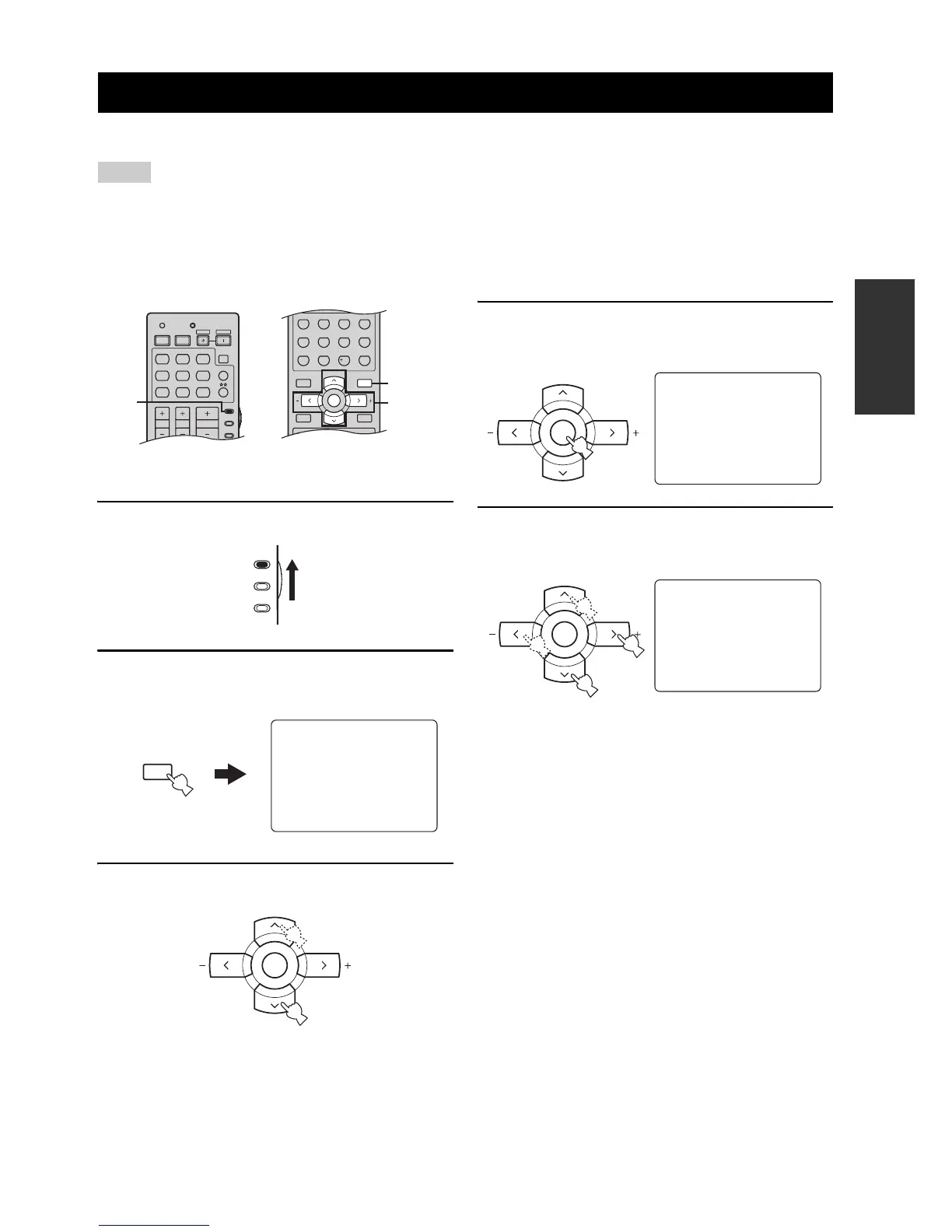
1 Set the component selector switch to AMP.
2 Press SET MENU to enter “SET MENU”.
The top “SET MENU” display appears in the OSD.
3 Press u / d to select “BASIC SETUP”.
4 Press ENTER to enter “BASIC SETUP”.
The following display appears in the OSD.
5 Press u / d to select “ROOM” and then j / i
to select the desired setting.
Select the size of the room where you have installed
your speakers. In general, the room sizes are defined
as follows:
Choices: S, M, L
S (small) 3.6 x 2.8m, 10m
2
M (medium) 4.8 x 4.0m, 20m
2
L (large) 6.3 x 5.0m, 30m
2
BASIC SETUP
Notes


 To Next Page