8-44
8
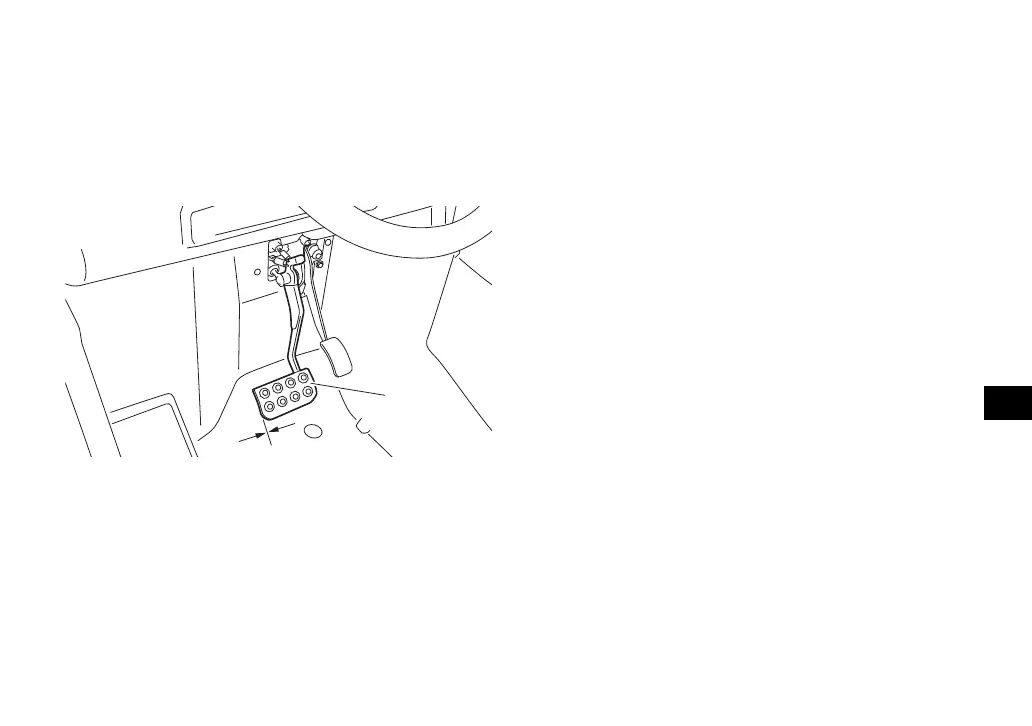
no free play in the brake pedal. The brakes
should operate smoothly and there should be
no brake drag. If the brakes feel soft or
spongy, this could indicate air in the brake
system. Have a Yamaha dealer check the
brake system if necessary.
EBU33710
Parking brake
Pull the parking brake lever rearward com-
pletely. If the parking brake lever clicks eight
times or more, have a Yamaha dealer adjust
the parking brake because the braking force
of the parking brake is weak. In addition, have
a Yamaha dealer check and adjust the park-
ing brake at the intervals specified in the peri-
odic maintenance and lubrication chart.
EBU32550
Brake light switch adjustment
The brake light switch, which is activated by
the brake pedal, is properly adjusted when
the brake light comes on just before braking
takes effect. If necessary, adjust the brake
light switch as follows.
Turn the adjusting nut while holding the brake
light switch in place. To make the brake light
come on earlier, turn the adjusting nut in di-
rection (a). To make the brake light come on
later, turn the adjusting nut in direction (b).
1. Brake pedal
2. No brake pedal free play
UBN57AE0.book Page 44 Tuesday, November 24, 2015 1:42 PM







 To Next Page