4NBSULFZTZTUFN
4-5
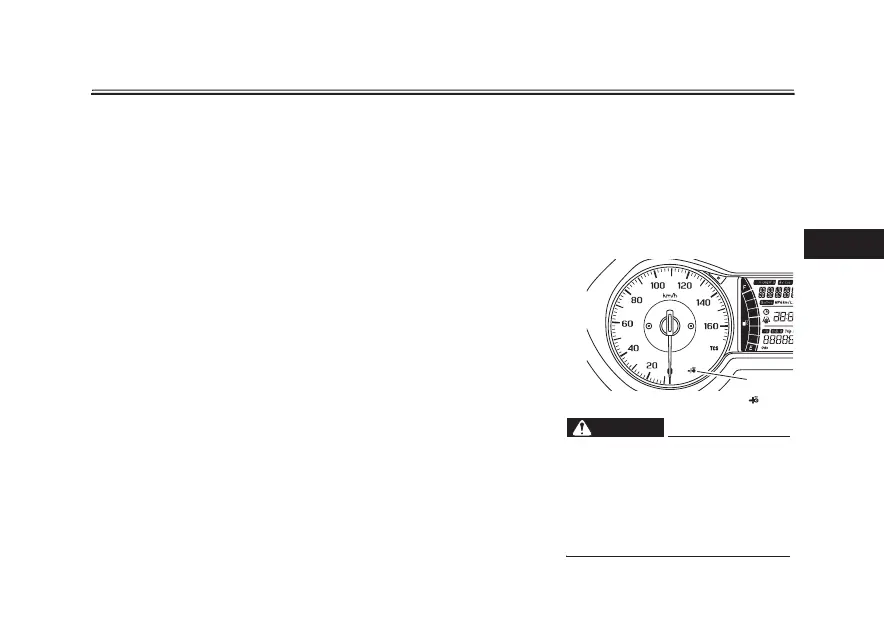
5P DIFDL XIFUIFSUIF TNBSULFZJT
UVSOFEPOPSPGG
Push the smart key button to conrm
the current operating status of the
smart key.
If the smart key indicator light:
t Short ash (0.1 seconds): The
smart key is turned on.
t Long ash (0.5 seconds): The
smart key is turned off.
3FNPUFBOTXFSCBDLGVODUJPO
Push the smart key button to operate
the answer-back function remotely.
The beeper will sound twice and all of
the turn signal lights will ash twice.
This feature
is co
nvenient for locating
your vehicle in a parking lot and other
areas.
5PUVSOUIFBOTXFSCBDLCFFQFSPO
PSPGG
The beeper, which sounds when the
answer-back function is operated, can
be turned on or off according to the fol-
lowing procedure.
1. Turn the smart key on and bring it
within operating range.
2. Turn the main switch to “OFF”,
and then push the main switch
knob once.
3. Within 9 seconds of pushing the
knob, push and hold the knob
again for 5 seconds.
4. When the beeper sounds, the set-
ting
is complete.
If
the beeper:
t Sounds twice: The beeper is
turned off.
t Sounds once: The beeper is
turned on.
EAU76480
3FQMBDJOHUIFTNBSULFZCBUUFSZ
Replace the battery in the following sit-
uations.
t The smart key system indicator
light ashes for about 20 seconds
when the power of the vehicle is
turned on.
t The answer-back function does
not operate when the smart key
button is pushed.
8"3/*/(
EWA14724
t 5IF CBUUFSZ BOE PUIFS SFNPW
BCMF QBSUT NBZ DBVTF JOKVSZ JG
TXBMMPXFE ,FFQ UIF CBUUFSZ
BOEPUIFSSFNPWBCMFQBSUTBXBZ
GSPNDIJMESFO
t %POPUFYQPTFUIFCBUUFSZUPEJ
SFDU TVOMJHIU PS PUIFS IFBU
TPVSDFT
1. Smart key system indicator light “ ”
1



 To Next Page