8-9
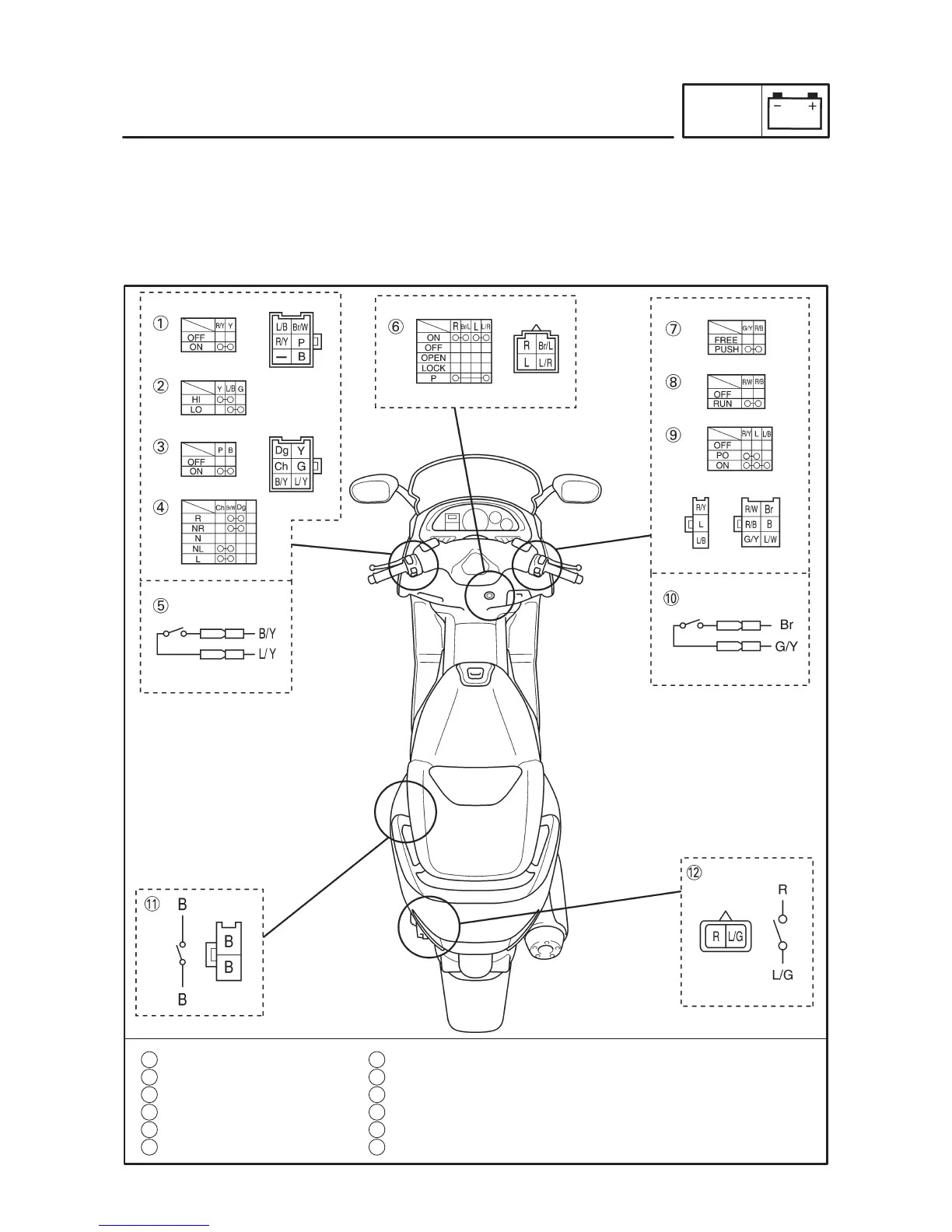
1 Pass switch
2 Dimmer switch
3 Horn switch
4 Turn signal switch
5 Rear brake light switch
6 Main switch
7 Start switch
8 Engine stop switch
9 Light switch
10 Front brake light switch
11 Sidestand switch
12 Box light switch
CHECKING THE SWITCHES
ELEC
EAS00731
CHECKING THE SWITCHES
Check each switch for damage or wear, proper connections, and also for continuity between the termi-
nals. Refer to “CHECKING SWITCH CONTINUITY”.
Damage/wear Repair or replace the switch.
Improperly connected Properly connect.
Incorrect continuity reading Replace the switch.



 To Next Page