INCLUDED PARTS
1-8
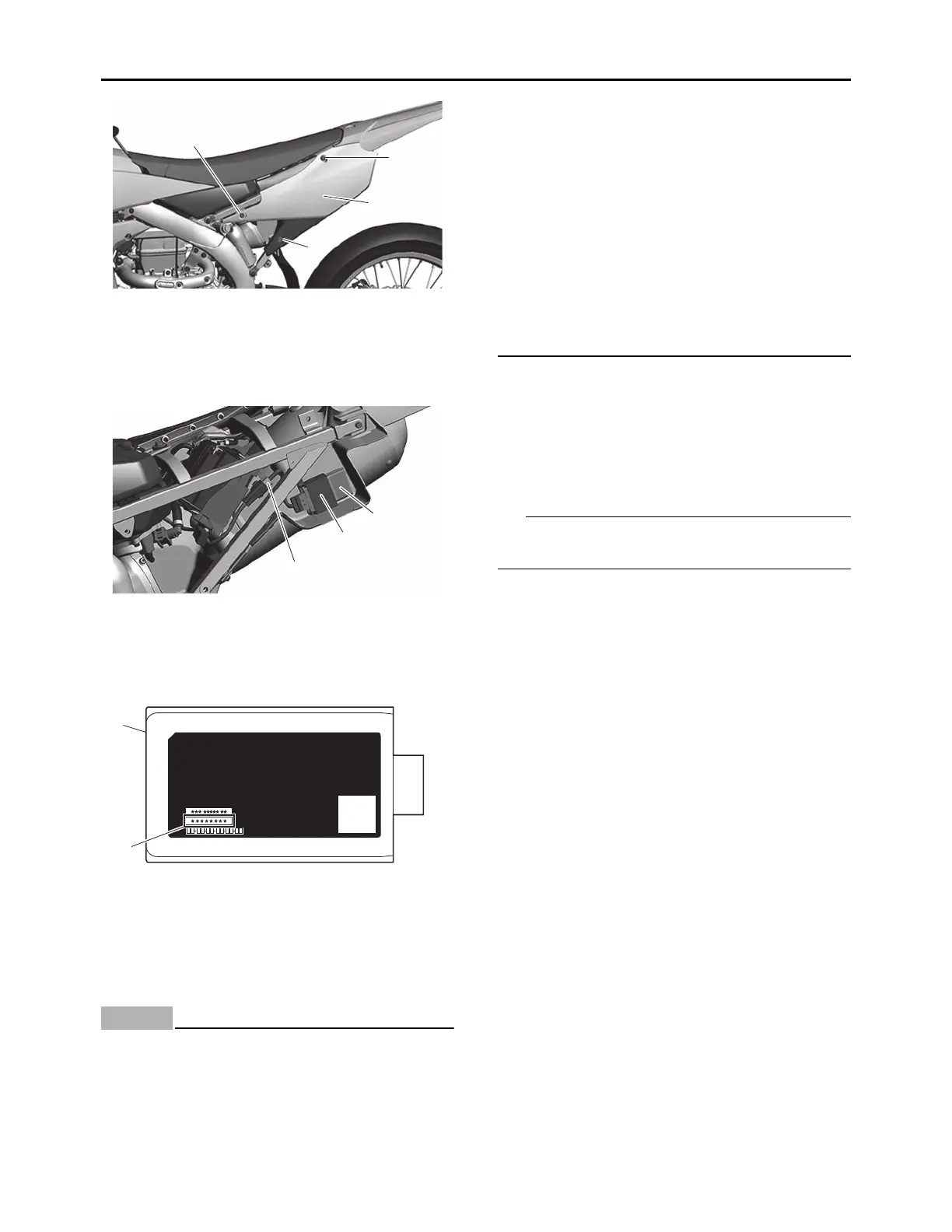
2. Remove the CCU and record the CCU serial
number.
3. Install the removed CCU and side cover (left).
Connecting to the CCU wireless network
ECA26060
The CCU (Communication Control Unit) uses
weak radio waves. The CCU may not work in
the following situations.
• The CCU is placed in a location exposed to
strong radio waves or other electromagnet-
ic noise
• There are facilities nearby that are emitting
strong radio waves (TV or radio towers,
power plants, broadcasting stations, air-
ports, etc.)
• You are carrying or using communication
equipment such as radios or mobile
phones in close proximity of the CCU
• The CCU is in contact with or covered by a
metallic object
• Other vehicles equipped with a CCU are
nearby
In such situations, move the CCU to another
location and perform the operation again.
1. Turn on the smartphone.
2. For two minutes after the start switch is
pressed or while the engine is running (the
CCU is activated), input the CCU serial num-
ber into your smartphone and establish a
wireless connection.
3. Activate the Power Tuner app.
If the CCU wireless network cannot be detected,
operate the start switch again.
1. Bolt
2. Side cover (left)
1. CCU coupler
2. Holder
3. CCU (Communication Control Unit)
3. CCU (Communication Control Unit)
a. CCU serial number
1
1
1
2
1
2
3
P/N:
--
S/N:
MAC:
COMMUN.CONT.UNIT ASSY.
3
a




 To Next Page