Yamatake Corporation Operation of the Transmitter
ST3000 Smart Transmitter Series 900 Electronic Differential Pressure/Pressure Transmitter 5-69
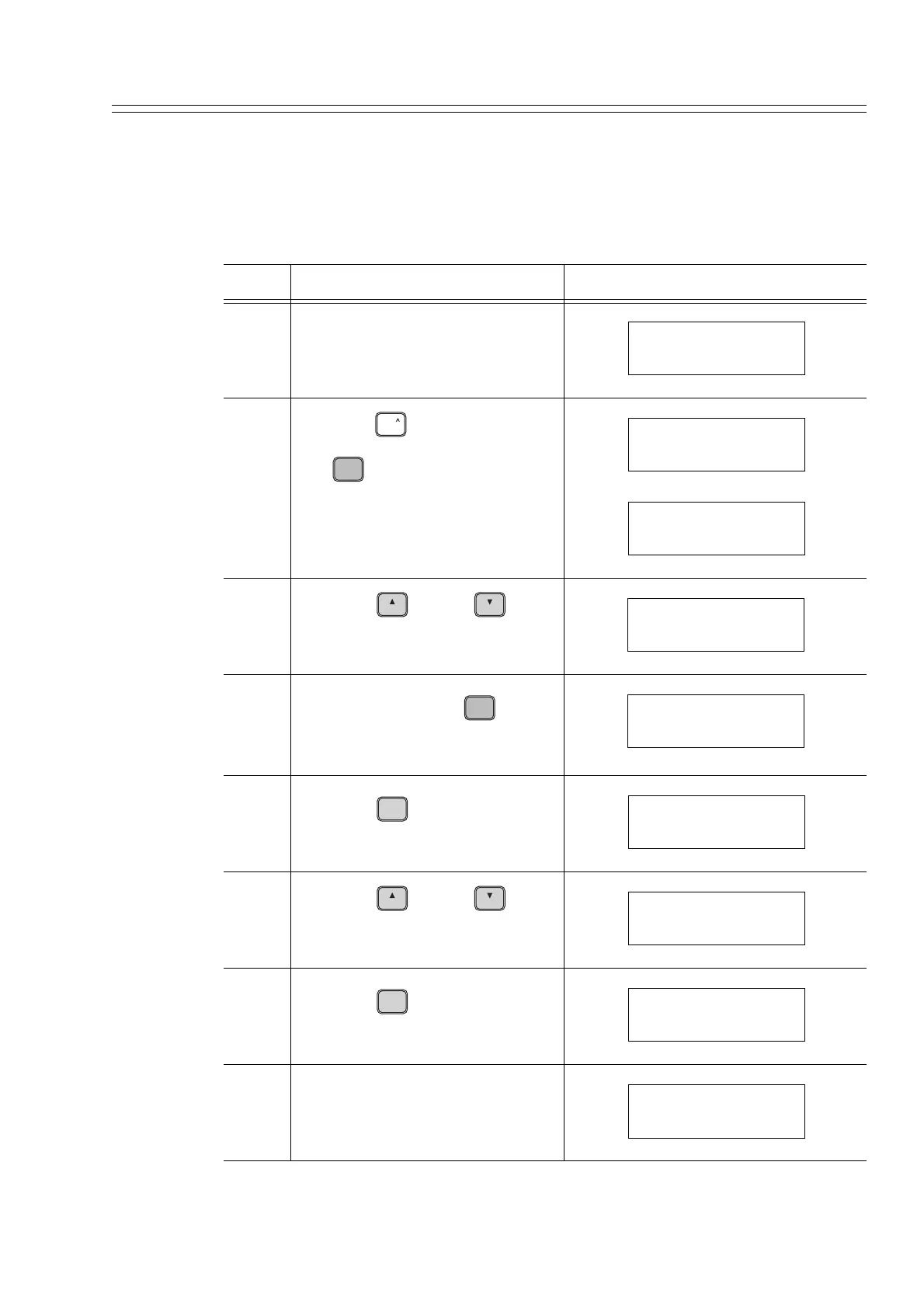
5-13-4 :Selecting the Fail-Safe Mode
Procedure
The following procedure can be used to check and set the fail safe mode shown in
Table 5-3:
Step Description SFC screen
1 Make sure that the transmitter is
in the ready state.
2
Press the key and then press
the key.
3
Press the key or key
to display Failsafe setting menu
appears
4
Alternately press the key
until a desired message format
appears.
5
Press the key.
6
Press the key or key
until the message to the right is
displayed.
7
Press the key.
8 When this message displayed, the
SFC can be disconnected from the
transmitter.
DSTJ
READY...
PIC001
SHIFT
MENU
I
ITEM
DE CONF.
SHIFT-
DECONFIG
Single Range
H
NEXT
L
PREV
DECONFIG
F/S = B/O Hi
MENU
I
ITEM
DE CONF.
DECONFIG
F/S = B/O LKG
ENTER
( Yes )
NON-VOL
DECONFIG
ENTERED IN SFC
H
NEXT
L
PREV
DECONFIG
DOWNLOAD DATA?
ENTER
( Yes )
NON-VOL
DECONFIG
WORKING...
DSTJ
READY...
PIC001



 To Next Page