Yamatake Corporation Operation Using SFC
ST3000 Smart Transmitter Series 900 Electronic Differential Pressure/Pressure Transmitter 6-33
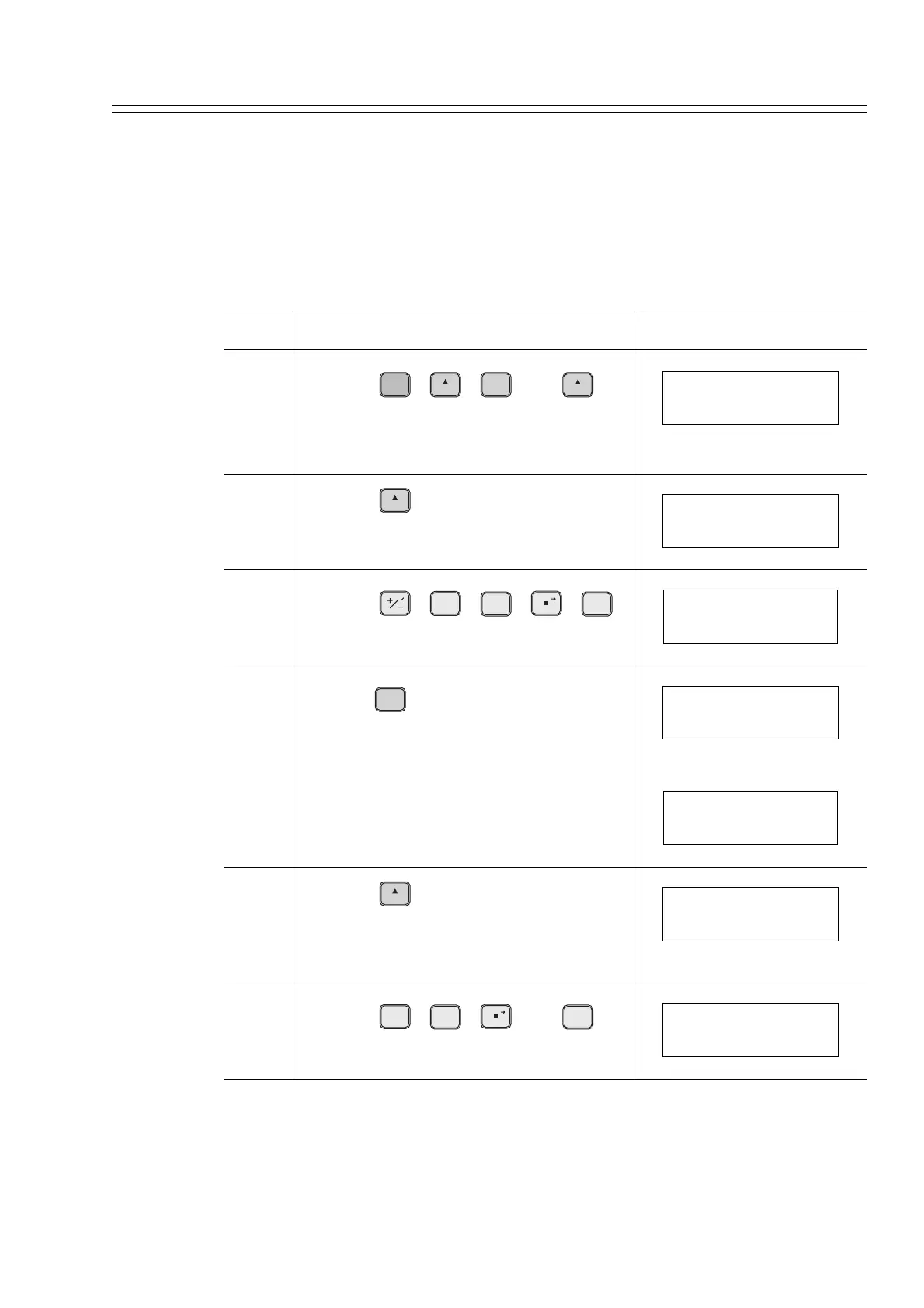
6-7-6 :Display or Change High and Low Limits of Engineering Quantity
This function is effective only when Engineering Unit is selected for the indicator dis-
play format.
Display or change the high and low limits of engineering quantity displayed on the
indicator using this procedure:
Step Description SFC screen
1
Press the , , , and
keys, in that order.
Check that engineering unit is selected.
2
Press the key.
3
Press the , , , ,
and keys, in that order.
4
Press the key.
5
Press the key.
THe low limit of engineering quantity (-
10.0) has been set.
6
Press the , , , and
keys, in that order.
B
CONF
H
NEXT
ENTER
( Yes )
NON-VOL
H
NEXT
DISPLAY TYPE
ENG. UNIT (4.5FIG)
H
NEXT
EULO (at 0%)
0.0000
TIME
V
1
Z
0
ACT PR
SCR PAD
Z
0
ACT PR
EULO (at 0%)
-10.0
ENTER
( Yes )
NON-VOL
EULO (at 0%)
ENTERED IN SFC
EULO (at 0%)
-10.0
H
NEXT
EUHI (at 100%)
60.0
S
5
Z
0
ACT PR
SCR PAD
Z
0
ACT PR
EUHI (at 100%)
50.0



 To Next Page