Operation Using SFC Yamatake Corporation
6-24 ST3000 Smart Transmitter Series 900 Electronic Differential Pressure/Pressure Transmitter
6-7-2 :Display or Change Tag No.
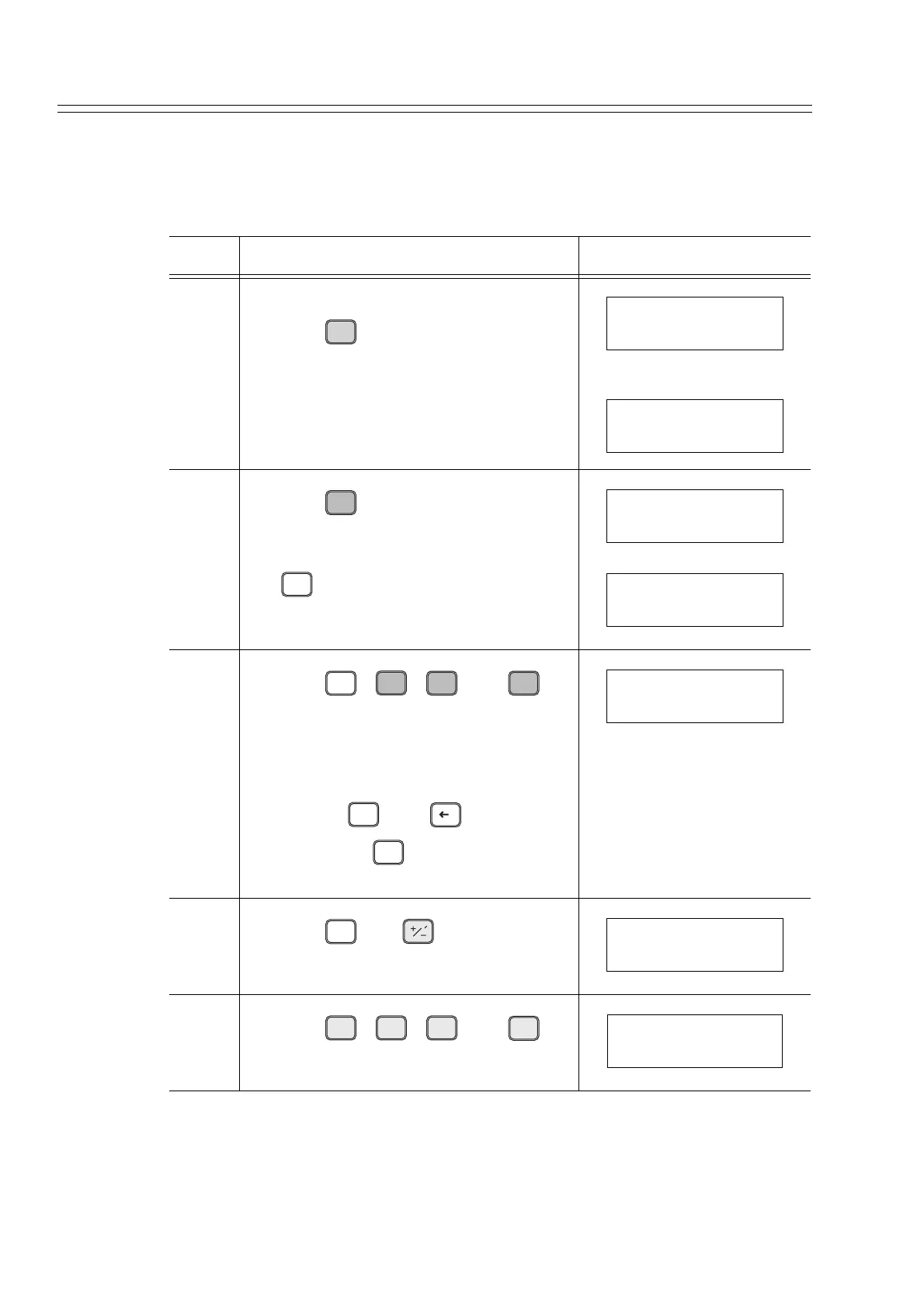
Display or change the tag No. using this procedure.
Here, the procedure to change FIT-1234 to ABC- 5678 as in this example.
Step Description SFC screen
1 Turn ON the power switch of the SFC.
Press the key.
2
Press the key.
Branch:
If no change required to the tag No., press
the key.
3
Press the , , , and
keys, in that order.
Remarks:
After an input error, return the cursor by
pressing the , and keys, in that
order. Press the key again and input
the correct keys
4
Press the and keys, in that
order.
5
Press the , , , and
keys, in that order.
ENTER
( Yes )
NON-VOL
LOOP IN MANUAL?
PRESS ID
A
ID
DE READ
CLR
( No )
DSTJ TAG NO.
LIN DP FIT-1234
DSTJ FIT-1234
READY...
ALPHA
A
ID
DE READ
B
CONF
C
DAMP
ALPHA
Q
ADE
ALPHA
DSTJ TAG NO.
LIN DP ABC-1234
ALPHA
TIME
DSTJ TAG NO.
LIN DP ABC-1234
S
5
T
6
N
7
O
8
FEED
DSTJ TAG NO.
LIN DP ABC-5678



 To Next Page