Yanmar
®
600 Control Panel Operation and Troubleshooting
12 463-3000-09 Initial - 16-May-2008
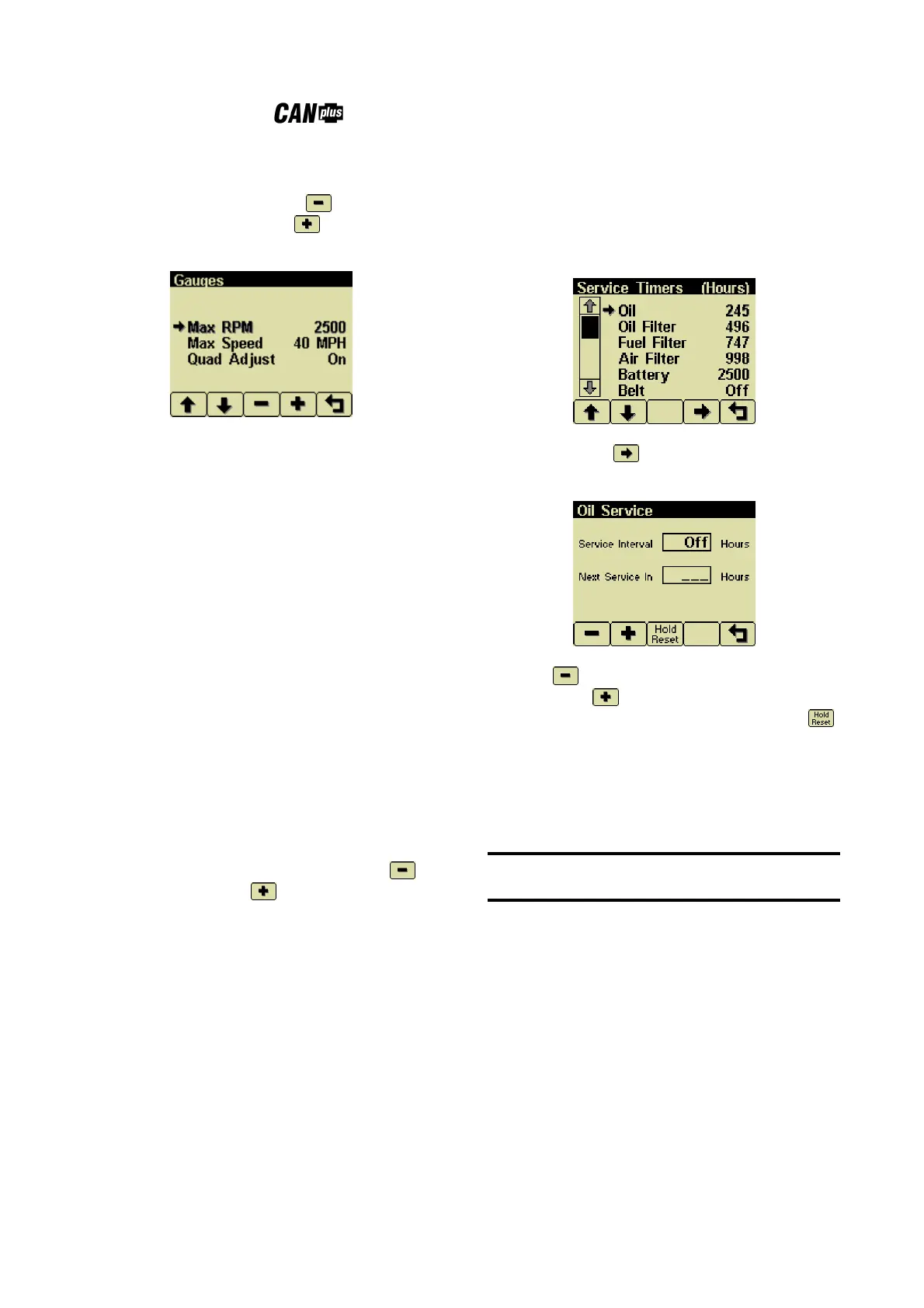
Gauges Menu
This menu allows the user to configure aspects of
the gauges displayed. Button 3 selects the
previous value while Button 4 selects the next
value of the highlighted item.
Max RPM
Sets the full scale RPM indicated by the
tachometer gauge.
RPM 2500, 3000, 3500, 4000, 4500,
5000, 6000, 7000, 8000 or
9000
Max Speed
Sets the full scale speed indicated by the
speedometer gauge.
MPH 15, 20, 25, 30, 35, 40, 45, 50,
55, 60, 70, 75, 80, 85, 95 or
100
km/h 20, 30, 40, 50, 60, 70, 80, 90,
100, 110, 120, 130, 140, 150
or 160
Quad Adjust
Allows the user to disable Adjust Mode of the
Analog and Digital Gauge Pages. Button 3
disables while Button 4 enables Quad Adjust.
Disabling Adjust Mode locks the current gauge
configuration and prevents the operator from
accidentally changing the gauge configuration.
Service
Sets the sixteen (16) service intervals in hours and
resets the service timer. Setting the service interval
to 0 disables the timer and the word Off is
displayed.
Pressing Button 4 allows adjusting the
selected service timer.
Button 1 decreases the service interval time
while Button 2 increases the service interval
time in 10 hour increments. Holding Button 3
for approximately 3 seconds resets Next Service In
to the current service interval. The service timer
descriptions can be changed using the CANplus
Configuration software.
Note
It is not possible to set the service timers if engine
hours are not being received by the display.


 To Next Page