Yanmar
®
600 Control Panel Operation and Troubleshooting
18 463-3000-09 Initial - 16-May-2008
Telemetry Menu
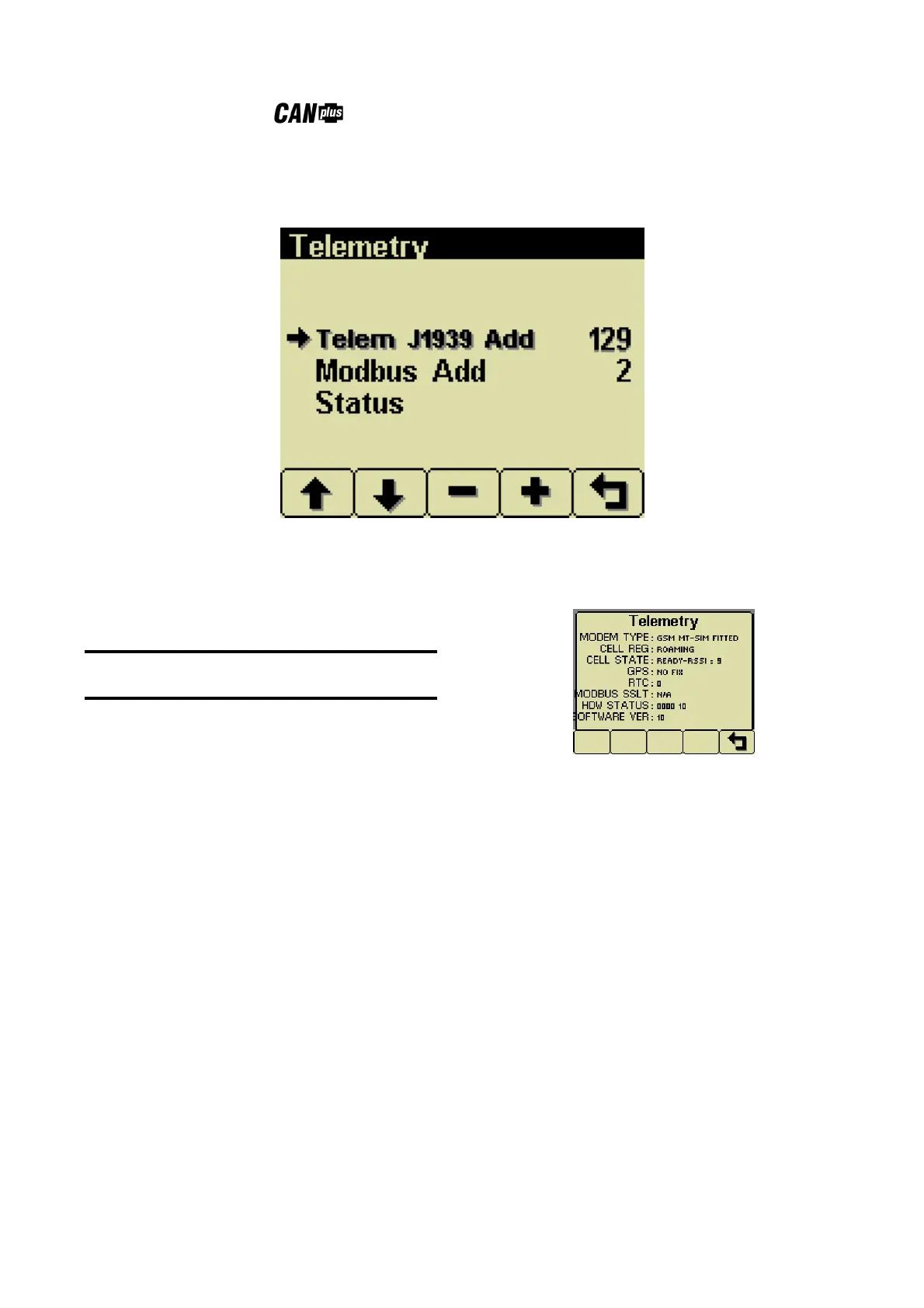
This menu allows configuring the optional telemetry system.
Telem J1939 Address
Defines address the telemetry module is using for
CANbus communications.
Note
The display will be unable to communicate with
the telemetry module if this address is incorrect.
Modbus Address
Selects the Modbus slave address the telemetry
module will use for Modbus communications.
Status
Displays telemetry and modem status information
retrieved from the telemetry module:
Modem Type Identifies the modem type
Cell Reg Identifies cell modem registration
Cell State Indicates cell state and signal
strength
GPS Indicates GPS status
RTC Indicates number of days since
real time clock cellular update
Modbus SSLT Indicates Modbus slave status
Hdw Status Indicates various hardware status
items
Software Ver Indicates the version of software in
the Messenger


 To Next Page