Yanmar
®
600 Control Panel Operation and Troubleshooting
463-3000-09 Initial - 16-May-2008 13
System Menu
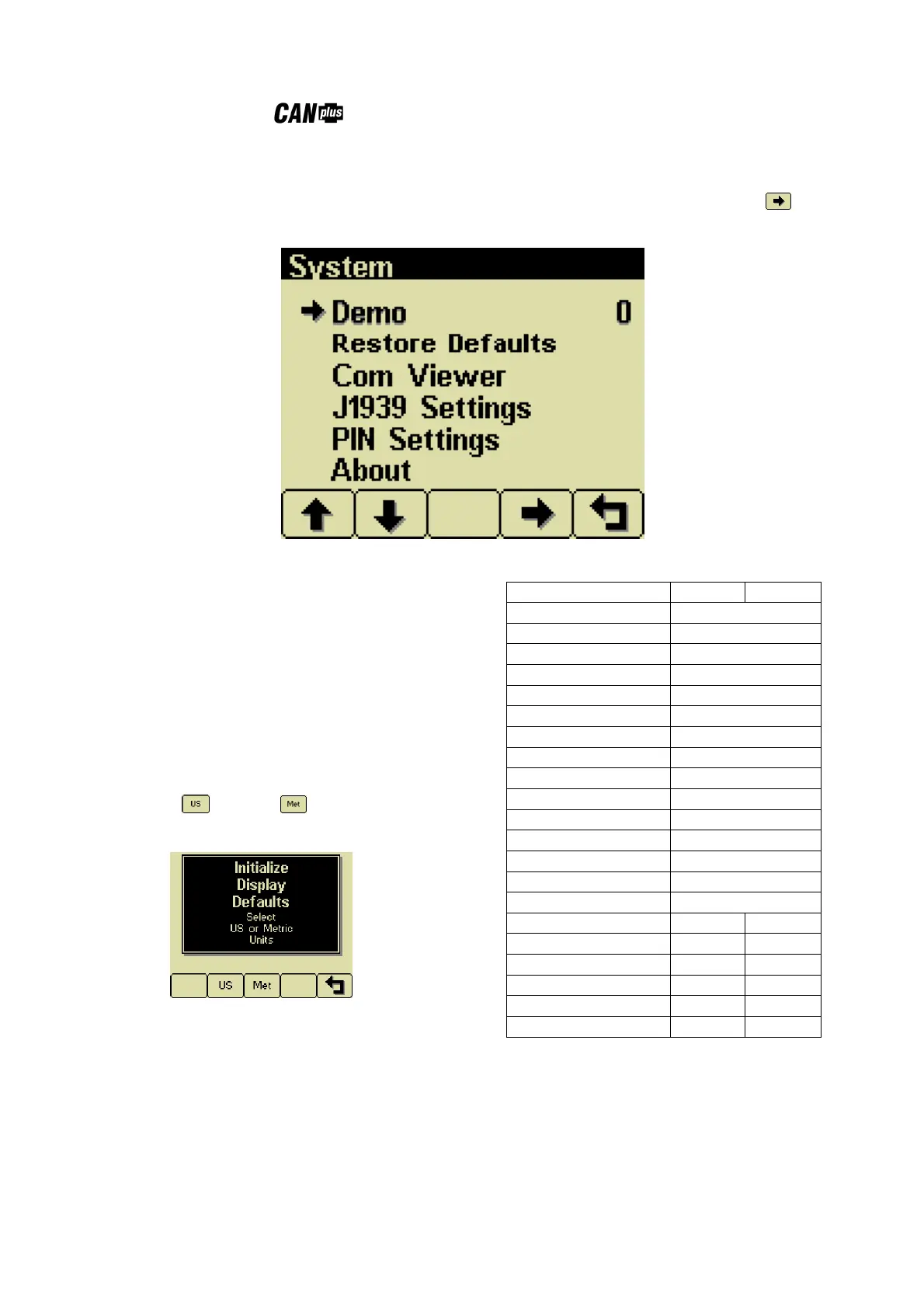
The System Menu allows the user to configure items affecting how the system functions. . Button 4 cycles
through the available values for the selected item.
Demo
The display supports several demo modes to
operate with simulated data. Mode 1 simulates
speed data and engine parameters. Mode 2 only
simulates engine parameters. Mode 3 simulates
speed data, engine parameters and alarms. Mode
0 disables Demo Mode. Demo is automatically
set to 0 (Off) if live data is received.
Restore Defaults
This allows resetting all configuration information
to default US or Metric units. Additionally
the display is reset to the initial configuration.
The default settings are:
Setting US Metric
Language English
Button Beep On
Service Timers Off
Display Mode Analog Gauges
Gauge Pages Defaults
Quad Adjust On
Demo Mode 0 (Off)
Engine Source 0
Display CAN Address 40
Alarm Filter Glb
SPN Version 1
Speed Source Auto
PIN Entry Off
PIN 1111
Max Gauge RPM 2500
Max Gauge Speed 40 MPH 60 km/h
Speed Units MPH km/h
Distance Units Miles km
Pressure Units PSI kPa
Volume Units Gal l
Temperature Units ºF ºC


 To Next Page