Yanmar
®
600 Control Panel Operation and Troubleshooting
463-3000-09 Initial - 16-May-2008 7
Adjust Mode can be disabled in the Configuration Menu to prevent accidental changes.
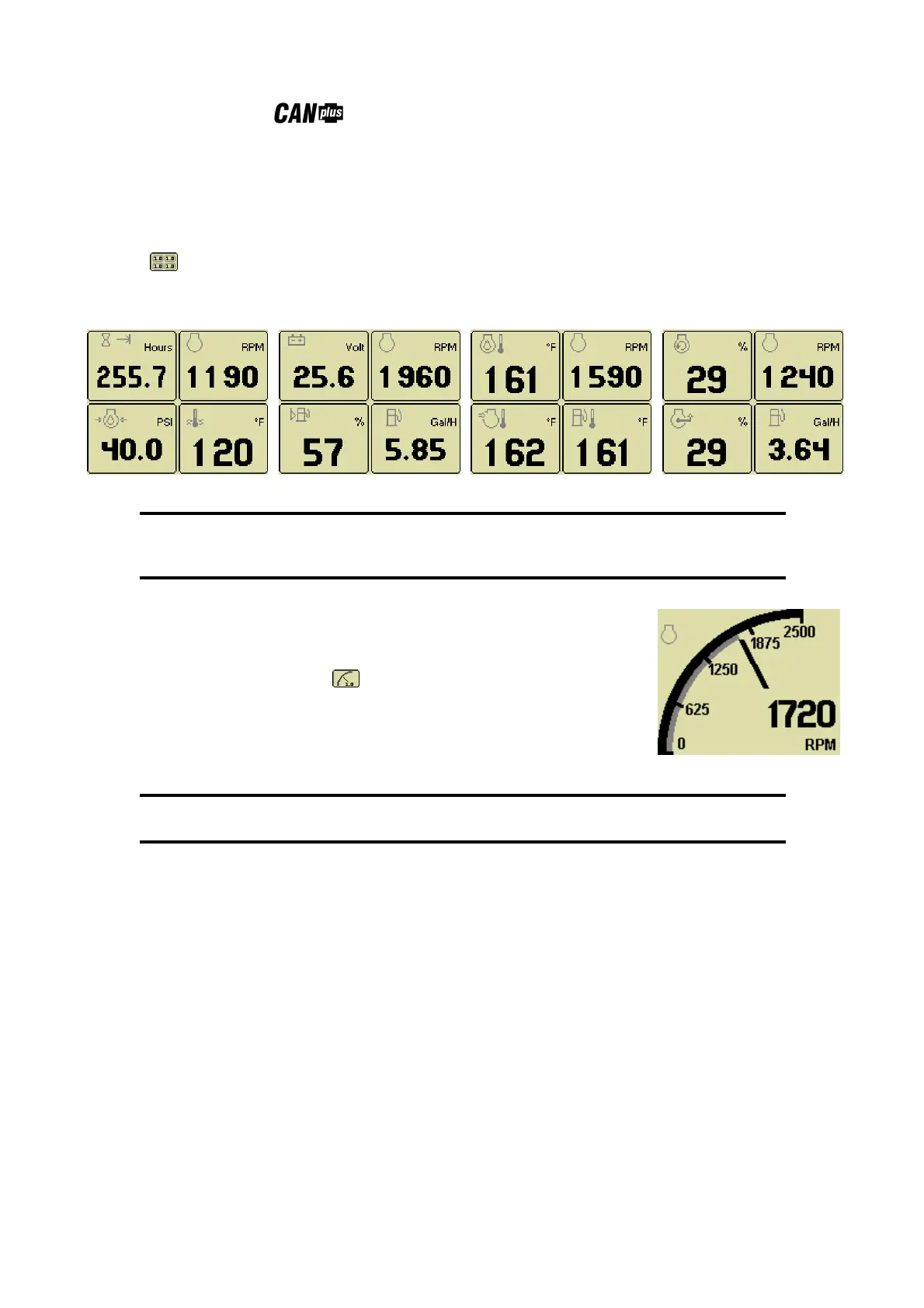
Digital Gauge Pages
Digital Gauge Pages display the same data as the Analog Gauge Pages but in digital only format. To
enable Digital Gauge Pages, press any of the first 4 buttons to show the top level button bar and then press
button 2 . Alternate pages are selected by repeated pressing of button 2. The four standard gauge
pages are shown below.
Page 1 Page 2 Page 3 Page 4
Note
The 16 gauges are the same for Analog and Digital Gauge Pages.
Adjustments in either Analog Gauge Pages or Digital Gauge Pages
affect the same gauge in the other mode.
Single Analog Gauge
Single Analog Gauge uses the entire display for a single large analog gauge.
This mode is enabled by pressing any of the first 4 buttons to show the top level
button bar and then press button 3 . The gauge displayed is selectable by
repeatedly pressing button 3 while in the Single Analog Gauge mode while the
menu bar is visible. The currently displayed gauge is stored when power is
removed (see Preferred Screen Store).
Note
Gauge selections are limited to the data currently being received.
See Data Parameters Monitored for a complete list of available parameters.


 To Next Page