Yanmar
®
600 Control Panel Operation and Troubleshooting
463-3000-09 Initial - 16-May-2008 19
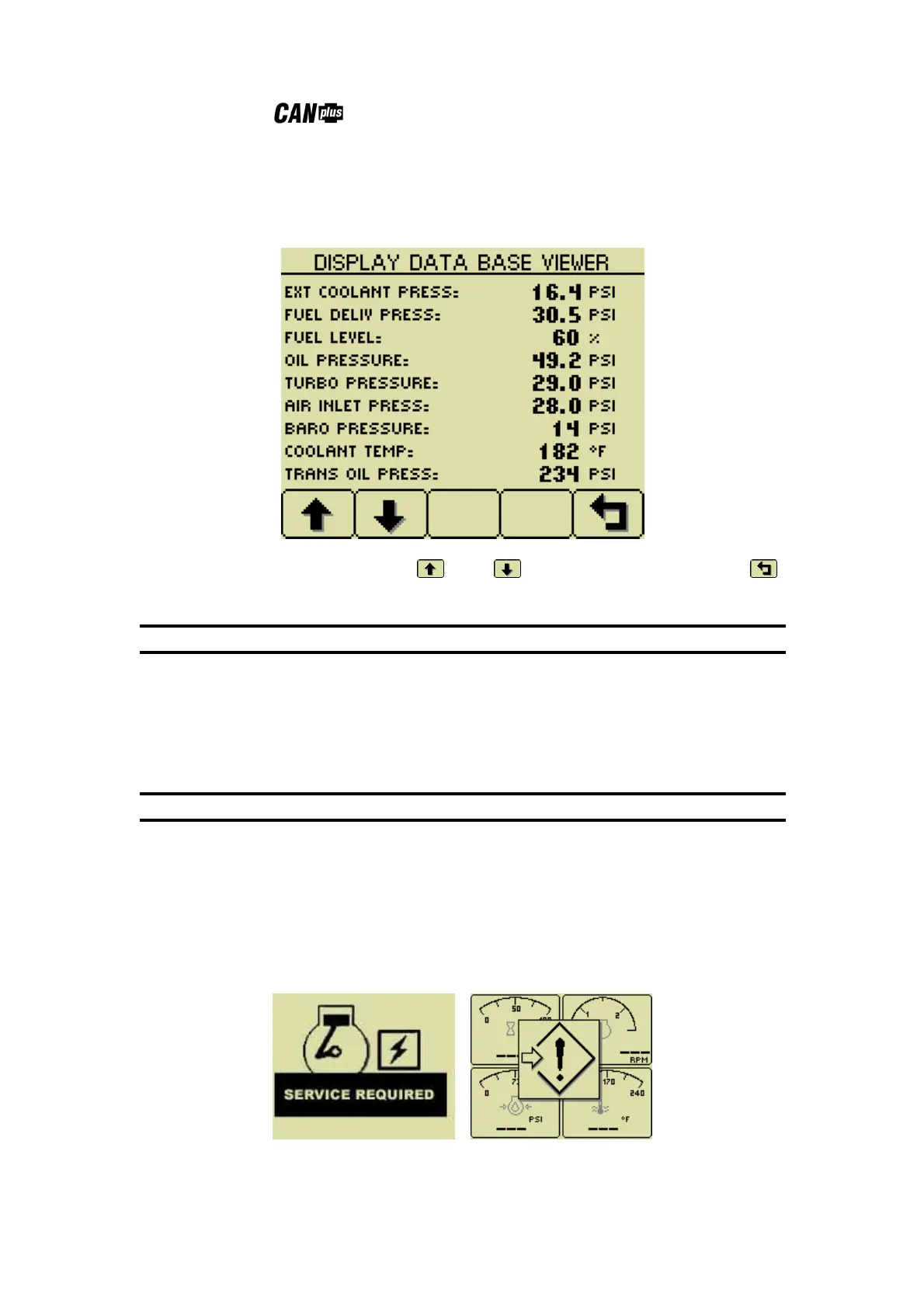
Db Viewer
The Database Viewer displays and decodes all data monitored by the display. This diagnostic tool allows
viewing data not normally displayed.
The list can be scrolled using buttons 1 and 2 and closed by pressing Button 5 .
Note
The Database Viewer is always in English regardless of language selected.
Preferred Screen Store
The display automatically stores the current screen as the preferred screen after a delay of approximately 15
seconds. The display will use the last stored screen on the next power-up.
Note
Selecting Restore Defaults restores the Analog Gauge Pages and default gauges.
Popup Messages and Alerts
Service Required
Users can set up to sixteen service timers in hours in the Configuration menu. The Service Required popup is
displayed at power up when one or more service timers has expired. Pressing any button removes the
popup. If no button is pressed the popup closes in approximately 5 seconds.
Pop-up warnings of service required and data communications failure.


 To Next Page