Yanmar
®
600 Control Panel Operation and Troubleshooting
463-3000-09 Initial - 16-May-2008 9
Configuration
To adapt the CP600 panel to the requirements of a particular application, a large number of parameters
are configurable. The most commonly modified parameters can be accessed by invoking the Configuration
Menu of the display. Infrequently changed parameters and those parameters that typically need to be
restricted such as Maximum RPM are accessible only through the CANplus Configuration software. The
CANplus Configuration software is a Windows
®
PC program and a hardware adapter that allows total
access to the parameters of the panel. For more information about the CANplus Configuration software,
please contact Yanmar.
Configuration Menu
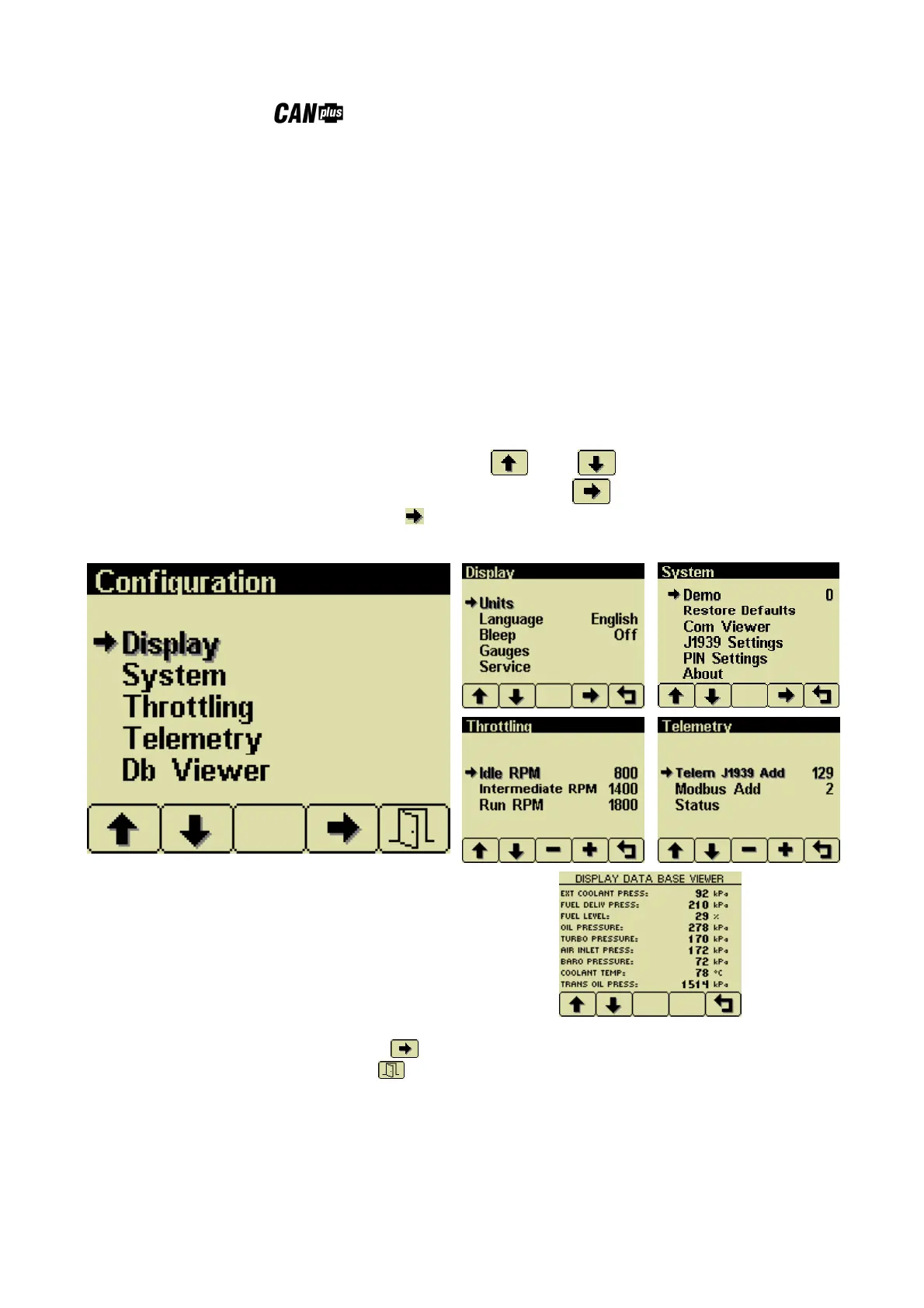
This Configuration Menu allows the user to set various operating parameters such as US or metric units,
scale limits for tachometer and service timers. The configuration menu is entered by pressing and holding
button 5 (the right hand button) in any mode for at least 3 seconds. If PIN (Personal Identification Number
or ‘password’) entry is enabled the correct PIN must be entered to access the configuration menu. The top
level configuration menu is displayed as shown. Buttons 1 and 2 allow you to choose from
Display, System, Throttling, Telemetry or Db Viewer. Pressing button 4 selects the chosen menu item
indicated by bold text and the selection arrow . Each item is described in detail on the following pages.
Settings are automatically stored when exiting the current menu even when power is removed.
The top level Configuration menu and its five choices.
Pressing Button 4 selects the highlighted menu item.
Button 5 exits the configuration mode.


 To Next Page