17 EN
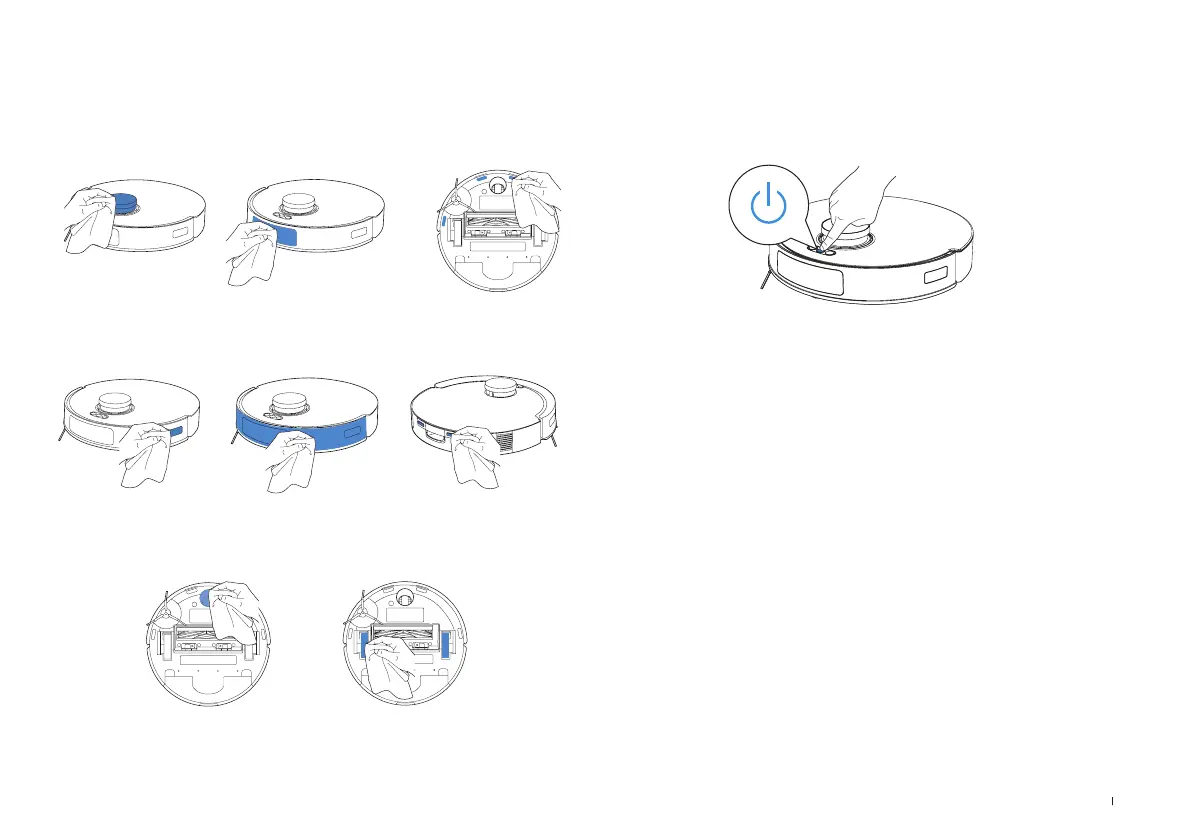
Maintain Other Components Storage
Navigation Module
Bumper Charging ContactsEdge Sensor
Anti-drop SensorsObstacle Avoidance Module
Universal Wheel Driving Wheels
Press the Power Button for 5 s to power the robot off�
Make sure to fully charge and power OFF the robot before storing it� Recharge it
every 1�5 months to prevent the battery from over-discharging�
Please note that the robot cannot charge when powered OFF�
* when the robot is not in use, it is recommended to keep it powered ON and
charging, to prepare for the next cleaning cycle�
* If the battery becomes over-discharged or remains unused for an extended
period, the robot may not charge properly� In this case, please contact us for
assistance� Do not attempt to disassemble the battery on your own�


 To Next Page