18EN
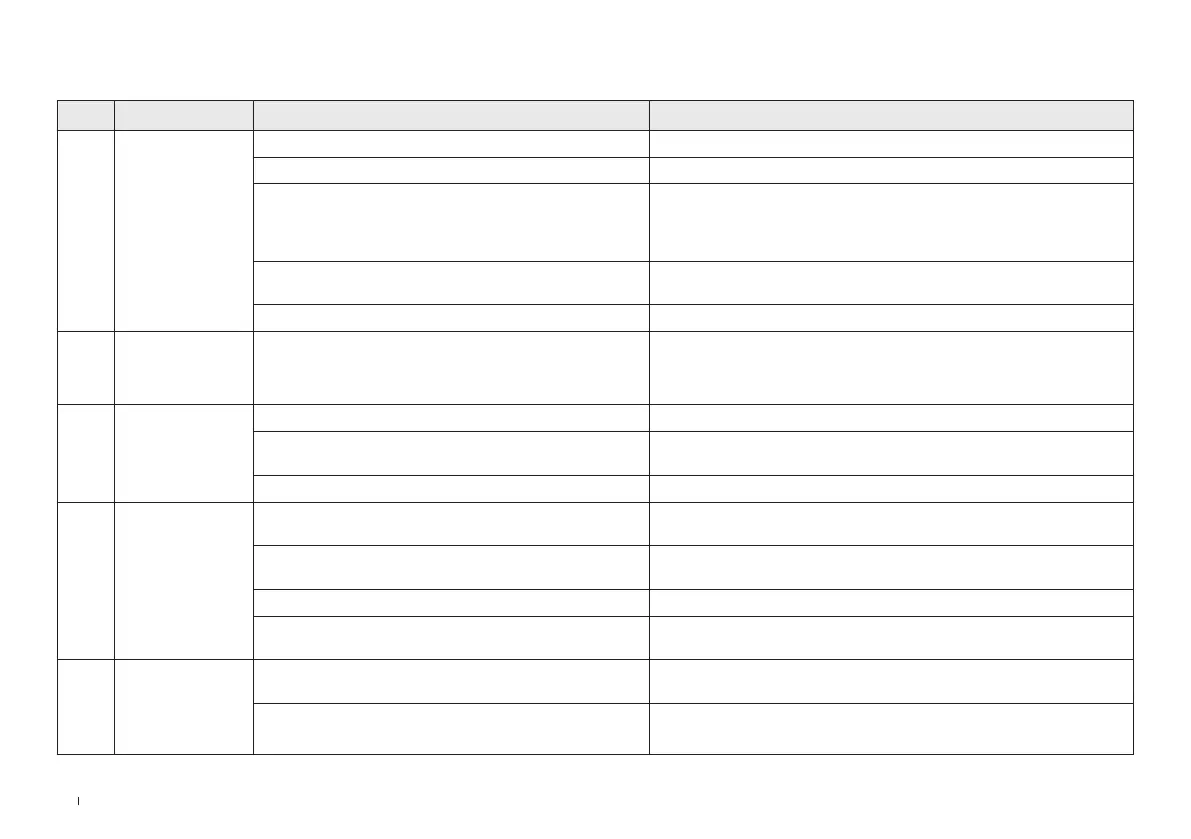
No. Malfunction Possible Cause Solution
1
The robot is not
able to connect to
YEEDI App�
Incorrect Wi-Fi username and password entered� Make sure to enter correct Wi-Fi username and password entered�
The robot is not within range of your home Wi-Fi signal� Make sure that the robot is within range of your home Wi-Fi signal�
The robot is not in the conguration state�
When the robot is powered on, press the RESET Button and release it after
hearing the voice prompt for starting network setup� The Wi-Fi indicator
will ash, indicating that the robot is in the conguration state�
You are not using a 2�4GHz or 2�4/5 GHz mixed network�
The robot currently does not support 5 GHz networks� Please use the
2�4 GHz or 2�4/5 GHz options instead�
Incorrect app installed� Please download and install the YEEDI App�
2 The map is lost� The map might be lost if you move the robot when cleaning�
Move the robot to the front of the Station to retrieve the map�
Find the restored map in Map Management and tap “Use This Map” to
retrieve it� If this issue persists, please restart mapping�
3
Unable to create
the furniture map in
the App�
The robot does not start cleaning from the Station� The robot must start cleaning from the Station�
Moving the robot during cleaning might cause the map to
be lost�
During cleaning, do not move the robot�
Auto cleaning is not nished� Make sure the robot automatically return to the Station after cleaning�
4
No signal found�
Unable to return to
the Station�
The Station is incorrectly placed�
Please place the Station correctly according to the instructions in the
[CHARGE ROBOT] section�
The Station is out of power or manually moved�
Check whether the Station is connected to the power supply� Do not
manually move the Station�
The robot does not start cleaning from the Station� It is recommended that the robot start cleaning from the Station�
The charging route is blocked� For example, the door of the
room with the Station is closed�
Keep the charging route clear�
5
The robot returns
to the Station
before it has
nished cleaning�
The room is so large that the robot needs to return to
recharge�
Please enable Auto Resume� For more details, please follow the App
instructions�
The robot is unable to reach certain areas blocked by
furniture or barriers�
Tidy up the area to be cleaned by putting furniture and small objects in
their proper place�
TROUBLESHOOTING


 To Next Page