CLEAN button status
Robot status Lights Status
Charging All lights flash gradually
Charging finished All lights turn off
In selected mode All lights flash slowly
When the robot in error All lights flash
Low battery Middle lights flash
In-home mode Middle lights flash slowly
In cleaning mode Middle lights turn solid
In edge mode Middle lights turn solid, lower lights flash
In spot mode Middle lights turn solid, upper lights flash
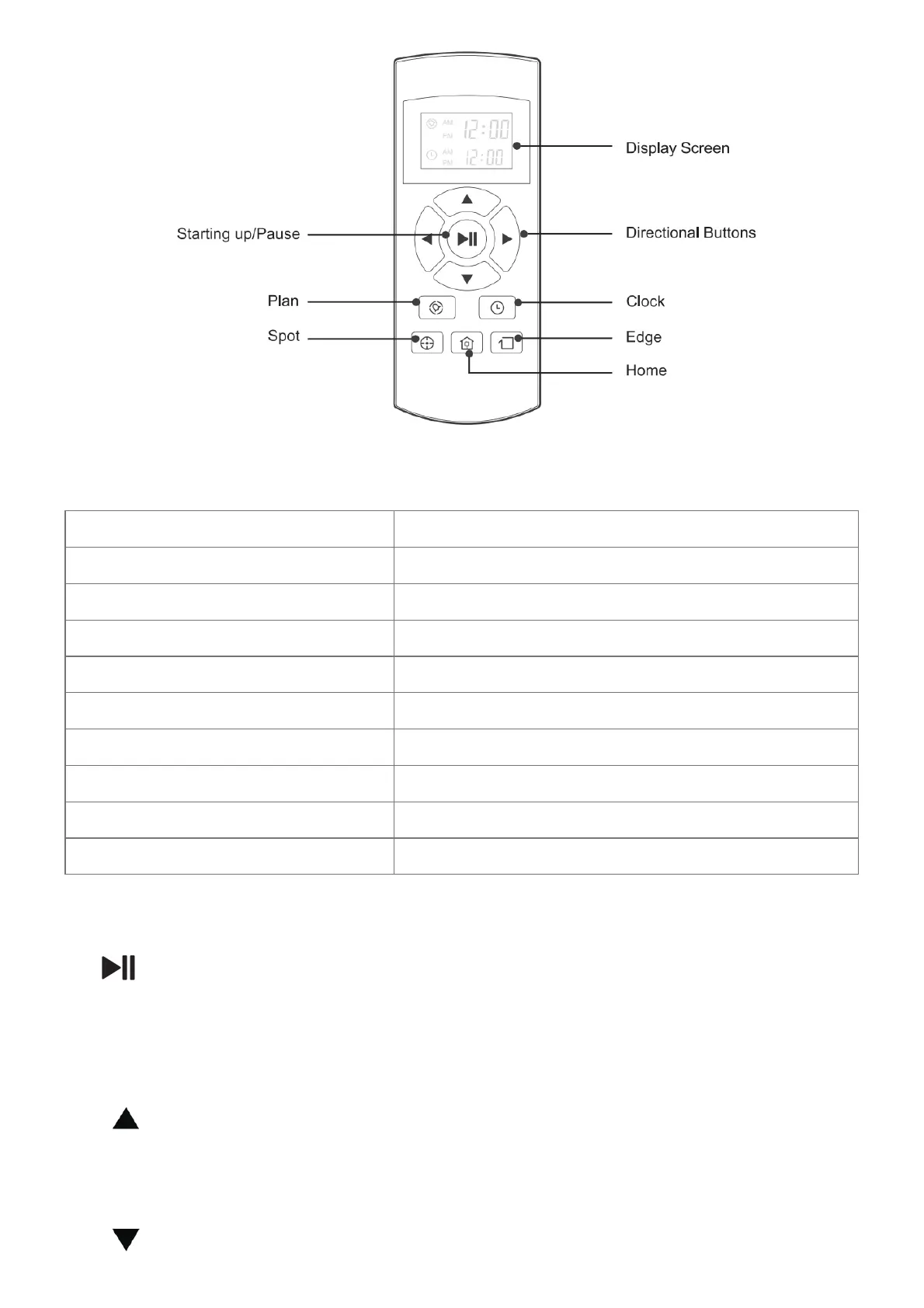
Remote control operating
1. ” ” Starting up/Pause
• Press this button to start cleaning in selected mode
• Press this button to make the robot stop when it’s cleaning.
• Press this button to exchange from sleeping mode to selected mode.
2. Directional Buttons
A. “ ” button:
• Press this button to increase the number in scheduling or clock mode;
• Press this button to make the robot move forward in selected mode and the robot will stop when it hits any
objects.
B. “ ” button:



 To Next Page