FDM Technical Data and Operating Instructions
4.3.1 SYNCLight
If the synchronization signal from the interface box of the FDM-T system is connected to the
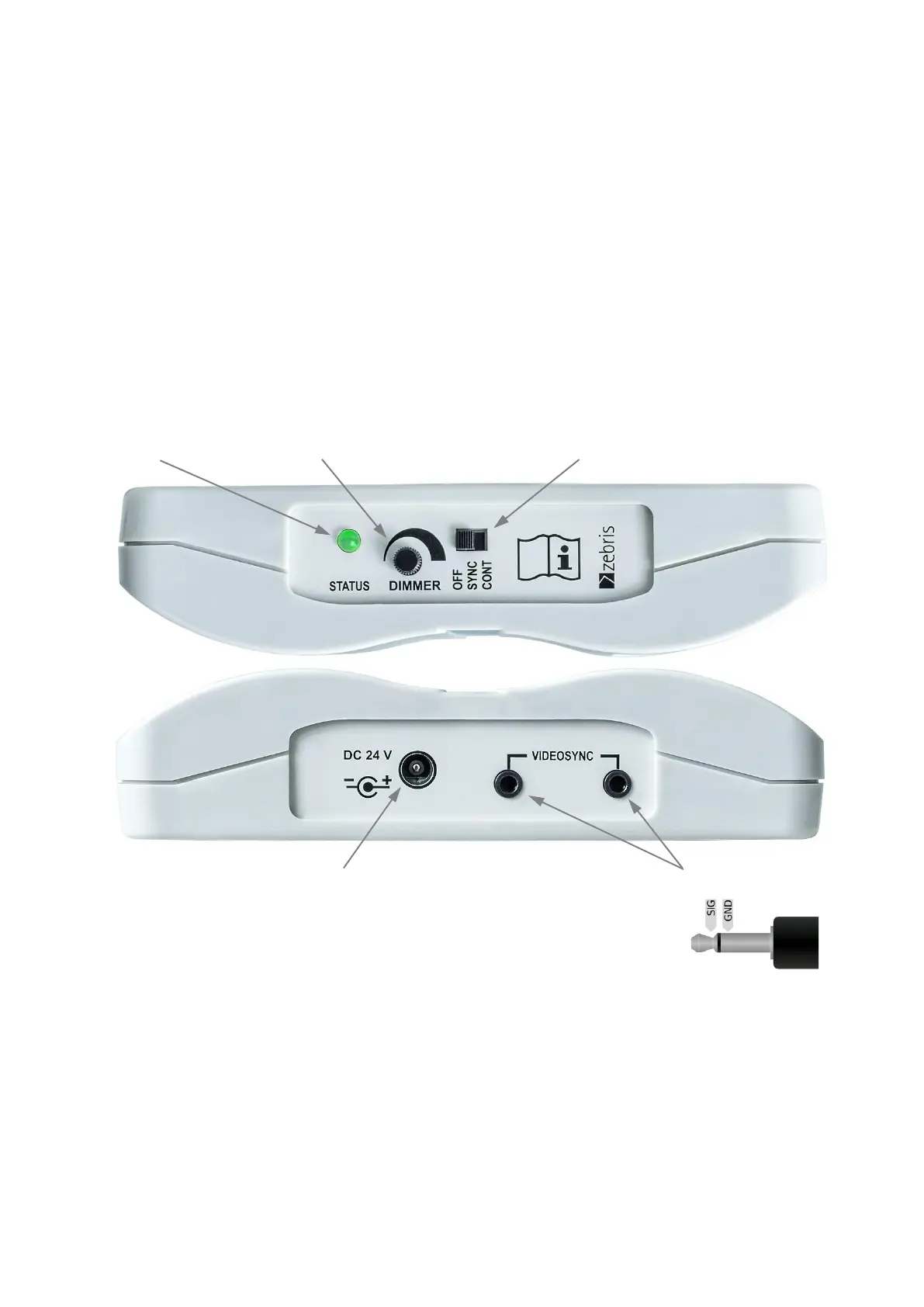
VIDEOSYNC socket the SYNCLight will be automatically turned on and off when a meas-
urement is started or stopped.
In order to use the synchronization set the SYNC-Mode switch to position SYNC. At posi-
tion CONT the SYNCLight plus is switched on permanently. The DIMMER can be used to
adjust the light brightness individually no matter which operation mode is set.
Technical Specifications
REF-No. 01540110
Dimensions / Weight 155 x 210 x 38mm (L x W x H) / approx. 640g
Power Supply 24V DC / 36W
Light Colour / Light Current 6200K / 1550 Lumen
Synchronization VIDEOSYNC (On-/Off with force measurement)
Mounting ¼ Inch tripod thread at back side
Interpretation of the STATUS-LED
Green Device is ready for use or in operation.
Orange The orange colour indicates when the maximum operation temperature has
been reached. At this point the operation current is reduced automatically
(which results in reduced brightness) in order to prevent the
SYNCLight plus from being damaged by excessive heat.
Power Supply Unit
For operation of the SYNCLight a power supply unit needs to be connected.
REF-No. 3310.2220
Input Output Cable Length
100 - 240V AC 24V DC DC-Lead 1.7m
50 - 60Hz 40W Mains Lead Plug Adapter
VIDEOSYNC
Sockets (3mm Phone
Jack)



 To Next Page