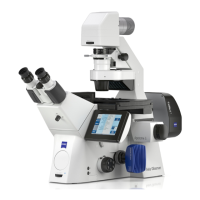
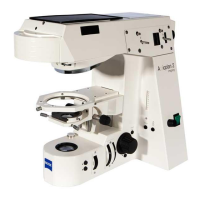
ZeissAxioObserver.D1Microscope
Room:3164A
StartUpProcedure
1. Removedustcoverfrommicroscope
2. ToggleFluoArcLampswitchON
3. TogglePowerBarswitchON
4. TurnMicroscopeON
‐ bypressingpowerbuttonlocatedonleftsideofmicroscope
5. TurnONcomputer
6. Logonto:ObserverUseraccount(nopassword)
7. OpenProgram:AxioVision
Rel.4.8
ShutDownProcedure
1. Ifusedoil,gentlyremoveoilfromobjectiveusingneatlyfolded
drylenspaper
2. Put10xobjectiveinplace,andlowerobjective
3. CloseAxioVisionprogram
4. Shutdowncomputer.Waituntilcompletelyturnedoff
5. TurnMicroscopeOFF
6. TogglePowerBarswitchOFF
7. FluoArcLamp:
‐ Regularworkhours:setintensityto50%oncontrolpad(F2),
andleavelampON
‐ Non‐workhours:TurnlampOFF
8. Covermicroscopewithdustcover,butDON’TCOVERTHEHOT
LAMPHOUSING!!










 To Next Page