
 Need help?
Do you have a question about the Zeiss Crossbeam 550L and is the answer not in the manual?
Defines text conventions and link types used in the manual.
Explains warning symbols and additional information provided in the manual.
Lists related documents for further information and details.
Provides contact details for ZEISS support and service.
Defines the intended applications and scope of the microscope.
Outlines essential procedures for safe operation and maintenance.
Details potential hazards and recommended safety precautions.
Describes safety features, equipment, and labels on the microscope.
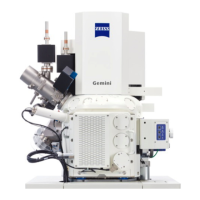
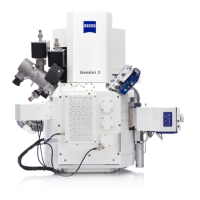
Provides a general overview of the system components and accessories.
Details the key parts of the system, including vacuum and electron optics.
Details the core SEM column and its optics.
Details the optional FIB column and its functionality.
Describes the various detectors used for signal acquisition.
Describes stage operation, axes, and navigation.
Describes the control interface for stage and specimen navigation.
Lists and describes optional detectors and control panel features.
Details the SmartSEM software interface, controls, and features.
Explains user access levels and their associated privileges for system operation.
Lists programs and utilities within the SmartSEM suite for microscopy.
Details the SmartFIB software interface and its graphical control elements.
Provides step-by-step instructions for energizing and starting the microscope.
Guides users through the process of acquiring an initial image.
Explains how to adjust gun modes, probe current, and extractor voltage.
Discusses different aperture configurations and beam modes for optimal imaging.
Provides guidance on selecting and setting up various detectors for optimal results.
Details the setup for the InLens SE detector for surface topography.
Details the setup for the SE detector to highlight specimen topography.
Details the setup for the EsB detector for material contrast analysis.
Details the setup for the SESI detector for secondary electron and ion imaging.
Details the setup for aBSD/BSD detectors for material and topographic imaging.
Details the setup for aSTEM/STEM detectors for compositional and topographic imaging.
Details the setup for the CL detector for material science applications.
Provides procedures for safely shutting down the microscope.
Details the steps for completely de-energizing the microscope.
Outlines the procedure for performing an emergency shutdown of the system.
Lists the types of preventive maintenance performed by service representatives.
Specifies the recommended intervals for performing maintenance tasks.
Details the consumables and chemicals that require periodic replacement.
Provides a table of common problems, causes, and remedies.
Addresses issues related to the overall system and CAN communication.
Covers troubleshooting for chamber-related issues like stage and door seals.
Addresses troubleshooting for column-related issues like gun head bakeout.
Explains how to calibrate the probe current for accurate measurements.
Covers troubleshooting related to the power circuit and circuit breakers.
Details troubleshooting steps for various detectors, including lubrication.
Addresses troubleshooting for the FIB system, including ion source issues.
Instructions for taking the microscope out of service for extended periods.
Guidelines for safely transporting and storing the microscope.
Procedures for the responsible disposal of consumables and the microscope.
Provides detailed technical specifications for the microscope's electron optics and components.
Outlines the necessary site and environmental requirements for installation.
Illustrates the system layout and connection points for various components.
Shows the physical dimensions and footprint of the microscope system.
States the machine's compliance with relevant EC directives and standards.
Lists required consumables and their part numbers for maintenance.
Lists essential spare parts and their part numbers for repairs.
Lists necessary tools and accessories for operating and maintaining the microscope.
 General
| Brand | Zeiss |
|---|---|
| Model | Crossbeam 550L |
| Category | Microscope |
| Language | English |











 To Next Page