38 39
Z
-
E 2 0 15
BASIC BLUETOOTH HANDS-FREE OPERATION
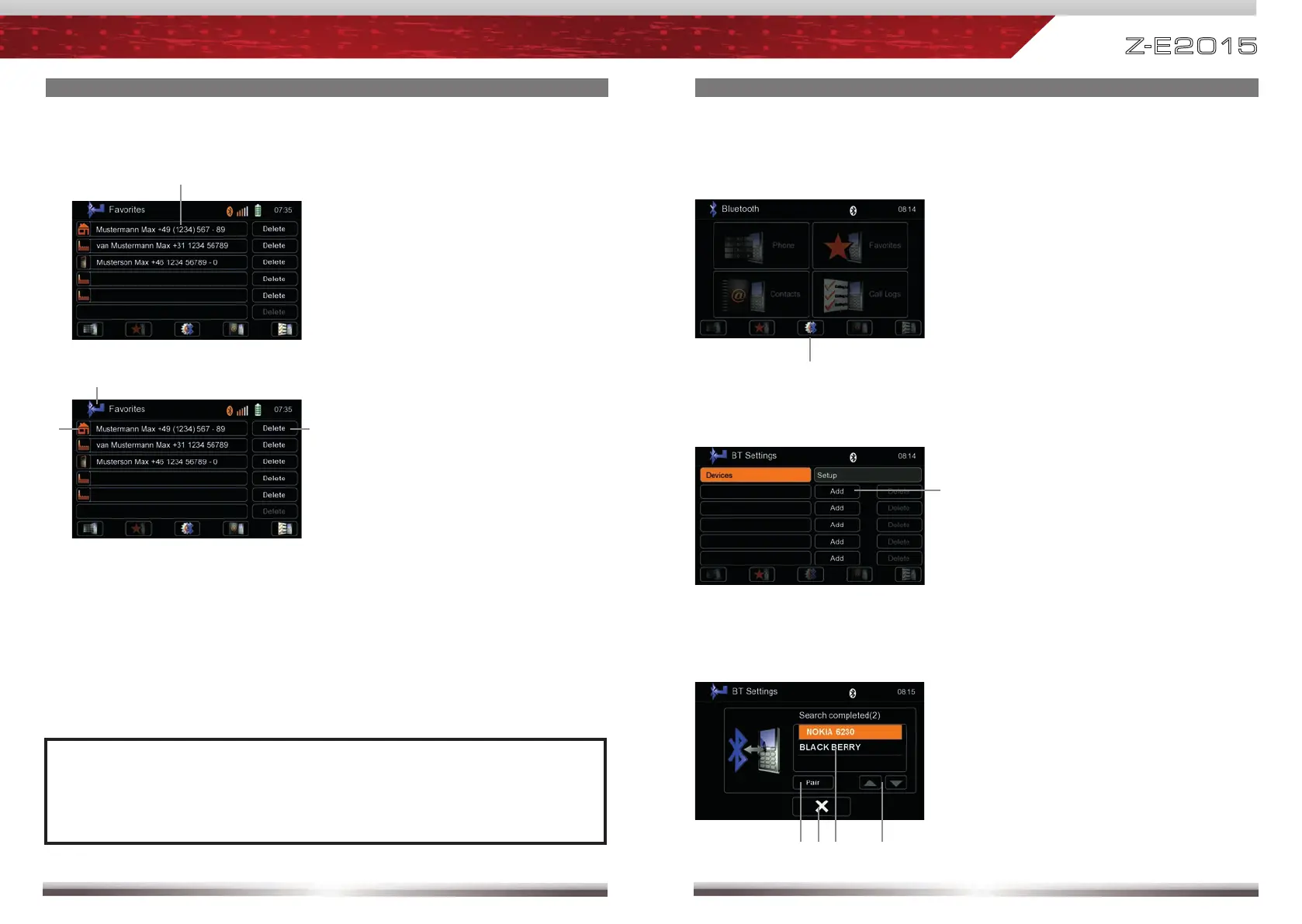
Pairing a mobile phone:
Tap on "Add" to trigger a search for Bluetooth devices.
2
Enter device list.
1
Control elements:
Confi rm selected mobile phone to be
paired
Back to Bluetooth device list
Tap to select mobile phone
Browse list up/down
Choose your mobile phone from the list or retry searching. Press "Pair".
3
BASIC BLUETOOTH HANDS-FREE OPERATION
Manage favourites:
List of favorites
Display elements:
NOTE:
■ Be aware that solely terminating the connection, or deleting a connected
mobile phone, does not affect the list of favorites. Favourites have to
be explicitly deleted one by one.
Tap to call a favourite
Tap to delete a favourite
Back to Bluetooth main menu
Control elements:



 To Next Page