60 61
Z
-
E 2 0 15
EXTERNAL PLAYBACK AND SOURCES
M-Zone
NOTE:
■ With deactivated M-Zone you will not see any signal on connected
M-Zone monitors (blackscreen).
■ The M-Zone volume cannot be adjusted on the device. Use the control
elements of the connected peripherals (i.e. roof monitor) instead, to adjust
the volume.
■ If the M-Zone and the front zone get both fed by one and the same
media source, the M-Zone stereo output won't be muted.
■ The headunit does not memorize that the M-Zone has been activated
after shutting off. Therefore you have to reselect the M-Zone after
each re-start.
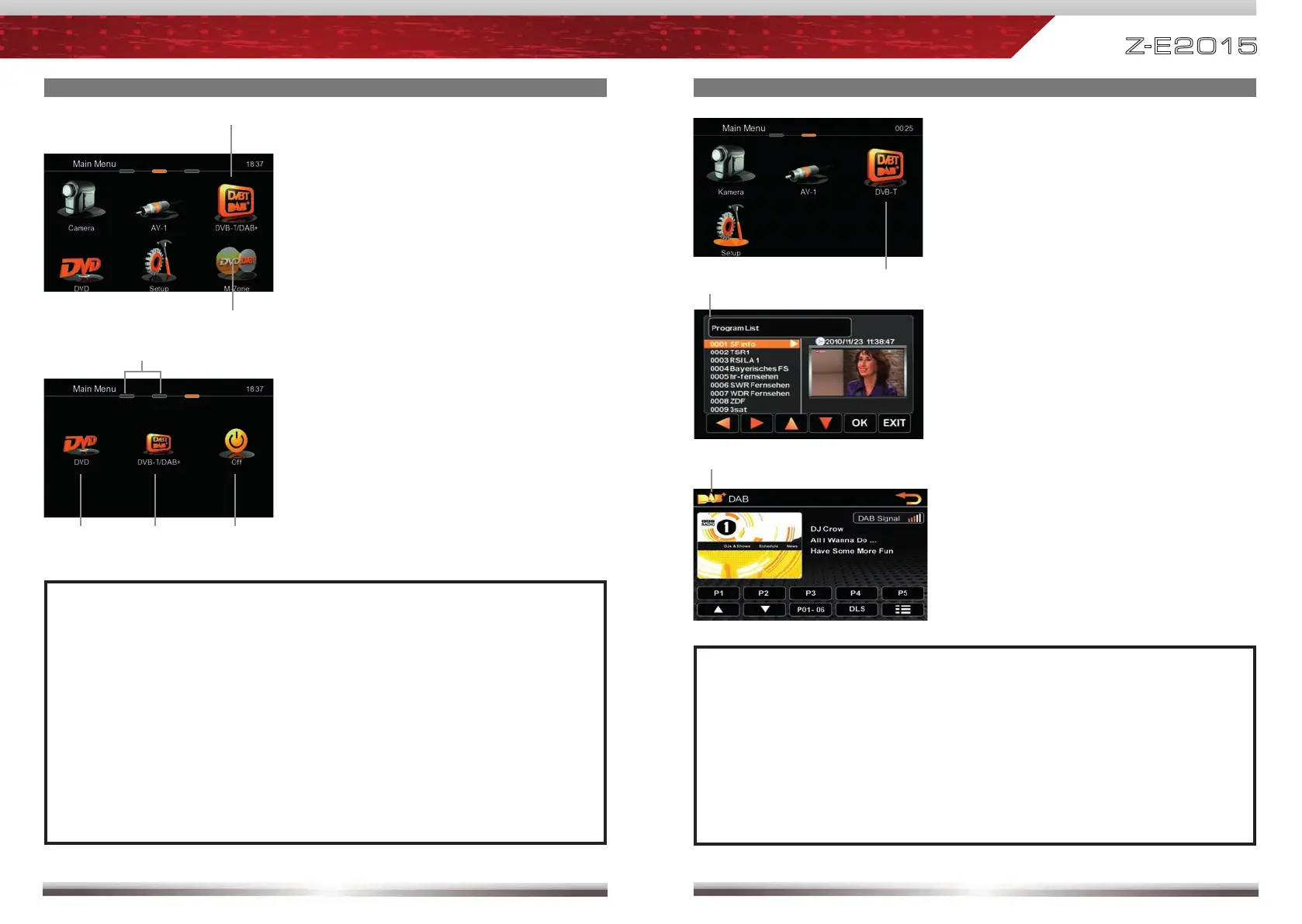
Control elements:
Direct access to main menu
Choose DVD
Choose DVB-T / DAB+
Deactivate M-Zone
Control elements:
Direct access to DVB-T / DAB+
Direct access to M-Zone
OPERATION OF EXTERNAL DVBT / DAB+ SOURCES
NOTE:
■ For DVB-T or DAB+ reception you need to connect an external ZENEC
DVB-T or DAB+ receiver. For a compatibility check out the user manual
and the compatibility list of the ZENEC DVB-T or DAB+ receiver in
advance.
■ Compatible DVB-T and DAB+ devices offer direct operation via
touchscreen of the headunit.
■ It's not possible to connect a DVB-T and DAB+ receiver at the same time.
Control elements:
Tap into the upper right corner in
the DVB-T / DAB+ screen to return
to the Main Menu.
Control elements:
Direct access to DVB-T or DAB+.



 To Next Page