p/n 4000087299 v.I
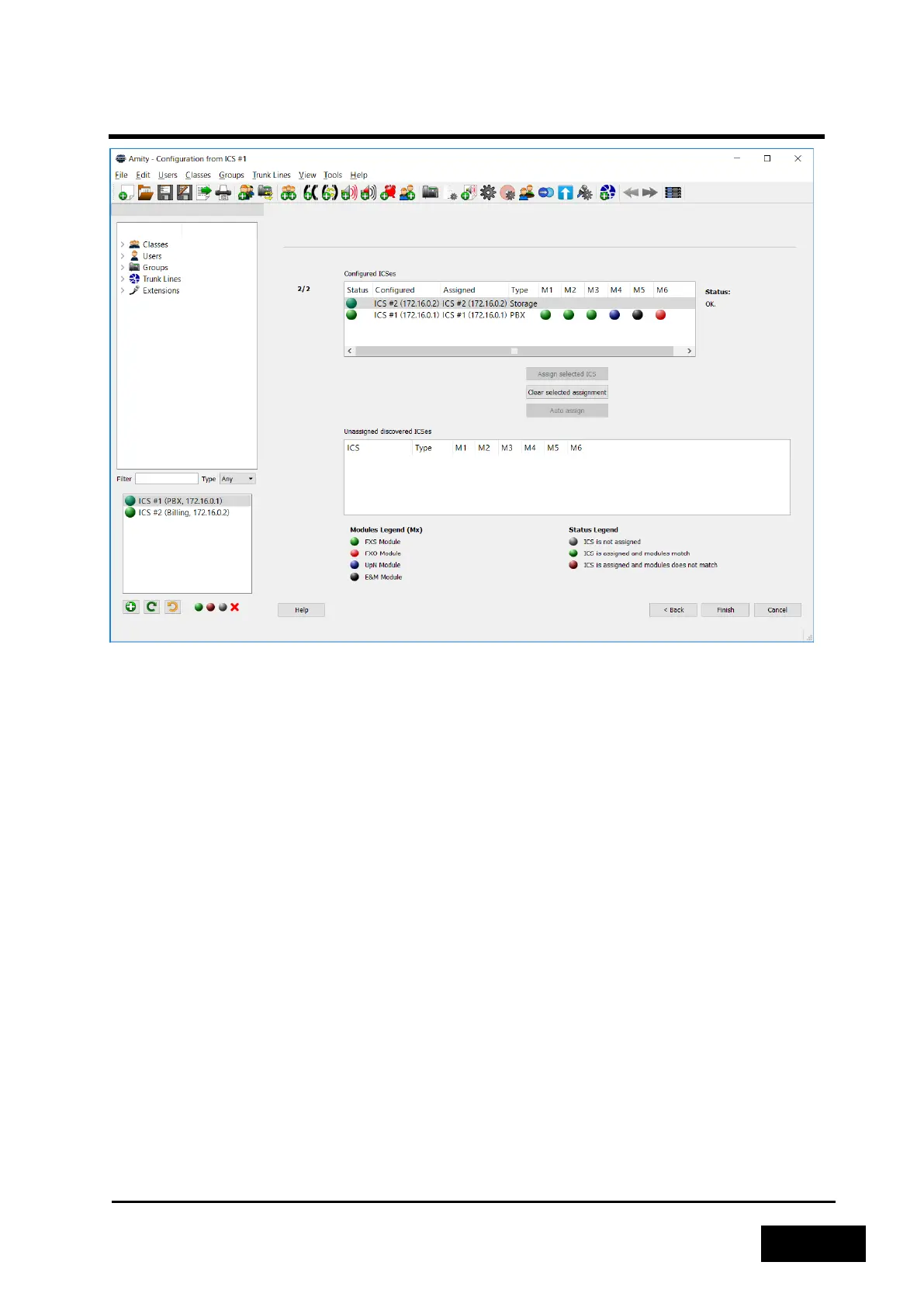
Figure 2-56 - Assigned ICSes in Migrate Configuration
Once all configured Phontech 6200 units have been assigned a discovered ICS you can click "Finish"
to perform the migration. After the migration is done the configuration can be sent to the system as
normal.
2.3.5.1 Upgrading Firmware
It is possible to upgrade the firmware of Phontech 6200 units by using the Phontech 6200
Configuration Application and a new firmware file as supplied by Zenitel. You can upgrade the
firmware of specific Phontech 6200 units by right clicking on the unit in question in the lower left
corner of the application and selecting "Upgrade Firmware". However, in cases where you have
more extensive systems with several 6200 units, it is easier to use the "Update System Firmware"
dialog, as found under the "Tools"-menu.
Upon opening either of these two options, you will be asked to find the new firmware file. Once this
has been done, the application will check that the new firmware is valid and present you with the
version and build date of both the current firmware and the newly selected firmware.
If this information looks valid, press "Ok" to send the new firmware to your 6200 unit(s). The
firmware will be checked for correctness on the Phontech 6200 unit upon receiving it, prior to
extracting it. The process will take a few minutes and the Phontech 6200 unit(s) will reboot upon
completing it.



 To Next Page