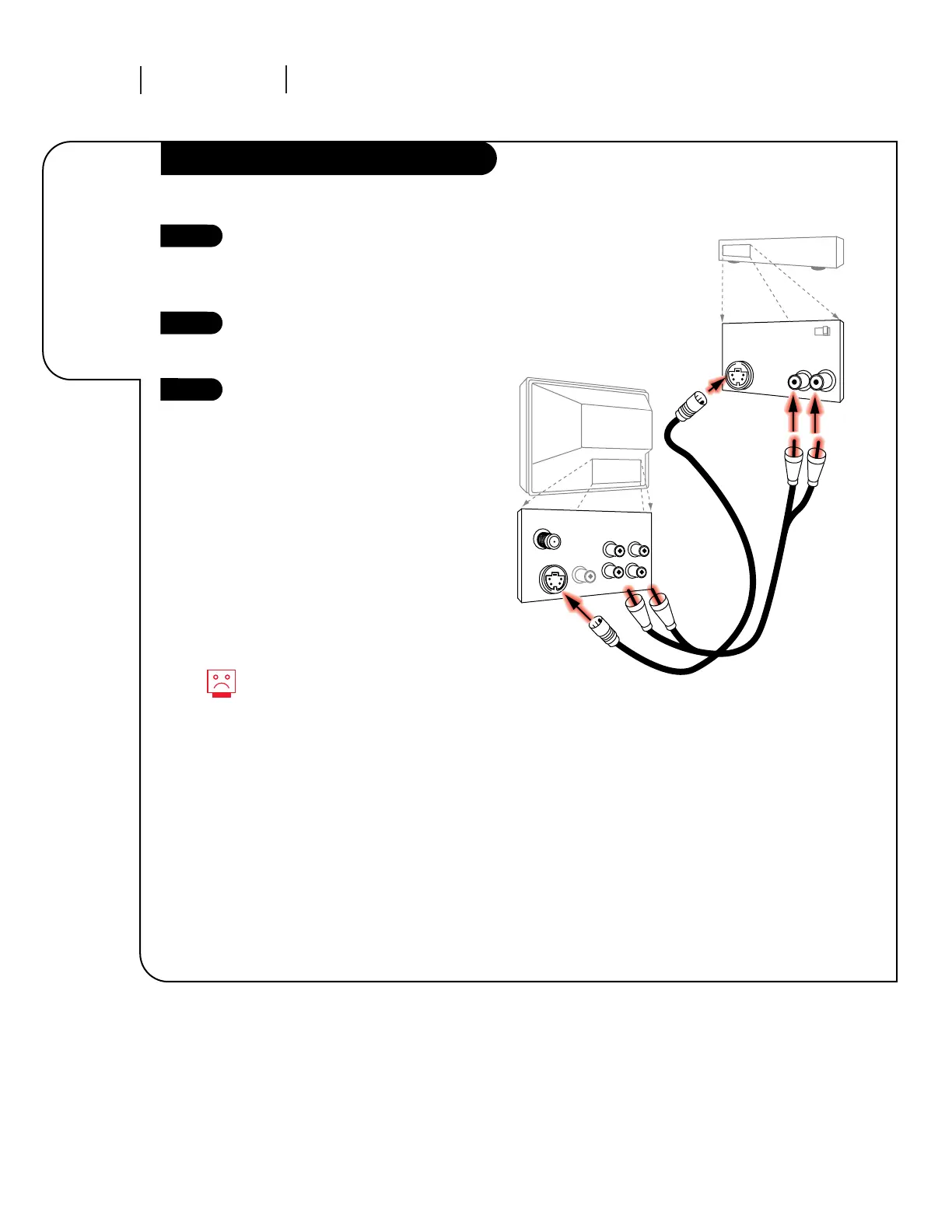
Hook Up Your TV to a Super VHS VCR
Locate the S-Video Out to TV jack
on the back of your S-VHS VCR.
Connect the S-VHS cable directly
to this jack.
Connect this cable from
the Out to TV jack to the S-Video
jack on the back of your TV.
Find the audio and S-Video jacks
on the back of your S-VHS player,
and connect them following the
instructions provided with your
equipment.
1
2
3
Connecting an
S-VHS player
to your
Entertainment
Machine.
No S-Video cables are included
with your Zenith Entertainment
Machine, but can be purchased in
most consumer electronics stores..
Without an S-Video cable, you will
not receive the Super VHS quality
picture.




 To Next Page