+,ABLE WITIt
CONVERTER/DE-SCRAMBLER BOX
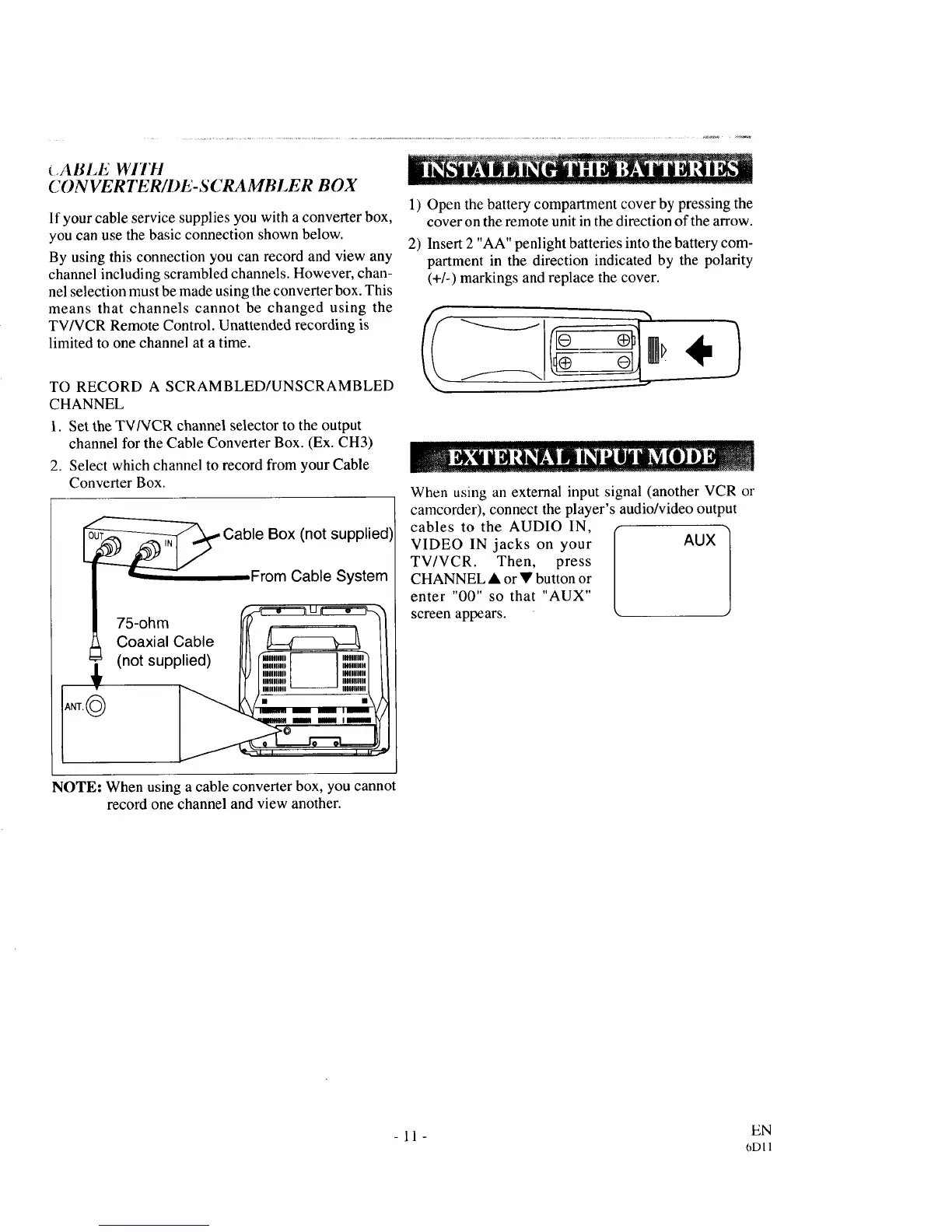
If your cable service supplies you with a converter box,
you can use the basic connection shown below.
By using this connection you can record and view any
channel including scrambled channels. However, chan-
nel selection must be made using the converter box. This
means that channels cannot be changed using the
TV/VCR Remote Control. Unattended recording is
limited to one channel at a time.
TO RECORD A SCRAMBLED/UNSCRAMBLED
CHANNEL
I. Set the TVNCR channel selector to the output
channel for the Cable Converter Box. (Ex. CH3)
2. Select which channel to record from your Cable
Converter Box.
Cable Box (not supplied)
From Cable System
75-ohm 4_:c:__'_
Coaxial Cable _ II
(not supplied) _ _ :[,",I:,_I I
NOTE: When using a cable converter box, you cannot
record one channel and view another.
1) Open the battery compartment cover by pressing the
cover on the remote unit in the direction of the arrow.
2) Insert 2 "AA" penlight batteries into the battery com-
partment in the direction indicated by the polarity
(+1-) markings and replace the cover.
When using an external input signal (another VCR or
camcorder), connect the player's audio/video output
cables to the AUDIO IN,
VIDEO IN jacks on your AUX
TV/VCR. Then, press
CHANNEL • or • button or
enter "00" so that "AUX"
screen appears.
- 11 - EN
(_Dll



 To Next Page