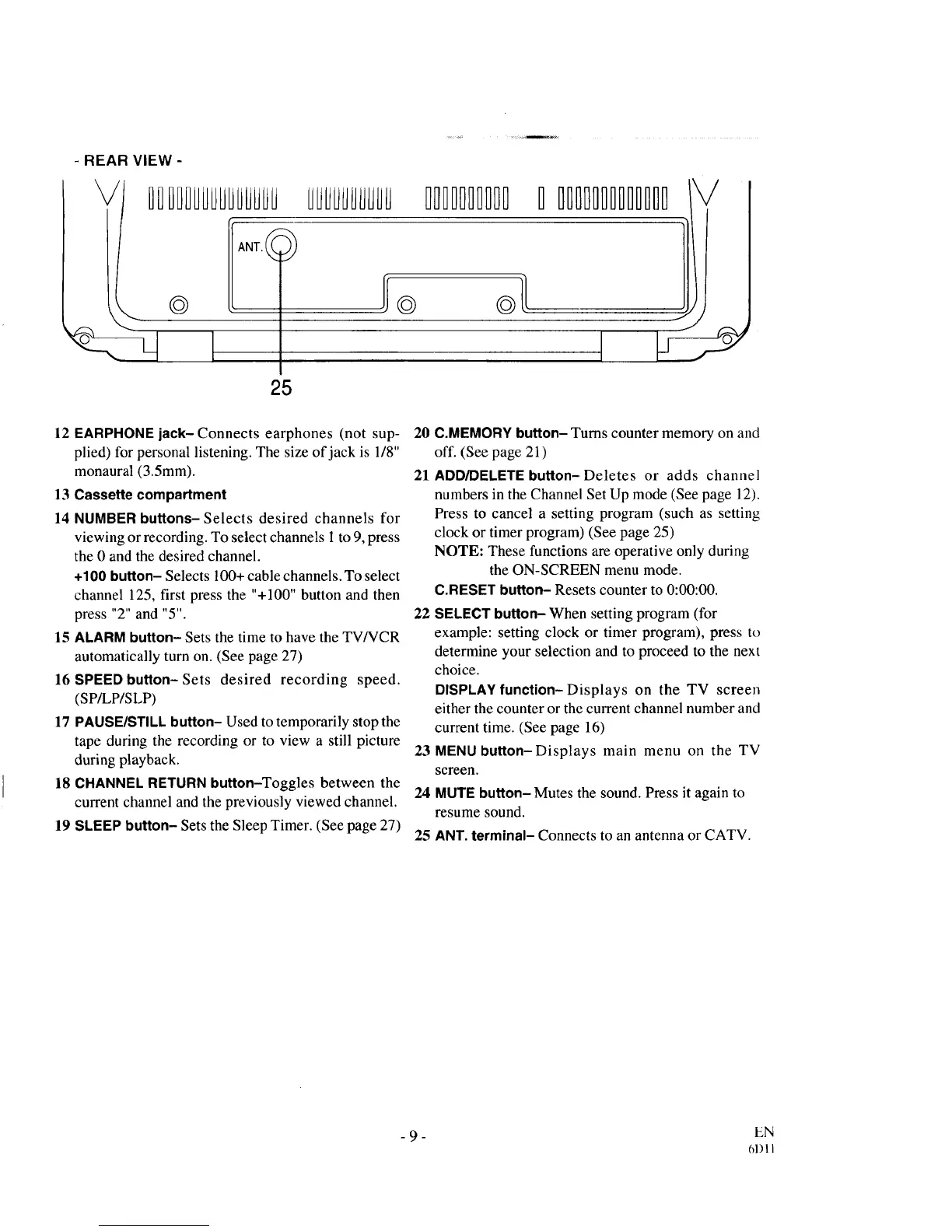
- REAR VIEW-
DIDIIUUUUUUHUUUUUUUUUIUUU
25
11111111111 IIIIIIIIIIIII
12 EARPHONE jack- Connects earphones (not sup- 20
plied) for personal listening. The size of jack is 1/8"
monaural (3.5mm). 21
13 Cassette compartment
14 NUMBER buttons- Selects desired channels for
viewing or recording. To select channels 1to 9, press
the 0 and the desired channel.
÷100 button- Selects 100+ cable channels. To select
channel 125, first press the "+100" button and then
press "2" and "5". 22
15 ALARMbutton- Sets the time to have the TV/VCR
automatically turn on. (See page 27)
16 SPEED button- Sets desired recording speed.
(SP/LP/SLP)
17 PAUSE/STILLbutton- Used to temporarily stop the
tape during the recording or to view a still picture 23
during playback.
18 CHANNEL RETURN button-Toggles between the
24
current channel and the previously viewed channel.
19 SLEEP button- Sets the Sleep Timer. (See page 27)
25
C.MEMORY button- Turns counter memory on and
off. (See page 21)
ADD/DELETEbutton-Deletes or adds channel
numbers in the Channel Set Up mode (See page 12).
Press to cancel a setting program (such as setting
clock or timer program) (See page 25)
NOTE: These functions are operative only during
the ON-SCREEN menu mode.
C.RESET button- Resets counter to 0:00:00.
SELECT button- When setting program (for
example: setting clock or timer program), press to
determine your selection and to proceed to the next
choice.
DISPLAYfunction-Displays on the TV screen
either the counter or the current channel number and
current time. (See page 16)
MENUbutton-Displays main menu on the TV
screen.
MUTEbutton- Mutes the sound. Press it again to
resume sound.
ANT. terminal- Connects to an antenna or CATV.
- 9 - EN
61) I 1



 To Next Page