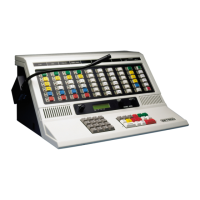
Operating IntegratorRD Workstations
136 025-9535L
Default location for log files in Windows 7:
C:\Users\Public\Documents\Zetron\IntegratorRD\CallLogs
An excerpt from a typical log file is shown below:
Following is the description for each of the columns:
• Signal Type – RX or TX (incoming or outgoing call)
• Date Time – date and time the call came in or went out
• Channel Type
• Channel Name/Alias
• Source ID or Alias
• Source Long Alias
• Destination ID or Alias
• Destination Long Alias
• Emergency
• Acknowledge
• Call Type – PTT ID, Selective Call, Call Alert, Emergency, Emergency
Acknowledge or the status code
MDC-1200 OPERATION
This subsection describes sending and receiving calls using the MDC-1200 interface of
IntegratorRD.
Receiving a Selective Call
When receiving a selective call the “CALL” indication is activated and the calling unit
radio ID (or alias, if enabled) is shown in the channel box during the call.
When the call is received, it is entered into the Call History Window with a status of
“Selective,” along with the channel, radio ID, and time of reception. If Radio ID aliasing is
enabled, the alias string (up to 10 characters) is shown in place of the Radio ID. The ID
alias table is preconfigured using the RDPS (Radio Dispatch Programming System)
program.
Note This is the default location for the current version of IntegratorRD.
The default location for prior versions varies.
RX 02/14/2002 14:22:37 MDC-1200 tone_9 MDC 1 Selective
RX 02/14/2002 14:24:29 MDC-1200 tone_9 MDC 2 mdc609 Alert
RX 02/14/2002 14:24:49 MDC-1200 tone_9 MDC 3 PTT ID
RX 02/14/2002 14:25:19 MDC-1200 tone_9 MDC 5 (E) Emergency
TX 02/14/2002 14:25:22 MDC-1200 tone_9 MDC 1 PTT ID
RX 02/14/2002 14:25:34 MDC-1200 tone_9 MDC 9 Emg. Ack
RX 02/14/2002 14:33:04 MDC-1200 tone_10 MDC 9 fire



 To Next Page