53
Control Components
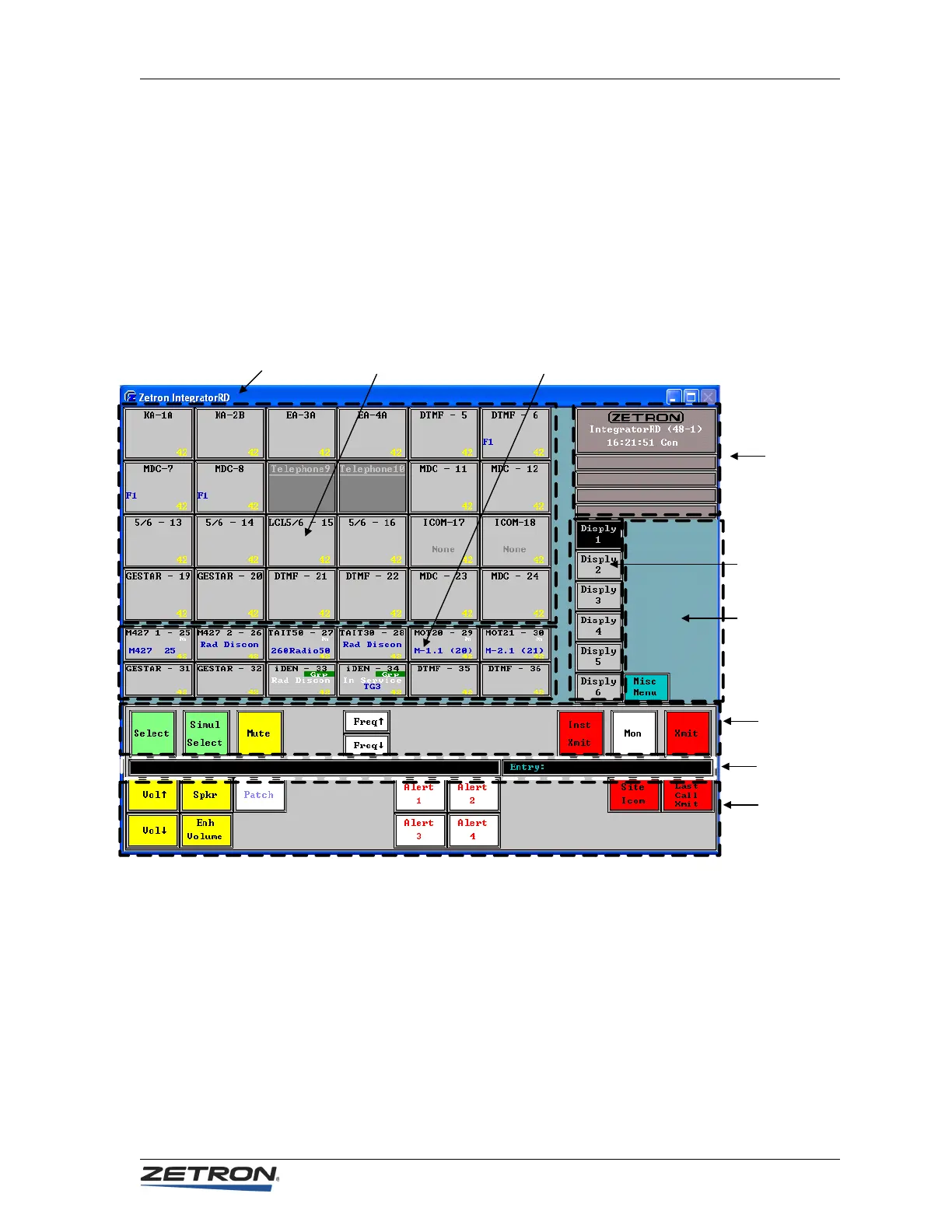
• The Main Function Button Region maintains the primary channel control function
buttons. With the exception of the Simul-Select button, these buttons act on the
currently highlighted Channel Selector Box.
• The Secondary Function Button Region shows secondary channel control
functions. When one of the System Menus is activated, the secondary control
functions are overlaid with the menu buttons applicable to the selected system
menu.
Figure 10: Graphical Interface for IntegratorRD Workstation
Windows Title Bar (1)
Channel Status Region
(2A) Large Icons
Channel Status Region
(2B) Small Icons
System Region
(3)
Display Select
Region (4)
System Menu
Region (5)
Status Line (7)
Main Function
Button Region
(6)
Secondary
Function Button
Region (8)



 To Next Page