3.4 System menu description
1. Device mode
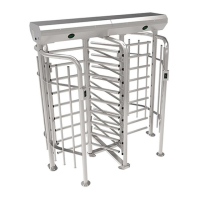
(1)Full height turnstile
2. Direction setting
① → exit, entry ←
② → entry, exit ←
The setting of the sides for entry or exit. "→ exit, entry ←" means that right side is exit and left is
entry. "→ entry, exit ←" means that right side is entry and left side is exit. The default setting is "→
exit, entry ←".
3. Passage control
① → Y, N ←
② → N, Y ←
③ → N, N ←
④ → Y, Y ←
The setting for whether both sides of the machine (entry and exit) are allowed to pass. "→ Y, N ←"
stand for being allowed on the right and forbidden on the left. "→ N, Y ←" stand for being
forbidden on the right and allowed on the left. "→ N, N ←" stand for being forbidden on both
sides. "→ Y, Y ←" stand for being allowed on both sides. The default setting is "→ Y, Y ←".
4. Open duration
Press "UP" and "DOWN" buttons to adjust time. Press "OK" to save. After the device is started, it will
automatically close if no one passes. The default setting time is 5 seconds.
5. Open delay
Press "UP" and "DOWN" buttons to adjust time. Press "OK" button to save.
Set the delay time of opening turnstiles. The default delay time is zero seconds.






 To Next Page