K Series Economic Models User Manual
23
7 System Setting
7.1 System Setting
Set system parameters to meet user requirements to the greatest extent in terms of functions and display.
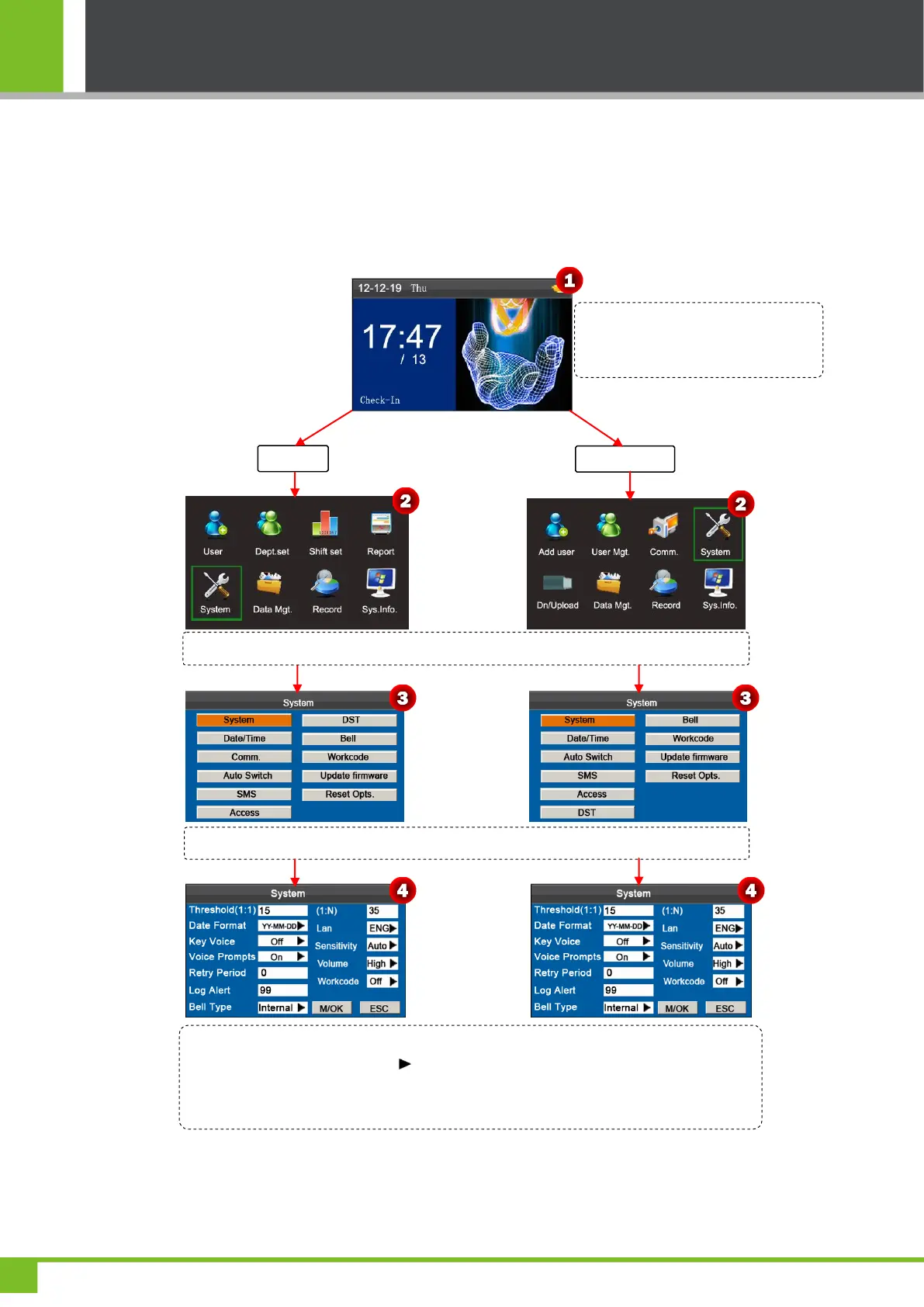
Set system parameters:
Move the cursor to the desired option by pressing ▲/▼. Enter a desired value in the entry
box by using the keypad. Press in the scroll box to switch to the desired value. After
finishing the setting, press [M/OK] to save or press [ESC] to cancel and return to the
previous interface.
Press and hold the [M/OK] key on the
initial interface to enter the Main Menu
interface.
Press ◄/► key to select System menu and press [M/OK] to enter the System interface.
Press ▼ key to select System and press [M/OK] key to enter the System interface.



 To Next Page