7 System Setting
34
7.11 Access Function
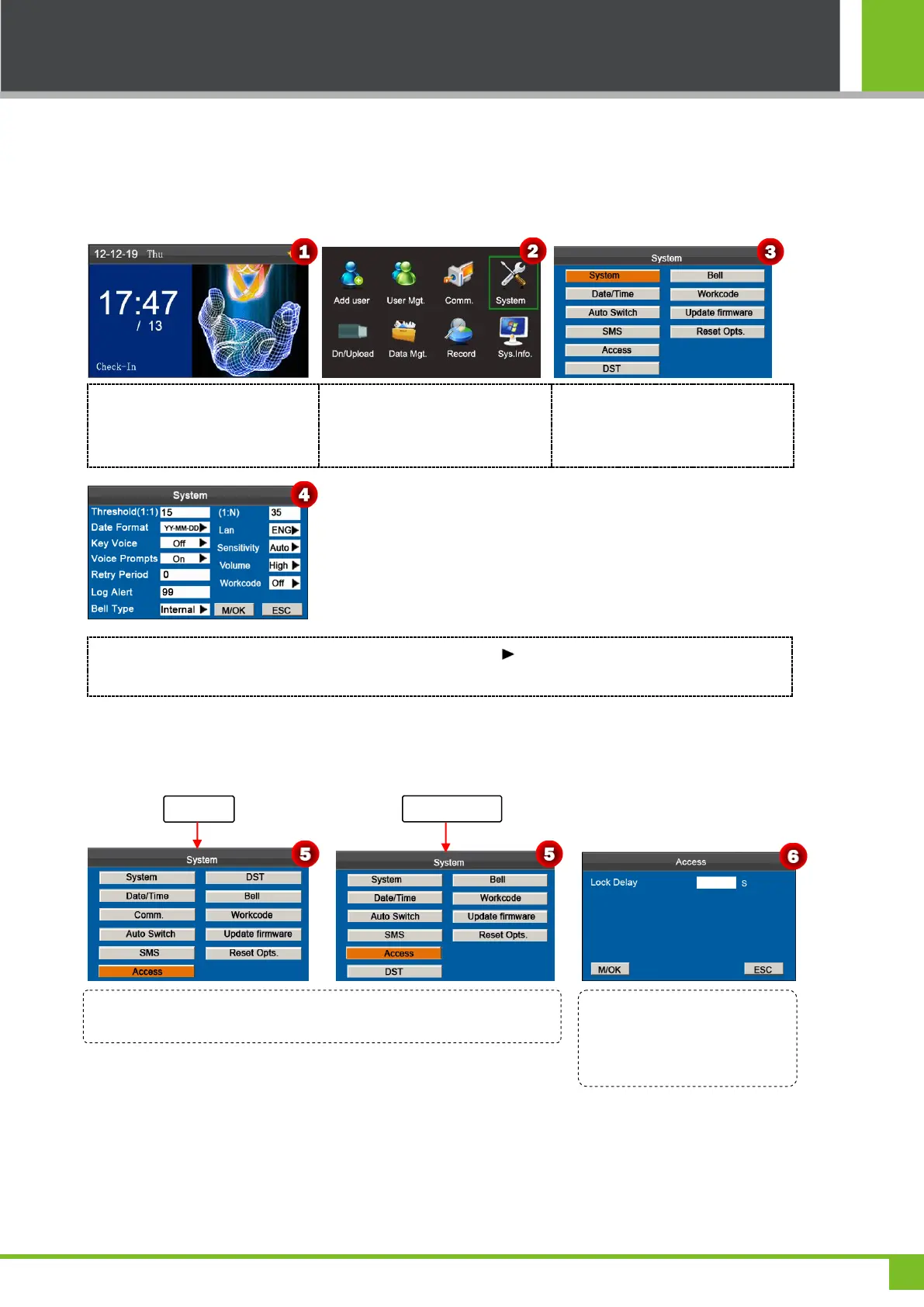
Notice: Only when set Bell Type as Internal, can enable the Access Function. Specific operation method is as
follows (takes No SSR-Type machine as an example):
Press and hold [M/OK] key on the
initial interface to enter the Main
Menu interface.
Press ◄/► key to select System
menu and press [M/OK] to enter
the System interface.
Press ▼ key to select System and
press [M/OK] key to enter the
System interface.
Pressing ▲/▼ to move the cursor to the Bell Type option. Press in the scroll box to switch to Internal. After
finishing, press [M/OK] to save or press [ESC] to cancel and return to the previous interface.
Access Settings
On the initial interface, press and hold [M/OK] key to enter the Main Menu interface, then press ◄/► key to select
System menu and press [M/OK] to enter the System interface, shown as following figure 5:
Note:
Lock Delay: Indicates the duration for the device to place the electric lock in open state. (Value scope: 1~10 seconds)
When Access Function is enabled, only administrator can close this K series attendance machine if you have set an
administrator on it. And the Access Function is disabled when the Bell Type set as External or Int & Ext ringing.
On the System interface, press ▼ key to select Access and press [M/OK]
key to enter the Access interface as figure 6:
Enter the value of Lock Delay by
numeric key, and press [M/OK] to
save, or press [ESC] to cancel
and return.



 To Next Page