K Series Economic Models User Manual
37
Clear Purview: Set all the administrators to ordinary users.
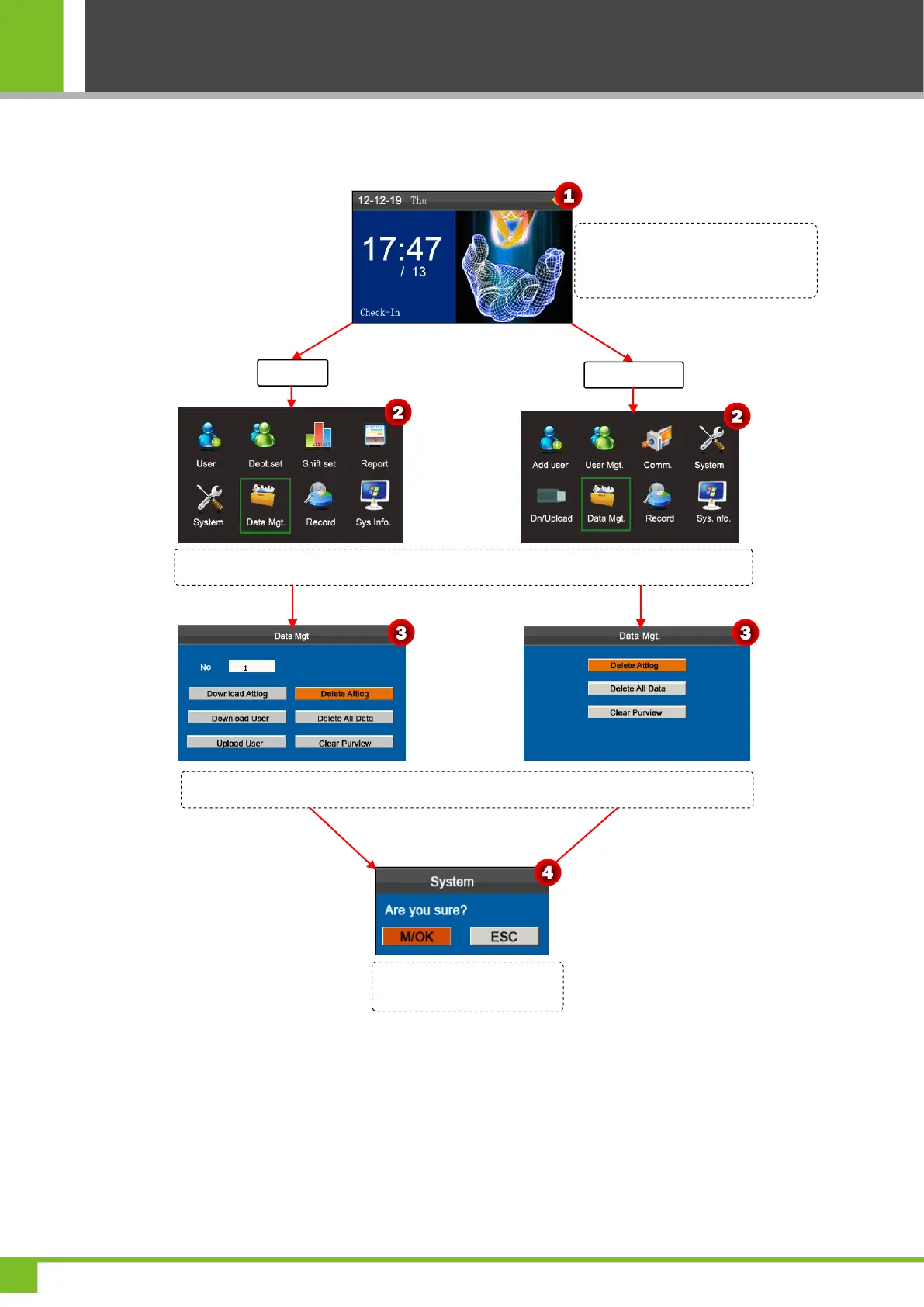
The following uses Delete attendance log as an example to describe how to delete user attendance log:
Press and hold the [M/OK] key on the
initial interface to enter the Main Menu
interface.
Press ◄/► key to select Data Mgt. menu and press [M/OK] to enter the Data Mgt. interface.
Press ▼ key to select Delete Attlog then press [M/OK] key to pop-up the prompt box.
Press [M/OK] to delete Attlog
or press [ESC] to cancel.



 To Next Page