5
2.1.1 Device Settings
Includes that Modify IP Address, Close Auxiliary Output, Disable, Enable, Modify Communication Password,
Synchronize Time, Upgrade Firmware, Get Logs From SD Card, Import Data From USB disk and so on.
For more details, please refer to “ZKBiosecurity User Manual”.
2.2 Adding a user and a card
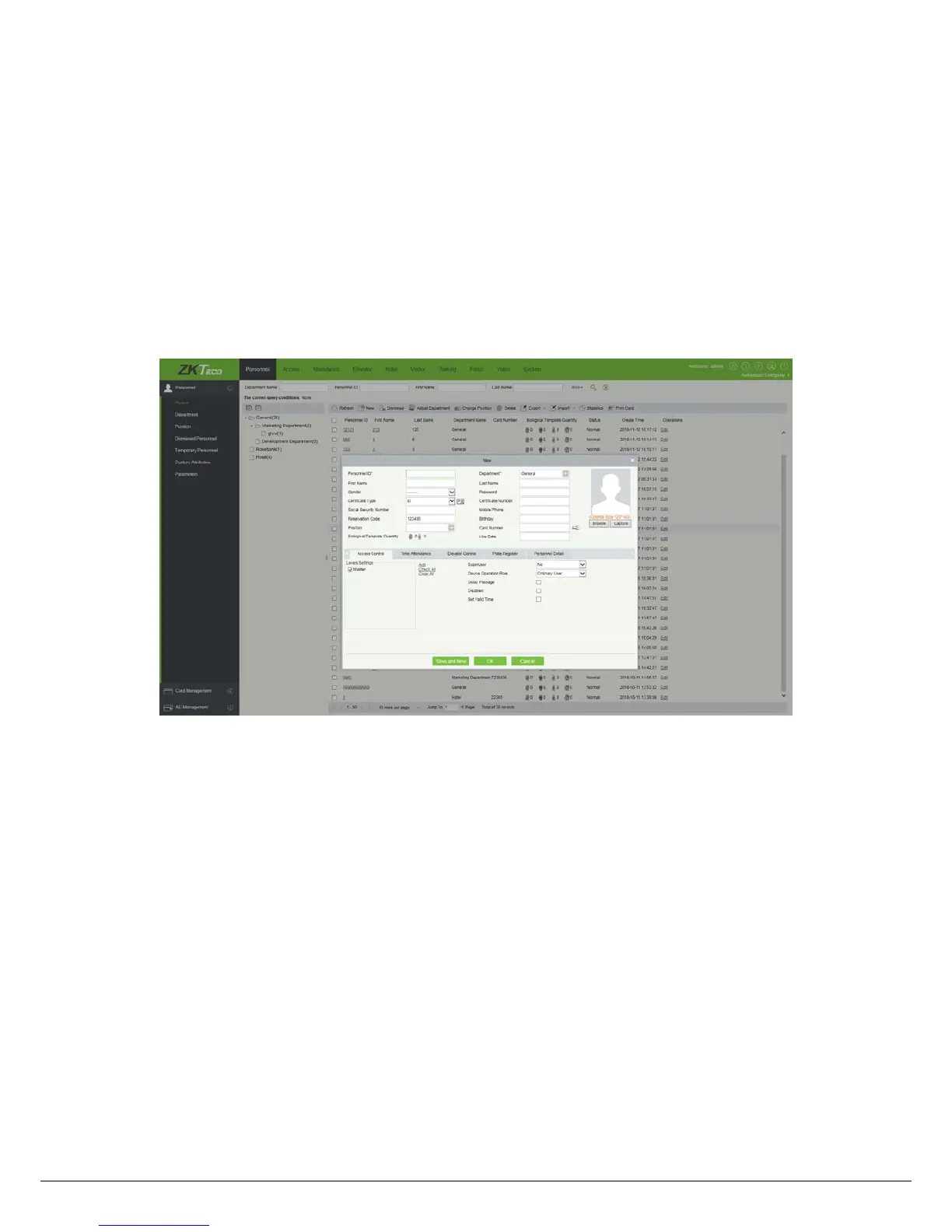
1) Click [Personnel] > [Person] > [New]:
The fields are as follows:
Personnel ID:
An ID may consist of up to 9 characters, within the range of 1 to 79999999. It can be configured
based on actual conditions. The Personnel No. contains only numbers by default but may also include letters.
Notes:
When configuring a personnel number, check whether the current device supports the maximum length and
whether letters can be used in personnel ID.
To edit the settings of the maximum number of characters of each personnel number and whether letters can
also be used, please click [Personnel] > [Parameters].
Department:
Select from the pull-down menu and click [OK]. If the department was not set previously, only one
department named [Company Name] will appear.
First Name/Last Name:
The maximum number of character is 50.
Card number:
Assign a card number to the person for access control use. The max length is 10, and it should not



 To Next Page
 Loading...