
 Need help?
Do you have a question about the ZKTeco SpeedFace-V3L and is the answer not in the manual?
Describes conventions for software interface elements like menu separation and naming.
Explains the meaning of various icons used in the manual for notes, warnings, and information.
Guidelines on the correct fingers to use and positioning for fingerprint scanning.
Recommendations for user posture, facial expression, and distance for optimal facial recognition.
Instructions on how to properly register a face, including distance and expression guidance.
Description of the device's default screen after power connection, showing time and basic options.
Details on 1:N and 1:1 fingerprint verification methods and their operation.
Explains 1:N and 1:1 facial verification modes and their usage.
Covers 1:N and 1:1 card verification processes, including successful and failed attempts.
Details how to perform password verification and expected outcomes for correct/incorrect entries.
Explains how to use multiple verification methods simultaneously for enhanced security.
Steps to register new users, including entering ID, Name, and other details.
Defines user roles like Super Admin and Normal User, affecting system privileges and operations.
Guide on enrolling fingerprints, including finger selection and successful enrollment confirmation.
Instructions for face registration, emphasizing proper positioning and camera interaction.
Details on registering a card by swiping it on the device and handling errors.
Steps for setting a password, including confirmation and password length requirements.
Configures door access privileges, groups, and time periods for users.
How to find existing users by ID, surname, or full name within the system.
Process for modifying existing user information, excluding the User ID.
Options for removing user data, including deleting all information or specific biometric data.
Options to customize the user interface display between multiple line and mixed line views.
Allows creation of custom roles with specific menu access privileges for users.
Configure IP address, subnet mask, gateway, and DNS for Ethernet communication.
Settings for device communication via serial port (RS485/Master Unit) and baud rate options.
Establish PC connection using Comm Key for data security and identify device via Baud Rate.
Guides on searching for and connecting to available Wi-Fi networks, including manual addition.
Configure connection to ADMS server via domain name or IP address and proxy server settings.
Parameters for Wiegand input and output, including format, bits, pulse width, and interval.
Tools to diagnose network connectivity by testing IP addresses and connection to the device.
Configuration of device date, time, time zone, and daylight saving settings.
Settings for managing access logs, including alphanumeric IDs, alerts, and periodic deletion.
Adjust parameters for facial recognition, including threshold values, enrollment, and quality settings.
Settings for fingerprint recognition, including threshold values, sensor sensitivity, and image display options.
Restores device settings to default factory configuration without clearing user data.
Options to enhance device security, including security mode, standalone communication, and user ID masking.
Customize display settings like wallpaper, language, menu timeout, and slide show for the main interface.
Configure voice prompts, keypad sounds, and adjust the device volume.
Set up new bell schedules, edit existing ones, or delete bells with specified time and repeat options.
Configure punch state functionality, choosing between Off, Manual, Auto, or Fixed modes.
Define shortcut keys for attendance status or functional tasks, linking them to specific actions.
Options to delete various types of data, including access records, user photos, wallpapers, and screen savers.
Configure gate control, door lock delay, sensor types, verification modes, and time periods for access.
Define time periods and time zones for access control, allowing up to 50 time periods.
Set specific access times for holidays, applying them to all employees for door access.
Arrange access groups into combinations for multiple verifications to enhance security.
Configure anti-passback rules to prevent security breaches by ensuring alternating check-in and check-out records.
Configure duress verification settings to trigger an alarm while unlocking the door under coercion.
Configure the device's IP address and server settings to connect with the ZKBio Access server.
Steps to search for and add the device to the ZKBio Access software.
Process for registering new users in the ZKBio Access software and synchronizing them to the device.
Details on personal information collected during product registration and usage.
Guidelines for setting administrator privileges, managing biometric data display, and camera functions.
Policy on handling personal information of minors, requiring parental consent for data usage.
Information on how to learn more about privacy protection measures and contact ZKTeco.
 General
| Display type | LCD |
|---|---|
| Screen shape | Flat |
| Built-in display | Yes |
| Display diagonal | 2.4 \ |
| Display size (HxV) | 240 x 320 mm |
| Internal memory | 256 GB |
| Processor cores | 2 |
| Internal storage capacity | 512 GB |
| Operating system installed | Linux |
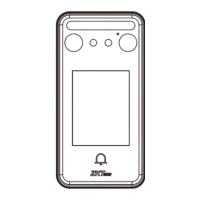
| Type | Face recognition terminal |
| Access code reader | - |
| Authentication type | Biometric, Face recognition |
| Access chip/card reader | No |
| Face recognition distance | 0.5 - 2 m |
| False Rejection Rate (FRR) | 0.02 % |
| False Acceptance Rate (FAR) | 0.01 % |
| International Protection (IP) code | IP65 |
| Operating temperature (T-T) | -5 - 45 °C |
| Total megapixels | 1 MP |
| RS-485 ports | 1 |
| Package weight | 800 g |
 Weight and Dimensions
| Depth | 58.5 mm |
|---|---|
| Width | 185 mm |
| Height | 20 mm |
| Weight | 300 g |












 To Next Page

