27
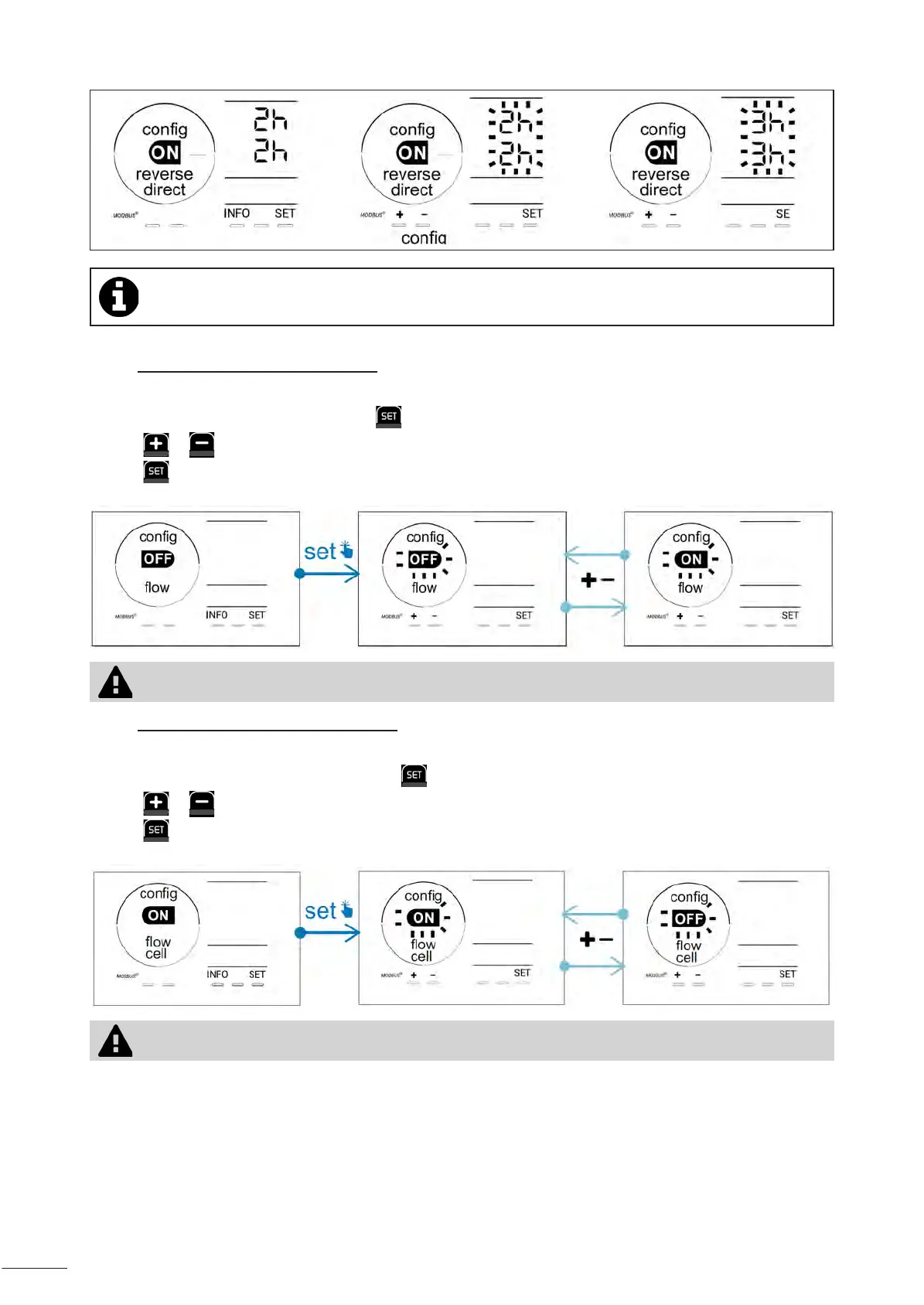
At the me of reversal, chlorinaon is stopped for a few minutes. No message is displayed on the screen.
Normal operaon resumes aer reversal is complete.
4.3.5. "Flow": Acvang the ow switch
This mode is activated by default. To deactivate the use of the flow switch:
• From the Conguraon/Flow menu, press : "OFF" ashes.
• Press or to switch to "ON".
• Press to conrm.
Deacvang the use of the ow switch is not recommended as it is a safety feature.
4.3.6. “Flow cell”: Acvang the gas sensor
This mode is activated by default. To deactivate the use of the gas sensor:
• From the Conguraon/Flow cell menu, press : “ON” ashes.
• Press or to switch to “OFF”.
• Press to conrm.
Deacvang the use of the gas sensor is not recommended as it is a safety feature.








 To Next Page