EasyManua.ls Logo

Zodiac pH Perfect - Default Parameters; Factory Preset Settings; Indicator Lamps and Buttons; Control Interface Explained

Zodiac pH Perfect
26 pages
Print Icon
To Next Page IconTo Next Page
To Previous Page IconTo Previous Page
Loading...
Default Parameters
The pH setting of the pH Perfect is pre-calibrated in the factory with the following parameters:
a. Pump at maximum flow = 1.5l/h
b. pH set point = 7.4
c. Dosage = ACID
d. Calibration = possible (ENABLE)
e. Safety against over-dosage: deactivated
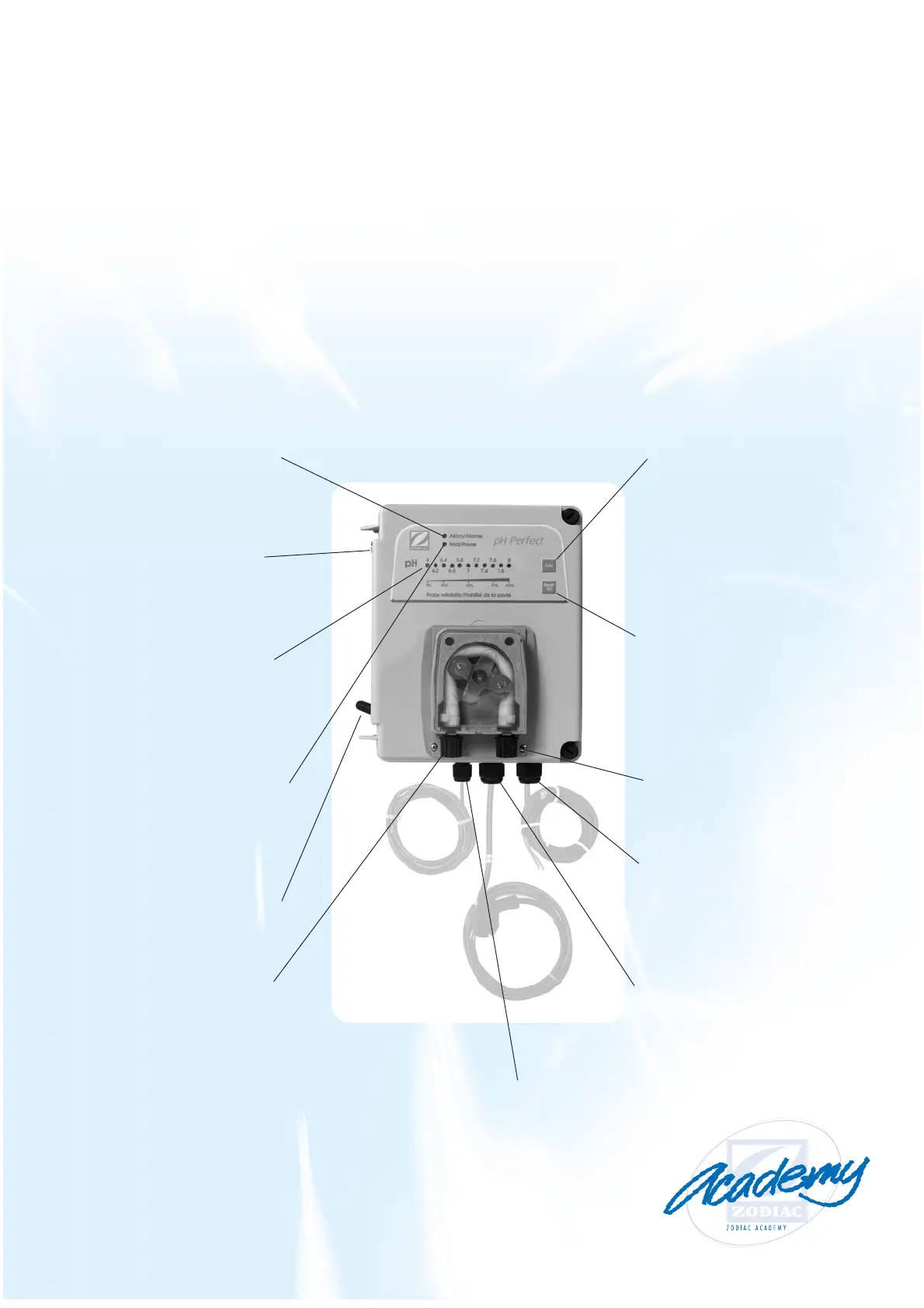
Indicator Lamps and Buttons
The “CAL” key:
permits changing
from operation
in pH measurement
mode to sensor
calibration mode.
The key must be
depressed for
5 seconds
The “Read SET” key:
exerting continuous
pressure on this key
will display the
value of the
pH set point on the
diode bar
Connector for the
semi-rigid
polyethylene
inlet pipe
Connector junction:
connection of the
cable for direct
230V AC control
on the pool pump
Connector junction:
connection of the
cable permanent
230V AC
mains supply
Connector junction:
for the cable linking
the housing to
the suction tube sensor
“Alarm/Alarme”
diode: informs the
user of an incorrect
measurement or an
equipment malfunction
pH sensor
connection point:
this is used to connect
the sensor cable to the
control box
11 diode bar:
displays the pH value,
the value of the
set point and the
measurement of
sensor reliability
The “Hold/Pause”
diode: informs the user
that the dosing pump
has stopped working
Main switch:
for switching
on power to the
controller
Connector
for the PVC
pipe suction
tube

Other manuals for Zodiac pH Perfect

Related product manuals