1. Choose Overview;
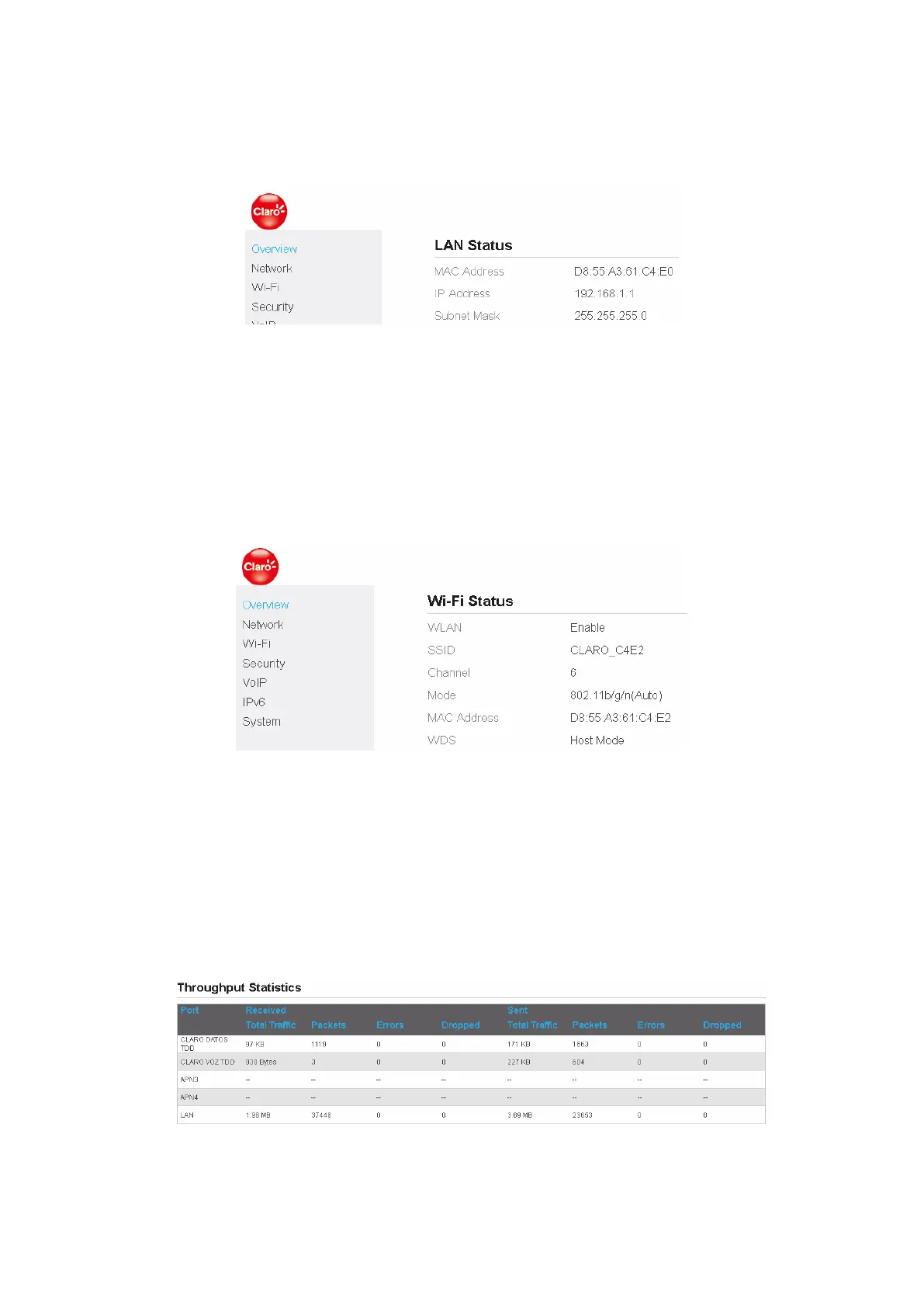
2. In the LAN Status area, view the LAN status, such as Mac address, IP address and Subnet mask.
As shown in Figure 2-6.
Figure 2-6
2.7 Viewing Wi-Fi Status
To view the Wi-Fi status, perform the following steps:
1. Choose Overview;
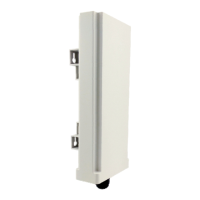
2. In the Wi-Fi Status area, view the information about Wi-Fi status, SSID, Chanel NO., MAC
address and WDS status. As shown in Figure 2-7.
Figure 2-7
2.8 Viewing Throughput Statistics
To view the throughput statistics, perform the following steps:
1. Choose Overview;
2. In the Throughput Statistics area, view the throughput statistics, such as WAN throughput
and LAN throughput. As shown in Figure 2-8.
Figure 2-8


 To Next Page