EasyManua.ls Logo

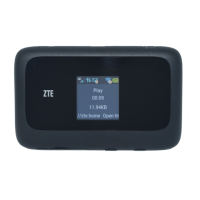
Zte Z291DL - User Manual

Zte Z291DL
51 pages
Print Icon
To Next Page IconTo Next Page
Loading...
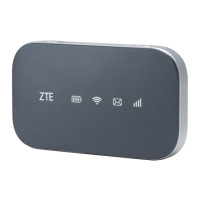
ZTE MOBILE HOTSPOT
User Guide

Other manuals for Zte Z291DL

Questions and Answers

  • J
    Justin KleinAug 1, 2025
    Why my Zte Z291DL Wireless Router connected device cannot access the Internet?
    • W
      whudsonAug 2, 2025
      If your connected device cannot access the Internet, ensure your SIM card is installed. You may also need to change the location to find a place with a good signal. If the issue persists, contact your service provider.
  • S
    Sharon GrimesAug 6, 2025
    How to establish Wi-Fi connection between Zte Wireless Router Z291DL and Wi-Fi enabled device?
    • E
      Edwin DurhamAug 6, 2025
      To establish a Wi-Fi connection between the Z291DL device and your Wi-Fi enabled device, make sure the Wi-Fi function is active. Refresh the network list and select the correct SSID. Check the IP address to ensure your device can obtain an IP address automatically in the Internet protocol (TCP/IP) properties. Also, type the correct network key (Wi-Fi password) when you connect to the Z291DL device.
  • A
    Adam BullockAug 11, 2025
    What to do if I cannot access the web configuration page of my Zte Z291DL?
    • V
      Vincent MartinAug 11, 2025
      If you cannot access the web configuration page, first, ensure you are entering the correct address. The default address is http://192.168.1.1. Also, only use one network adapter in your PC and do not use any proxy server.
  • E
    elizabeth13Aug 16, 2025
    What to do if the client connected to Zte Wireless Router cannot access the Internet?
    • A
      Alan AllenAug 16, 2025
      If your client, connected to the Zte Wireless Router, can't access the Internet, make sure your SIM card is working. Also, try moving to a location where the signal strength is better. Check the WAN connection mode settings. If problems persist, contact your service provider to verify your APN settings.
  • J
    Joseph GreeneAug 21, 2025
    What about the password for Zte Z291DL?
    • D
      Donald KentAug 21, 2025
      The default Wi-Fi connection for the Zte Wireless Router is open, so you don't need a password. The default password for the Web UI configuration page is 12$XXX. If you have changed the password and forgotten it, you will need to restore the device to its factory default settings.
  • L
    lcabreraAug 27, 2025
    How to find the password for Zte Z291DL Wireless Router?
    • N
      nicholasdouglasAug 27, 2025
      The default password can be found on the label under the battery of your Z291DL device. If you changed the password and forgot the new password, you will need to reset the device to factory default settings.

Summary

GETTING STARTED

SIM CARD INSTALLATION

Step-by-step guide on inserting the SIM card into the device.

BATTERY INSTALLATION

Provides instructions on how to install the battery into the device.

DEVICE CHARGING

Details how to charge the device using USB cable and adapter.

DEVICE RESET PROCEDURE

Describes two methods to reset the device, including a hardware reset.

INTERNET ACCESS

PC CONFIGURATION FOR INTERNET ACCESS

Step-by-step guide for configuring a PC to connect to the hotspot.

CONNECTING CLIENT DEVICES

Instructions on how to connect a Wi-Fi enabled device to the hotspot.

WEB UI CONFIGURATION

ACCESSING WEB UI

Steps to access the device's web user interface for configuration.

SETTINGS

FACTORY RESET PROCEDURE

Resetting all device settings to factory defaults.

FOR YOUR SAFETY

OWNER SAFETY GUIDELINES

General safety precautions and warnings for device users.

DAMAGED BATTERY WARNING

Warning about handling a damaged battery and first aid measures.

TROUBLESHOOTING

CONNECTION TROUBLESHOOTING

Solutions for issues preventing connection between hotspot and client devices.

INTERNET ACCESS TROUBLESHOOTING

Troubleshooting steps for when connected devices cannot access the internet.

Zte Z291DL Specifications

General IconGeneral
BrandZte
ModelZ291DL
CategoryWireless Router
LanguageEnglish

Related product manuals