17
2.3.2 Starting the suction manually
(for test purposes only!)
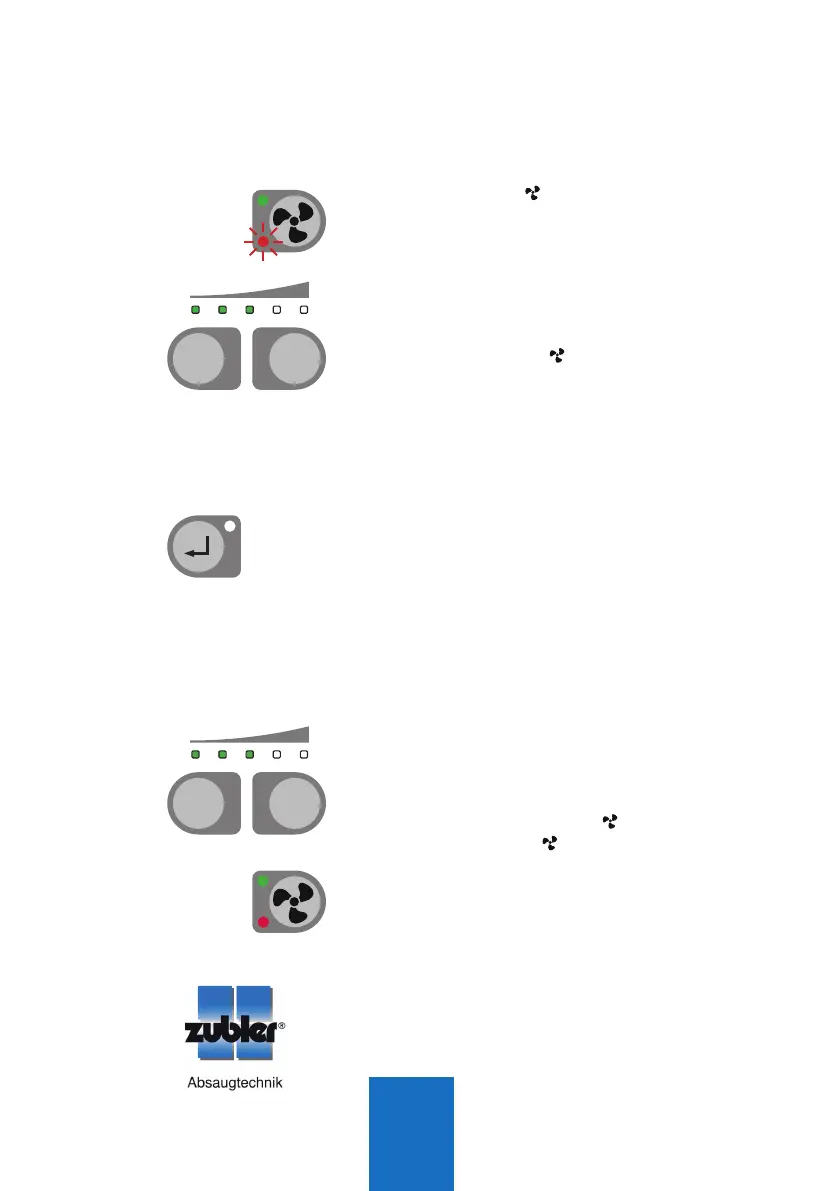
Q The suction can only be started manually
by pressing T4 (
)
on the suction unit,
if there are no AP601 port openers
connected to the suction unit! LED L6
starts flashing once the mode is activated.
Q The vacuum levels can be adjusted with
the T1 (-) and T2 (+) keys.
Q Once there are AP601 port openers con-
nected, button T4
(
)
on the suction
unit is blocked. Starting the suction is only
possible via the AP601 port openers.
2.3.3 Multi-user vacuum level
Q The multi-user vacuum level is factory set
to level 2. If more than one workstation is
opened, vacuum level 2 is applied.
Q The multi-user vacuum level can be
adjusted with the T1 (-) and T2 (+) keys
and can be saved by pressing T3 (Enter).
2.3.4 Central vacuum level mode
Q Usually the vacuum level is defined by the
AP601 port openers. However, under some
circumstances a central vacuum level mode
may be required. With this mode all work-
stations use the same vacuum level regard-
less of the vacuum levels of the AP601
port openers.
Q The central vacuum level can be adjusted
with the T1 (-) and T2 (+) keys and can
be saved by pressing T4 (
)
. LED L6 is
lighted. Press T4 (
) again to disable the
mode again.
Q
The status of the central vacuum level mode
is saved even after a restart of the suction unit.
Further system settings are possible with the
Zubler suction technology APP.
T3
T4
T1 T2
-
+
T4
Mehrplatz - Einzelplatz (Anlage)
T1 T2
-
+
Mehrplatz - Einzelplatz (Anlage)



 To Next Page