EasyManua.ls Logo

ZyXEL Communications G-202 - User Manual

ZyXEL Communications G-202
123 pages
Print Icon
To Next Page IconTo Next Page
Loading...
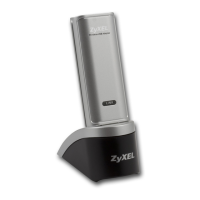
ZyXEL G-202
802.11g Wireless USB Adapter
Users Guide
Version 2.1.0
Edition 1
1/2010

Table of Contents

Other manuals for ZyXEL Communications G-202

Questions and Answers

  • B
    brownbenjaminJul 30, 2025
    Why is the link quality or signal strength poor on my ZyXEL Communications G-202?
    • K
      kleonardJul 30, 2025
      Poor link quality or signal strength on your ZyXEL Communications Adapter could be due to radio interference, such as from a microwave or another access point using the same channel. To improve this: * Search for and connect to another access point with better link quality using the Site Survey screen. * Move your computer closer to the access point or peer computers within the transmission range. * Lower the output power of each access point. * Ensure not too many wireless stations are connected to a wireless network.
  • G
    greglawrenceAug 9, 2025
    What to do if wireless stations cannot associate to the G-202 in access point mode of ZyXEL Communications Adapter?
    • W
      wisemelissaAug 9, 2025
      If wireless stations can't connect to the G-202 in access point mode, verify the following: * The computer with the G-202 is turned on. * The wireless stations use the same SSID as the G-202. * The wireless stations use the same security settings. * The wireless stations are not blocked in the MAC Filter screen.
  • P
    Patrick SmithAug 14, 2025
    What to do if I cannot scan or connect to any access points using Windows XP configuration tool with ZyXEL Communications Adapter?
    • L
      Lindsay AlexanderAug 14, 2025
      If you cannot scan or connect to any access points using the Windows XP configuration tool, it might be because the G-202 is still in access point mode. Ensure you set the G-202 to operate in station mode before closing the ZyXEL utility.
  • M
    Michele RossAug 19, 2025
    How to fix ZyXEL Communications G-202 Adapter utility icon not displaying?
    • T
      Tracy CrosbyAug 19, 2025
      If the ZyXEL utility icon does not display, and you have Funk Odyssey Client software installed, uninstall both the Funk Odyssey Client software and the ZyXEL utility. Then, restart your computer and reinstall the ZyXEL utility.
  • J
    Julie SchultzAug 25, 2025
    How to troubleshoot if cannot start ZyXEL Communications G-202 Wireless LAN utility?
    • Y
      ywalkerAug 25, 2025
      If you cannot start the ZyXEL Wireless LAN utility: * Ensure the G-202 is properly inserted and the LED(s) is on. Refer to the Quick Start Guide for LED descriptions. * Use the Device Manager to check for hardware conflicts (Start, Settings, Control Panel, System, Hardware, Device Manager; steps may vary depending on Windows version). Verify the status of the G-202 under Network Adapter. * Install the G-202 in another computer. If the issue persists, it may be a hardware problem, and you should contact your local vendor.
  • V
    vanessaramirezNov 3, 2025
    What to do if my computer with ZyXEL Communications G-202 Adapter cannot communicate with other computers in wireless station mode?
    • A
      Anthony LarsenNov 3, 2025
      If your computer with the ZyXEL Communications Adapter cannot communicate with other computers, here are some things to check: * In Infrastructure Mode: * Ensure the access point and associated computers are on and working. * Verify the G-202 computer and the access point use the same SSID. * Change the radio channel on the access point and wireless clients if there's high interference. * Confirm the computer and access point share the same security option and key, checking the Profile Security Setting screen. * If using WPA(2) or WPA(2)-PSK security, try switching the encryption type from TKIP to AES or vice versa. * In Ad-Hoc (IBSS) Mode: * Verify peer computers are turned on. * Make sure the G-202 computer and peer computers use the same SS...

Summary

About This Users Guide

Related Documentation

Lists and describes related documentation like the Supporting Disk and Quick Start Guide.

User Guide Feedback

Provides contact information for submitting comments and suggestions for the user guide.

Customer Support

Details how to contact ZyXEL for customer support and information needed.

Document Conventions

Warnings and Notes

Explains how warnings and notes are presented in the user guide.

Syntax Conventions

Defines conventions used for syntax, keystrokes, and screen navigation.

Icons Used in Figures

Describes the generic icons used within the user guide's figures.

Safety Warnings

General Safety Precautions

Provides essential safety instructions for using the product to avoid hazards.

Copyright

Disclaimer

Trademarks

Certifications

FCC Interference Statement

Details the device's compliance with FCC Part 15 rules for interference.

FCC Radiation Exposure Statement

Provides information on the device's compliance with FCC RF radiation exposure limits.

Notices

Viewing Certifications

ZyXEL Limited Warranty

Online Registration

Instructions for registering the product online to receive updates and information.

Getting Started

About Your G-202

Introduces the G-202, its compliance, and the utility tool for configuration.

Application Overview

Describes network applications for the G-202, including station and AP modes.

G-202 Hardware and Utility Installation

Details the installation process for the G-202 hardware and ZyXEL utility.

Configuration Methods

Explains the methods for configuring the G-202, including WZC and ZyXEL Utility.

Tutorial

Connecting to a Wireless LAN

Illustrates manual connection to an access point with WPA-PSK security.

Creating and Using a Profile

Explains how to create and manage profiles for automatic wireless network connection.

Configuring the G-202 as an AP

Guides on setting up the G-202 to function as an access point.

Wireless LAN Network

Wireless LAN Security

Details vital wireless LAN security measures to protect communications.

WiFi Protected Setup

Explains the easy setup of secure wireless networks using WPS.

Introduction to OTIST

Introduces OTIST technology for transferring AP security settings to wireless clients.

Wireless Station Mode Configuration

The Link Info Screen

Describes the Link Info screen for viewing connection status and configuration.

The Site Survey Screen

Explains how to use the Site Survey screen to scan for and connect to networks.

The Profile Screen

Details how to create, manage, and activate wireless network profiles.

Security Settings in Windows Vista

Guides on setting up WPA, WPA2, and 802.1x security in Windows Vista.

Access Point Mode Configuration

The Link Info Screen

Describes the Link Info screen for monitoring AP mode status and connected clients.

The Configuration Screen

Details configuring wireless LAN settings for the G-202 in AP mode.

The MAC Filter Screen

Explains how to configure MAC address filtering for access control.

Maintenance

The About Screen

Displays driver and utility version numbers for the G-202.

Uninstalling the ZyXEL Utility

Provides step-by-step instructions for removing the ZyXEL utility software.

Upgrading the ZyXEL Utility

Guides on how to upgrade the ZyXEL utility to the latest version.

Troubleshooting

Problems Starting the ZyXEL Utility

Offers solutions for issues encountered when starting the ZyXEL Wireless LAN utility.

Problem Connecting to an Access Point

Addresses problems related to scanning or connecting to access points.

Problem with the Link Quality

Provides steps to improve poor link quality or signal strength.

Problems Communicating With Other Computers

Solves issues with communication between computers in wireless modes.

Product Specifications

PHYSICAL AND ENVIRONMENTAL

Lists physical dimensions, operating conditions, and power requirements.

RADIO SPECIFICATIONS

Details radio frequencies, channels, and data rates supported by the device.

SOFTWARE SPECIFICATIONS

Lists compatible operating systems and security features supported by the software.

Access Point Mode Setup Example

Configuring the Computer on Which You Install the G-202

Guides on configuring the host computer for AP mode network sharing.

Management with Wireless Zero Configuration

Activating Wireless Zero Configuration

Instructions for enabling and activating Windows XP's Wireless Zero Configuration.

Connecting to a Wireless Network

Steps to connect to available wireless networks using Windows XP.

Security Settings

Explains configuring security settings for secure network connections.

Wireless Security

Types of EAP Authentication

Discusses various EAP authentication types like MD5, TLS, TTLS, PEAP, and LEAP.

WPA and WPA2

Compares WPA and WPA2 security standards, highlighting improvements over WEP.

Security Parameters Summary

Summarizes security parameters for various authentication and encryption methods.

Setting up Your Computer’s IP Address

Windows 95;98;Me

Guides for setting up TCP/IP and network components on Windows 95/98/Me.

Windows 2000;NT;XP

Instructions for configuring IP addresses and network settings in Windows 2000/NT/XP.

ZyXEL Communications G-202 Specifications

General IconGeneral
BrandZyXEL Communications
ModelG-202
CategoryAdapter
LanguageEnglish

Related product manuals